


- Fast, secure device management solution
- Easy data transfer across devices
- Reliable recovery and repair tools
- Supports iOS, Android, and computers
Finding reliable software to manage smartphones, tablets, and computers can be challenging. From transferring data to a new device to recovering deleted files or fixing system problems, users need software that is both powerful and easy to use. This is where iMobie has built a strong reputation. Known for developing practical solutions for iPhone, iPad, Android, Windows, and Mac, iMobie offers a range of applications designed to simplify device management.
In this iMobie Review, you'll learn about the company's products, features, advantages, disadvantages, pricing, and overall performance. By the end of this review, you'll have a clear understanding of whether iMobie is the best device management software for your needs.
What Is iMobie?
iMobie is a software development company that creates applications for managing, repairing, recovering, transferring, and organising data across multiple devices. Since its launch in 2011, the company has helped millions of users solve common device-related problems through simple and effective software.
Instead of relying on several applications for different tasks, iMobie provides specialised software that focuses on data transfer, backup, recovery, operating system repair, and file management. Its products are suitable for beginners, professionals, businesses, and IT technicians who need dependable solutions for their everyday digital activities.
The company regularly updates its software to support the latest versions of iOS, Android, Windows, and macOS, ensuring users can continue managing their devices without compatibility issues.
Why Choose iMobie?
Choosing the right device management software is important because your personal data deserves reliable protection. iMobie has become a popular choice because it combines ease of use with professional-grade features. The software simplifies complex tasks without requiring technical knowledge, making it suitable for users of all experience levels.
Another major advantage is its wide device compatibility. Whether you use an iPhone, Android smartphone, Windows computer, or Mac, iMobie provides solutions that work across multiple operating systems. The software is regularly improved with new features, security updates, and compatibility enhancements, giving users confidence that it will continue to meet their needs.
Its clean interface, fast performance, and dependable customer support also contribute to its popularity among millions of users worldwide.
Popular iMobie Products
iMobie offers several specialised software applications, each designed to solve a particular problem. Whether you need to transfer files, recover deleted data, repair software issues, or manage your device more efficiently, there is a dedicated solution available.
AnyTrans
AnyTrans is one of iMobie's flagship products and is designed for complete device management. It allows users to transfer photos, videos, contacts, messages, music, documents, and applications between iPhone, Android, Windows, Mac, and cloud storage services.
Unlike traditional transfer software, AnyTrans provides complete control over your files. You can selectively move specific data instead of transferring everything, making the process faster and more organised. It is particularly useful when upgrading to a new smartphone or creating backups of important content.
PhoneRescue
PhoneRescue is a dedicated data recovery solution for iPhone and Android devices. It helps recover accidentally deleted photos, messages, contacts, call logs, notes, and other supported files.
The software includes several recovery methods depending on the situation. Whether data was lost because of accidental deletion, software failure, or a damaged device, PhoneRescue aims to restore as much information as possible. Recovery success depends on the condition of the device and whether the deleted data has been overwritten.
AnyUnlock
AnyUnlock is designed for supported device access scenarios involving devices you own. It helps authorised users regain access when credentials are forgotten or supported security settings need to be managed.
The software provides guided instructions that simplify complex recovery procedures while supporting multiple Apple devices. It is intended for legitimate owners and should always be used in accordance with applicable laws and Apple's policies.
DroidKit
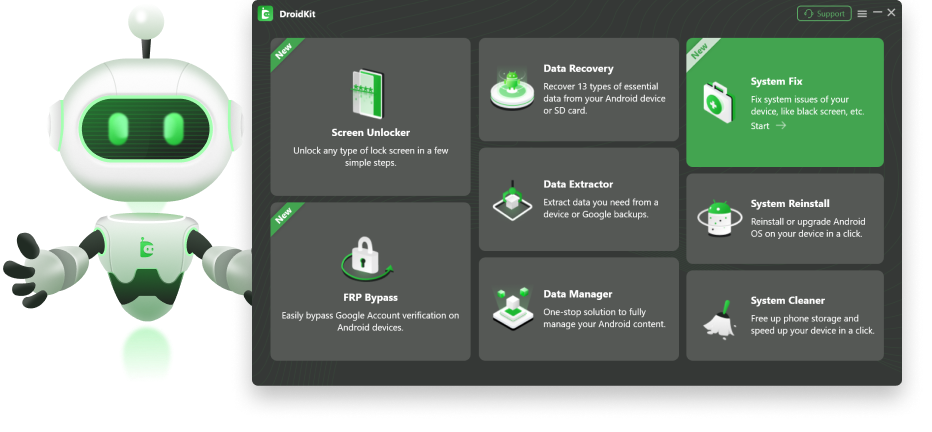
DroidKit is an all-in-one toolkit developed specifically for Android users. Instead of using separate applications for recovery, repair, and management, DroidKit combines these functions into one platform.
Its features include Android data recovery, system repair, file extraction, screen unlocking for supported scenarios, and device management. The software supports many popular Android manufacturers, making it a versatile solution for users across different brands.
AnyFix
AnyFix focuses on repairing software-related problems affecting Apple devices. It helps resolve many common iOS, iPadOS, Apple TV, and iTunes issues through guided repair modes.
Instead of visiting a repair centre for software-related problems, users can often fix their devices from home. This saves both time and money while reducing unnecessary downtime.
Key Features of iMobie
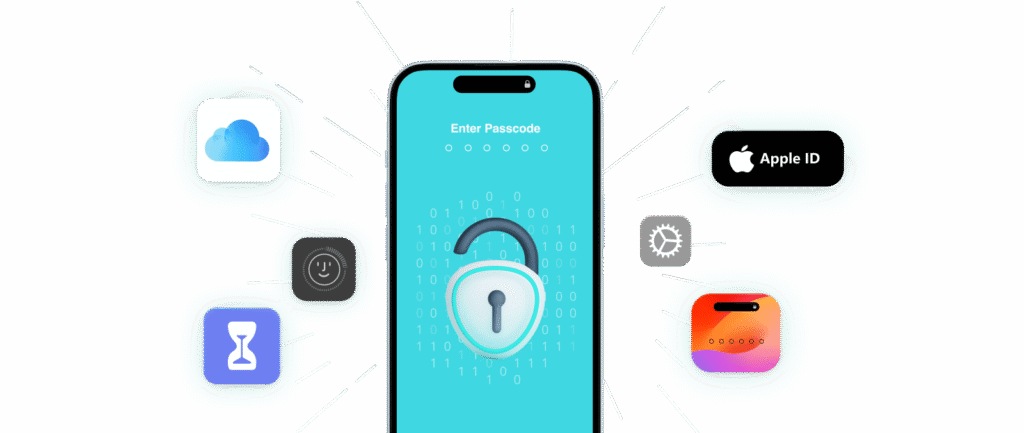
The success of iMobie is largely due to its practical features that make everyday device management easier. Each product is designed to improve efficiency while maintaining simplicity for users of all experience levels.
Easy-to-Use Interface
One of the first things users notice about iMobie software is its clean and intuitive design. Every menu is clearly organised, making it easy to locate important features without confusion.
Even someone with limited technical knowledge can complete tasks such as transferring files, recovering data, or repairing system problems by following the on-screen instructions.
Fast Data Transfer
Transferring files between devices is one of the most common tasks users perform. iMobie makes this process quick and reliable by allowing users to move large collections of photos, videos, contacts, music, documents, and messages efficiently.
The software supports selective transfers, allowing users to move only the files they need rather than copying everything.
Reliable Data Recovery
Accidentally deleting important files can be stressful. iMobie includes powerful recovery tools that help restore deleted photos, contacts, messages, notes, documents, and other supported data.
While recovery success varies depending on individual circumstances, the software offers multiple recovery options that improve the chances of retrieving valuable information.
Secure Backup and Restore
Creating regular backups is one of the best ways to protect personal information. iMobie makes the backup process simple by allowing users to create secure copies of their data and restore them whenever necessary.
This feature provides additional peace of mind during software updates, device replacements, or unexpected system failures.
Cross-Platform Compatibility
Many device management applications only support one operating system. iMobie stands out by supporting iPhone, iPad, Android, Windows, and macOS.
This flexibility allows users with multiple devices to manage everything from one ecosystem instead of installing several different applications.
System Repair
Software problems such as update failures, boot loops, frozen screens, or operating system errors can affect device performance. Several iMobie applications include guided repair modes that help resolve many common issues without requiring professional repair services.
File Organisation
Managing thousands of files becomes much easier with iMobie's organisation tools. Users can sort photos, music, videos, contacts, documents, and applications quickly, helping keep their devices clean and well organised.
Regular Software Updates
Technology changes rapidly, and iMobie continues improving its software through regular updates. These updates enhance compatibility with new devices, improve security, fix bugs, and introduce useful features that improve the overall user experience.
Performance and User Experience
Performance plays a major role when choosing device management software, and iMobie delivers a smooth experience across its product range. Installation is straightforward, and the software launches quickly on both Windows and Mac computers. The clean interface allows users to find the required tools without navigating through complicated menus.
During testing, file transfers completed efficiently, while backup and recovery processes remained stable. The software provides clear progress indicators and helpful instructions throughout each task, making it suitable even for users with little technical experience.
Another advantage is its organised dashboard. Instead of displaying too many options at once, iMobie groups related features together, allowing users to focus on the task they want to complete. This improves productivity and reduces the learning curve for first-time users.
Security and Privacy
Protecting personal information is essential when using device management software. iMobie is designed to process user data locally for many tasks rather than relying entirely on cloud-based processing. This approach gives users greater control over their personal files.
The company regularly releases software updates that improve security, compatibility, and performance. Downloading software directly from the official iMobie website helps ensure users receive genuine applications with the latest security improvements.
Although no software can guarantee absolute security, iMobie follows recognised industry practices to help protect user data during transfers, backups, and recovery operations.
Pricing
iMobie offers flexible pricing options depending on the software product you choose. Most applications are available with annual licences, lifetime licences, or family plans that support multiple devices.
Many products also include a free trial, allowing users to explore key features before purchasing a licence. The trial versions may have certain limitations, but they provide an opportunity to evaluate the software's interface and capabilities.
Considering the range of features included, the pricing represents good value for users who frequently manage multiple devices or require professional data recovery and transfer tools.
Customer Support
Good customer support can make a significant difference when dealing with technical software. iMobie provides several support options to help users solve problems quickly.
The official website includes an extensive knowledge base containing setup guides, troubleshooting articles, frequently asked questions, and detailed tutorials. These resources answer many common questions without requiring direct assistance.
Users who need additional help can contact the customer support team through email. Response times are generally reasonable, and the support staff provide detailed guidance for installation, activation, licensing, and software-related enquiries.
Regular software documentation and product updates also help users stay informed about new features and compatibility improvements.
Pros and Cons
Every software has its strengths and limitations. Here's a quick overview of what iMobie offers.
Pros
- Easy-to-use interface
- Supports iOS, Android, Windows, and Mac
- Fast data transfer
- Reliable data recovery
- Effective system repair tools
- Regular software updates
- Secure backup and restore
- Excellent customer support
Cons
- Not every feature supports all devices
- Premium features require a paid licence
- Free trial has limitations
- Recovery success is not guaranteed
- Some tools require separate purchases
iMobie vs Competitors
Choosing the right device management software depends on your specific needs. While several alternatives are available, iMobie stands out for its comprehensive product range, user-friendly interface, and cross-platform compatibility. The table below compares iMobie with some of the most popular competitors.
| Feature | iMobie | Dr.Fone | iMazing | EaseUS MobiMover | Tenorshare |
|---|---|---|---|---|---|
| Supports iPhone | ✅ Yes | ✅ Yes | ✅ Yes | ✅ Yes | ✅ Yes |
| Supports Android | ✅ Yes | ✅ Yes | ❌ Limited | ✅ Yes | ✅ Yes |
| Windows & Mac Support | ✅ Yes | ✅ Yes | ✅ Yes | ✅ Yes | ✅ Yes |
| Data Transfer | ✅ Excellent | ✅ Excellent | ✅ Good | ✅ Good | ✅ Good |
| Data Recovery | ✅ Advanced | ✅ Advanced | ⚠️ Limited | ⚠️ Basic | ✅ Advanced |
| System Repair | ✅ Yes | ✅ Yes | ❌ No | ❌ No | ✅ Yes |
| Device Management | ✅ Excellent | ✅ Good | ✅ Excellent | ✅ Good | ✅ Good |
| Backup & Restore | ✅ Yes | ✅ Yes | ✅ Yes | ✅ Yes | ⚠️ Limited |
| Easy-to-Use Interface | ⭐⭐⭐⭐⭐ | ⭐⭐⭐⭐☆ | ⭐⭐⭐⭐☆ | ⭐⭐⭐⭐☆ | ⭐⭐⭐⭐☆ |
| Regular Updates | ✅ Frequent | ✅ Frequent | ✅ Frequent | ✅ Regular | ✅ Regular |
| Free Trial | ✅ Yes | ✅ Yes | ✅ Yes | ✅ Yes | ✅ Yes |
| Best For | Complete Device Management | Data Recovery & Repair | Apple Device Management | File Transfer | iOS & Android Utilities |
Who Should Use iMobie?
iMobie is suitable for a wide variety of users. Individuals upgrading to a new phone will appreciate the simple data transfer tools. Families can use the software to organise photos, videos, contacts, and backups across multiple devices. Students and professionals benefit from reliable file management and recovery features that help protect important documents.
Small businesses and IT professionals can also use iMobie to manage multiple smartphones and tablets more efficiently. The software reduces manual work while improving productivity through organised workflows and dependable performance.
Whether you use Apple devices, Android devices, or a combination of both, iMobie provides practical solutions that simplify everyday device management.
Is iMobie Worth Buying?
For most users, the answer is yes. iMobie offers an excellent combination of simplicity, performance, and functionality. Instead of requiring advanced technical knowledge, the software guides users through each process with clear instructions and well-designed interfaces.
Its wide compatibility, reliable data transfer capabilities, recovery tools, backup options, and system repair features make it a valuable investment for anyone who regularly manages smartphones or computers.
While premium licences require payment, the time saved and convenience provided by the software often justify the cost, particularly for users who frequently upgrade devices or manage large amounts of personal data.
Final Verdict:
After evaluating its products, features, usability, performance, and overall value, this iMobie Review shows why the company remains one of the leading names in device management software. Its applications are reliable, beginner-friendly, and designed to solve everyday problems without unnecessary complexity.
Whether you need to transfer files, recover deleted data, repair software issues, organise digital content, or back up important information, iMobie provides specialised solutions that perform consistently well.
Although some advanced features require a paid licence, the software delivers excellent value through regular updates, broad compatibility, dependable customer support, and an intuitive user experience.
If you are searching for professional yet easy-to-use device management software for iPhone, iPad, Android, Windows, or Mac, iMobie is undoubtedly one of the strongest options available in 2026.
Must Read:
- Pacdora Review: Best 3D Packaging Design Tool?
- Lovable Review: Can It Replace Traditional Coding?
- Base44 Review: Can AI Really Build Your Next App?
FAQs:
Is iMobie safe to use?
Yes. iMobie is developed by an established software company and is widely used by millions of people worldwide. For the best security and latest updates, always download its software from the official website.
Does iMobie work with both Android and iPhone?
Yes. Many iMobie applications support both Android and iPhone devices, while others are designed specifically for Apple or Android platforms.
Can iMobie recover permanently deleted files?
iMobie can recover many deleted files, provided they have not been overwritten. Recovery success depends on the condition of the device and how the data was lost.
Does iMobie offer a free trial?
Yes. Most iMobie products provide a free trial that allows users to explore the software before purchasing a licence. Some features may be limited in the trial version.
Is iMobie suitable for beginners?
Absolutely. The software is designed with a clean interface, guided instructions, and simple navigation, making it suitable for beginners as well as experienced users.
Should you choose iMobie?
If you want reliable software for transferring files, recovering data, repairing supported system issues, and managing your devices efficiently, iMobie is a strong choice. Its combination of performance, ease of use, and broad device compatibility makes it one of the best device management software solutions currently available.
- Fast, secure device management solution
- Easy data transfer across devices
- Reliable recovery and repair tools
- Supports iOS, Android, and computers