

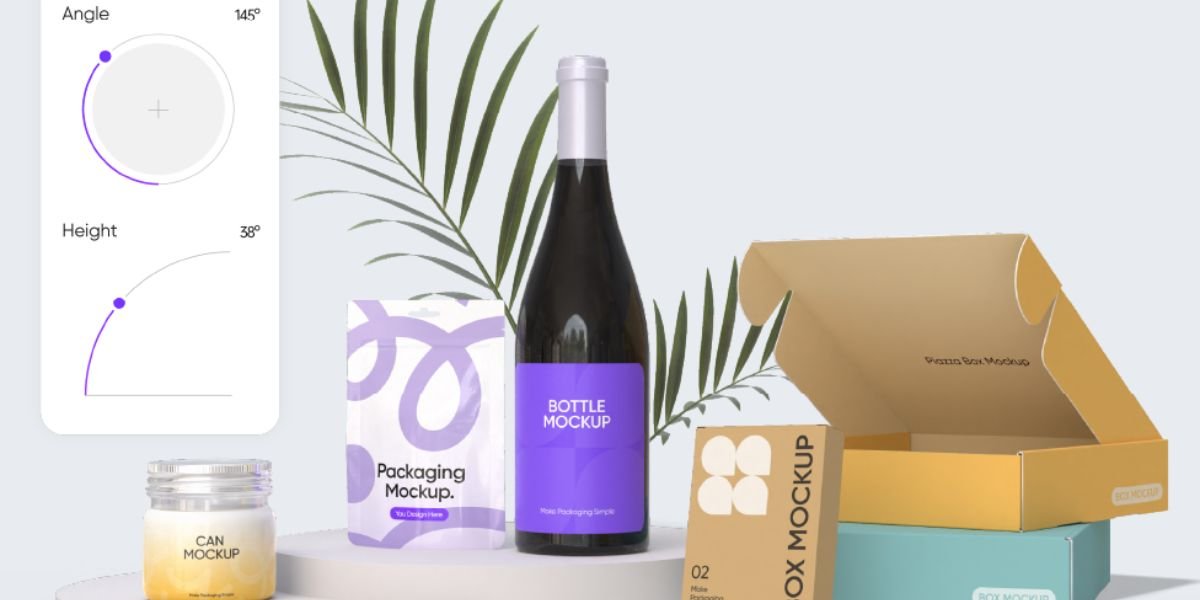
- Create realistic 3D packaging mockups
- Design packaging directly online
- Generate accurate print-ready dielines
- Thousands of professional packaging templates
Product packaging is often the first thing customers notice about a brand. A well-designed package can attract attention, build trust, and influence purchasing decisions. However, creating professional packaging has traditionally required expensive software, advanced 3D modelling skills, and countless hours of work. That is where Pacdora changes the process.
In this Pacdora Review, we'll explore everything you need to know about this online packaging design platform. From realistic 3D mockups and print-ready dielines to pricing, features, advantages, and drawbacks, this guide will help you determine whether Pacdora is the right solution for your business or creative projects.
Whether you're a graphic designer, eCommerce seller, packaging manufacturer, marketing agency, or startup owner, this Pacdora Review will give you an in-depth understanding of what the platform offers.
What Is Pacdora?
Pacdora is a browser-based packaging design platform that allows users to create realistic 3D packaging mockups and generate production-ready dielines without requiring advanced technical knowledge.
Instead of switching between several design applications, users can complete almost every stage of the packaging workflow within a single platform. This includes selecting templates, editing designs, previewing products in 3D, and exporting files for commercial printing.
Unlike traditional packaging software that often requires extensive training, Pacdora focuses on simplicity while maintaining professional-quality output.
Today, thousands of businesses, freelancers, agencies, and product manufacturers use Pacdora to speed up packaging development and reduce design costs.
Why Is Pacdora Becoming So Popular?
The packaging industry has changed significantly over the past few years. Businesses now launch products faster than ever before, and customers expect attractive packaging across every industry.
This growing demand has created a need for software that is both powerful and easy to use.
Pacdora addresses this challenge by combining multiple design tools into one online platform. Instead of purchasing expensive software licences or hiring specialised 3D designers, businesses can produce professional packaging designs directly from their browser.
Another reason for Pacdora's popularity is its large collection of ready-made packaging templates. Rather than building structures from scratch, users simply choose a template and customise it according to their branding requirements.
For small businesses and startups, this significantly reduces development time and costs.
Key Features of Pacdora
One of the biggest strengths highlighted in this Pacdora Review is the impressive collection of built-in features.
Browser-Based Design Platform
Pacdora runs entirely online.
There is no need to install heavy desktop software or worry about system compatibility. Users can simply log into their account and start designing from virtually any computer with an internet connection.
Cloud-based access also makes collaboration easier for teams working remotely.
Massive Library of Packaging Templates
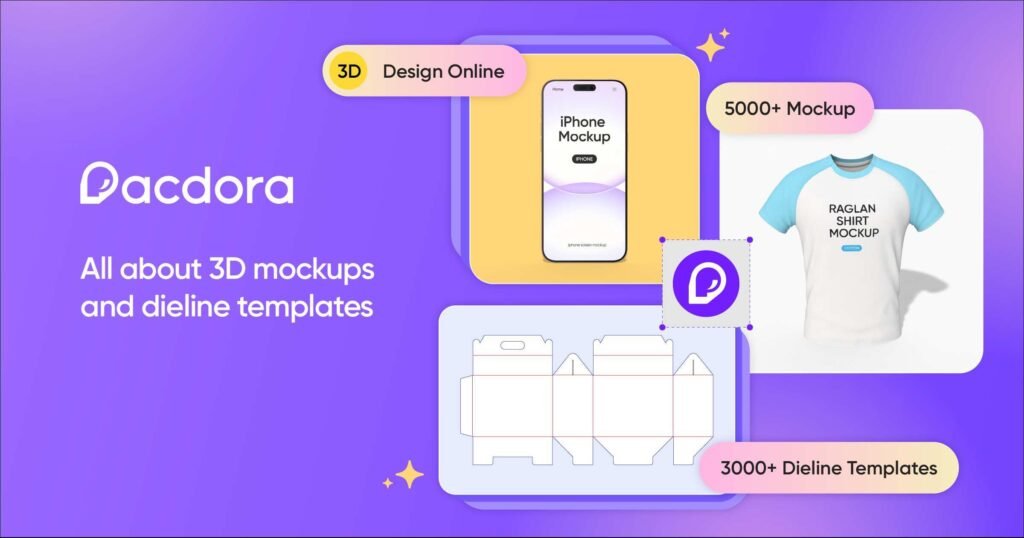
Pacdora includes thousands of professionally designed templates covering numerous packaging categories.
These include:
- Product boxes
- Supplement bottles
- Cosmetic packaging
- Coffee bags
- Food containers
- Shipping cartons
- Beverage cans
- Pouches
- Labels
- Pharmaceutical packaging
- Gift boxes
- Retail packaging
Having access to these templates allows users to start projects immediately instead of spending hours creating packaging structures manually.
Realistic 3D Mockups
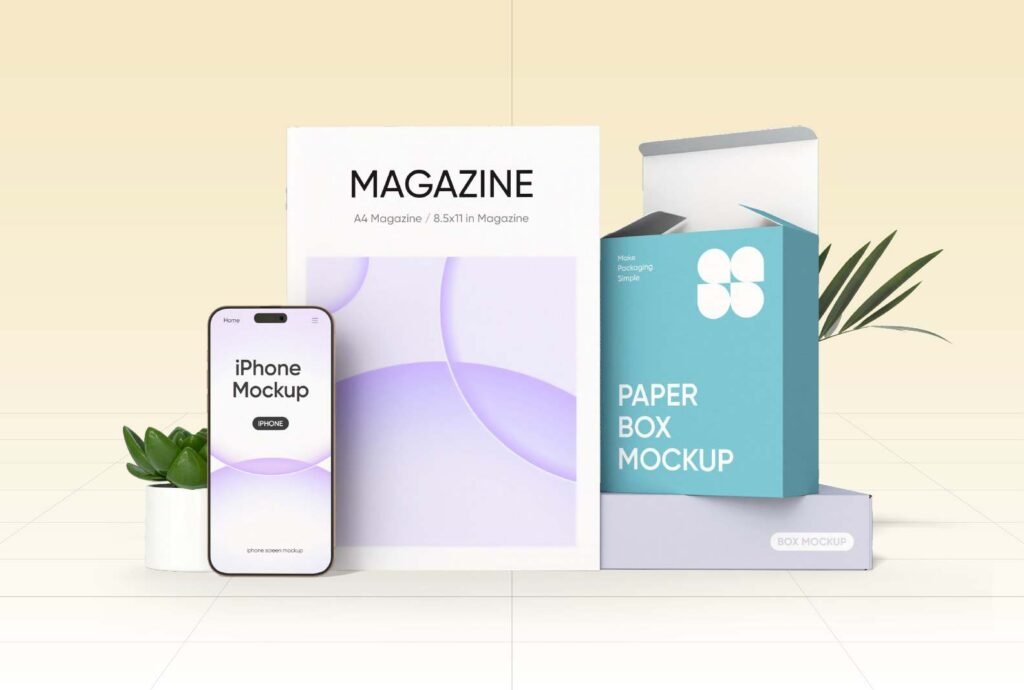
One feature that makes Pacdora stand out is its realistic 3D rendering engine.
Users can instantly view their packaging from different angles while making live design changes.
This visual feedback makes it much easier to identify improvements before production begins.
High-quality mockups are also useful for:
- Product launches
- Client presentations
- Marketing campaigns
- Online stores
- Amazon listings
- Social media promotions
- Crowdfunding campaigns
Professional visuals help products appear more trustworthy and attractive.
Print-Ready Dieline Generator
Creating accurate dielines is often one of the most difficult parts of packaging design.
Pacdora simplifies this process by automatically generating production-ready dielines.
These files can be exported for commercial printing, reducing the likelihood of manufacturing errors and helping businesses save both time and money.
Drag-and-Drop Editing
Another major advantage discussed throughout this Pacdora Review is its beginner-friendly editing system.
Users can customise packaging by simply dragging and dropping elements into place.
You can easily modify:
- Logos
- Product images
- Brand colours
- Labels
- Graphics
- Typography
- Backgrounds
- Materials
Even users with little design experience can create professional-looking packaging.
High-Quality Rendering
Pacdora produces realistic shadows, lighting effects, textures, and reflections that closely resemble professionally photographed products.
Instead of waiting days for product photography, businesses can create marketing visuals almost instantly.
This feature is especially valuable for online sellers launching new products before manufacturing begins.
Who Should Use Pacdora?
This Pacdora Review wouldn't be complete without discussing the ideal users.
Graphic Designers
Graphic designers can quickly create packaging concepts without building complicated 3D models manually.
The platform speeds up client revisions while producing professional presentations.
Product Manufacturers
Manufacturers benefit from accurate dielines that reduce production errors.
Realistic previews also improve communication between designers and production teams.
eCommerce Sellers
Online businesses rely heavily on attractive product images.
Pacdora helps Amazon sellers, Shopify store owners, Etsy businesses, and independent brands create premium-looking packaging before products are physically manufactured.
Marketing Agencies
Marketing agencies frequently create product presentations for clients.
Pacdora allows agencies to generate impressive packaging visuals without outsourcing expensive 3D rendering work.
Startups
New businesses often have limited budgets.
Instead of investing in costly software or hiring dedicated packaging specialists, startups can use Pacdora to build professional branding materials quickly.
User Interface and Ease of Use
- One of Pacdora's strongest selling points is its clean and intuitive interface.
- Unlike many traditional packaging applications that contain hundreds of complicated tools, Pacdora keeps everything organised and easy to understand.
- Navigation is straightforward.
- Templates are clearly categorised.
- Editing tools are simple.
- Real-time previews update instantly.
- Even first-time users can usually begin creating packaging within minutes.
- This ease of use makes Pacdora attractive to beginners while still offering enough functionality for experienced designers.
Performance and Speed
- Performance is another area where Pacdora performs exceptionally well.
- Since everything operates inside the browser, users avoid lengthy software installations and complicated updates.
- Projects load quickly.
- Rendering is smooth.
- Editing feels responsive.
- Cloud storage also means projects remain accessible from multiple devices.
- For agencies handling several clients simultaneously, this flexibility can significantly improve workflow efficiency.
Pacdora Pricing
Pacdora offers multiple subscription options designed for individuals, freelancers, businesses, and professional teams.
Pricing generally varies depending on the features included, export quality, storage limits, collaboration tools, and commercial usage rights.
For occasional users, there is often a free option with limited functionality, allowing beginners to explore the platform before upgrading.
Paid plans unlock advanced capabilities such as premium templates, higher-resolution exports, commercial licensing, enhanced collaboration features, and additional design resources.
When compared with purchasing several professional design applications separately, Pacdora provides good value by combining packaging design, 3D mockups, and dieline generation within a single platform.
Advantages of Pacdora
After thoroughly evaluating the platform for this Pacdora Review, several strengths become immediately noticeable.
The platform is extremely easy to learn, making it suitable for both beginners and experienced professionals. The extensive template library saves countless hours of work, while the realistic 3D rendering engine produces high-quality product visuals. Automatic dieline generation simplifies manufacturing preparation, and the browser-based workflow eliminates the need for expensive hardware or software installations.
For businesses seeking an affordable packaging design solution, Pacdora offers an excellent balance between simplicity and professional capabilities.
Disadvantages of Pacdora
No design platform is perfect, and Pacdora also has a few limitations that users should consider before subscribing.
Because Pacdora is a browser-based platform, a stable internet connection is required for smooth performance. Users working offline may find this limiting compared to traditional desktop software.
Although Pacdora offers an impressive collection of templates, highly customised structural packaging designs may still require specialised software such as ArtiosCAD or Adobe Illustrator for advanced editing.
Another consideration is that some premium templates, high-resolution exports, and advanced features are available only through paid subscription plans. Businesses with extensive commercial needs may need to upgrade to unlock the platform's full potential.
Despite these minor drawbacks, the advantages generally outweigh the limitations for most designers, startups, and businesses.
Pacdora Pros and Cons
Pros
- Easy-to-use interface suitable for beginners and professionals.
- Browser-based platform with no software installation required.
- Access projects from anywhere with an internet connection.
- Thousands of ready-made packaging templates.
- Create realistic 3D packaging mockups in minutes.
- Generate accurate print-ready dielines automatically.
- Drag-and-drop editor for quick customisation.
- High-quality rendering with realistic lighting and textures.
- Cloud-based storage for easy collaboration and project management.
- Supports various packaging types, including boxes, bottles, pouches, and labels.
- Saves time by streamlining the entire packaging design workflow.
- More affordable than purchasing multiple packaging design tools.
Cons
- Some advanced export options are restricted to higher-tier subscriptions.
- Requires a stable internet connection to use.
- Some premium features are available only with paid plans.
- Limited offline functionality.
- Highly specialised packaging structures may require advanced CAD software.
- Advanced users may find structural editing options less flexible than dedicated engineering tools.
- Large or complex projects may depend on internet speed for optimal performance.
Pacdora vs Competitors
| Feature | Pacdora | Canva | Adobe Illustrator | Blender |
|---|---|---|---|---|
| Primary Purpose | Packaging design & 3D mockups | Graphic design | Vector graphic design | 3D modelling & animation |
| Best For | Product packaging, labels, boxes, bottles | Social media, presentations, marketing | Logos, illustrations, professional vector artwork | Advanced 3D models, animation, VFX |
| Ease of Use | ⭐⭐⭐⭐⭐ Easy | ⭐⭐⭐⭐⭐ Easy | ⭐⭐⭐ Moderate | ⭐⭐ Difficult |
| Browser-Based | ✅ Yes | ✅ Yes | ❌ No | ❌ No |
| Software Installation | ❌ Not Required | ❌ Not Required | ✅ Required | ✅ Required |
| Ready-Made Packaging Templates | ✅ Thousands | ⚠️ Limited | ❌ No | ❌ No |
| Realistic 3D Packaging Mockups | ✅ Yes | ⚠️ Basic | ⚠️ Limited | ✅ Yes (Manual Setup) |
| Automatic Print-Ready Dielines | ✅ Yes | ❌ No | ⚠️ Manual | ❌ No |
| Drag-and-Drop Editor | ✅ Yes | ✅ Yes | ❌ No | ❌ No |
| Custom Packaging Design | ✅ Yes | ⚠️ Limited | ✅ Yes | ✅ Yes |
| Cloud Storage | ✅ Yes | ✅ Yes | ⚠️ Via Adobe Cloud | ❌ No |
| Team Collaboration | ✅ Yes | ✅ Yes | ✅ Adobe Cloud | ⚠️ Limited |
| Learning Curve | Low | Low | High | Very High |
| Rendering Quality | Excellent | Good | Good | Professional |
| Speed for Packaging Projects | ⭐⭐⭐⭐⭐ Fast | ⭐⭐⭐ Moderate | ⭐⭐⭐ Moderate | ⭐⭐ Slow |
| Ideal Users | Designers, brands, eCommerce sellers, startups | Content creators, marketers | Professional designers | 3D artists and animators |
| Pricing | Free & Paid Plans | Free & Paid Plans | Subscription | Free (Open Source) |
Real-World Use Cases
One of the reasons Pacdora continues gaining popularity is its versatility across many industries.
Health supplement brands use Pacdora to create realistic bottle and jar packaging before products enter manufacturing. Cosmetic companies rely on the platform to design attractive boxes, tubes, and containers that strengthen brand identity. Food manufacturers use it to develop packaging for coffee bags, snack pouches, frozen foods, and beverage containers.
eCommerce businesses also benefit significantly. Online retailers can showcase professional-looking packaging on their websites, Amazon listings, and social media campaigns long before the physical product is available.
Marketing agencies use Pacdora to present branding concepts to clients with realistic visuals, helping secure approvals more quickly.
Educational institutions and freelance designers also use the platform to teach and demonstrate packaging design concepts without investing in expensive desktop software.
Customer Reviews
Most users praise Pacdora for its ease of use and time-saving workflow. Beginners appreciate how quickly they can create professional packaging without prior experience, while experienced designers value the realistic mockups and print-ready dielines.
Businesses often mention that Pacdora reduces development costs by eliminating the need for separate 3D modelling software and expensive product photography during the design stage.
Users also highlight the large template library as one of the platform's strongest features. Having access to hundreds of packaging structures significantly reduces project turnaround times.
Some advanced users would like additional structural editing capabilities, but overall feedback remains highly positive, especially among startups and small businesses.
Is Pacdora Worth the Money?
For most businesses, the answer is yes.
Pacdora delivers excellent value by combining packaging templates, 3D mockups, dieline generation, and browser-based editing into one platform.
Instead of purchasing multiple software applications or outsourcing packaging mockups, businesses can complete most of the design process using a single subscription.
The platform is particularly valuable for startups, freelancers, eCommerce sellers, agencies, and product manufacturers looking to reduce costs while maintaining professional quality.
If your work involves packaging design on a regular basis, Pacdora can quickly pay for itself through improved efficiency and faster project completion.
Tips for Getting the Most from Pacdora
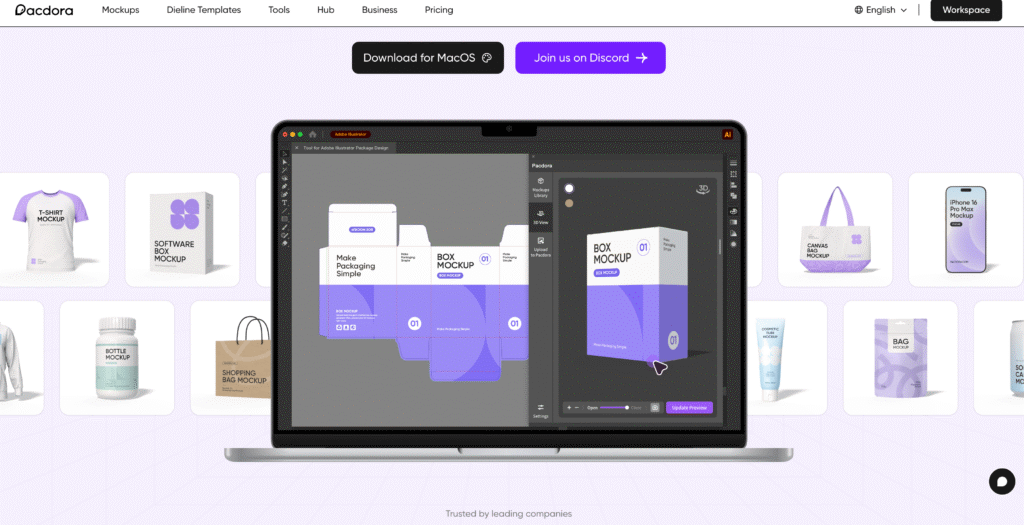
Pacdora is packed with features that can simplify your packaging design workflow, but using the platform strategically will help you achieve even better results. Whether you're a beginner or an experienced designer, these practical tips will help you save time, improve design quality, and create professional packaging more efficiently.
Start with the Right Template
One of Pacdora's biggest advantages is its extensive library of packaging templates. Instead of creating a package from scratch, choose a template that closely matches your product's size and shape. This reduces editing time and ensures your design fits the packaging structure accurately. Selecting the right template from the beginning also helps minimise production errors.
Use High-Quality Design Assets
Always upload high-resolution logos, product images, and graphics. Sharp visuals produce better-looking mockups and ensure your printed packaging maintains excellent quality. Low-resolution images may appear blurry or pixelated, especially when viewed in close-up product previews or printed on larger packaging.
Preview Your Design in 3D
Take advantage of Pacdora's realistic 3D preview before exporting your design. Rotate the packaging from different angles to inspect logo placement, text alignment, colours, and overall appearance. Identifying issues during the design stage is much easier and less expensive than correcting them after printing.
Keep Your Branding Consistent
Maintain consistent colours, fonts, and visual elements across all your packaging designs. Consistent branding helps customers recognise your products instantly and builds trust in your brand. Pacdora makes it easy to apply your brand identity across multiple packaging formats.
Test Multiple Design Variations
Don't settle for the first version of your packaging. Experiment with different colour schemes, typography, layouts, and finishes to compare various design options. Creating multiple mockups allows you to choose the version that best represents your brand and appeals to your target audience.
Use Print-Ready Dielines Carefully
Before sending your packaging for production, review the automatically generated dielines carefully. Double-check measurements, fold lines, bleed areas, and safe zones to ensure everything is correctly positioned. A final review can prevent costly printing mistakes and production delays.
Organise Your Projects
As your design library grows, organise projects using clear names and folders. Keeping packaging files well organised makes it easier to locate previous designs, update existing products, and collaborate with team members without confusion.
Stay Updated with New Features
Pacdora regularly introduces new templates, tools, and improvements. Exploring these updates can help you discover more efficient workflows and access additional design resources. Staying familiar with the latest features ensures you get the maximum value from your subscription and continue creating professional packaging with ease.
Conclusion:
Choosing the right packaging design software can dramatically improve both productivity and product presentation. Throughout this Pacdora Review, we've seen how the platform combines powerful design tools with an intuitive interface to make professional packaging accessible to businesses of all sizes.
From realistic 3D mockups and accurate dielines to thousands of ready-made templates, Pacdora provides a complete solution for modern packaging design. Its browser-based platform removes the complexity of traditional software while delivering professional-quality results in less time.
If you are looking for an affordable, easy-to-use, and feature-rich packaging design platform, Pacdora is undoubtedly one of the strongest options available today. It offers an excellent balance of speed, flexibility, and quality, making it a worthwhile investment for designers, agencies, startups, and established brands alike.
Must Read:
- Lovable Review: Can It Replace Traditional Coding?
- Base44 Review: Can AI Really Build Your Next App?
- Castmagic Review: Best AI Content Repurposing Tool?
FAQs:
Is Pacdora free to use?
Pacdora offers a free plan with basic features, allowing users to explore the platform before upgrading to premium plans for advanced tools and commercial exports.
Can beginners use Pacdora?
Yes. Pacdora is designed for users of all experience levels. Its intuitive interface, drag-and-drop editing, and ready-made templates make it easy for beginners to create professional packaging.
Does Pacdora create print-ready files?
Yes. Pacdora automatically generates accurate dielines and supports exporting print-ready files suitable for commercial packaging production.
Which industries use Pacdora?
Pacdora is widely used by health supplement brands, cosmetic companies, food manufacturers, eCommerce businesses, marketing agencies, packaging designers, and product developers.
Is Pacdora better than traditional packaging software?
For most packaging projects, Pacdora offers a faster and more user-friendly workflow than traditional software. However, highly specialised structural engineering projects may still require dedicated CAD applications.
Who should choose Pacdora?
Pacdora is an excellent choice for graphic designers, startups, agencies, product manufacturers, freelancers, and online businesses that need professional packaging design, realistic 3D mockups, and efficient production-ready outputs.
- Create realistic 3D packaging mockups
- Design packaging directly online
- Generate accurate print-ready dielines
- Thousands of professional packaging templates