

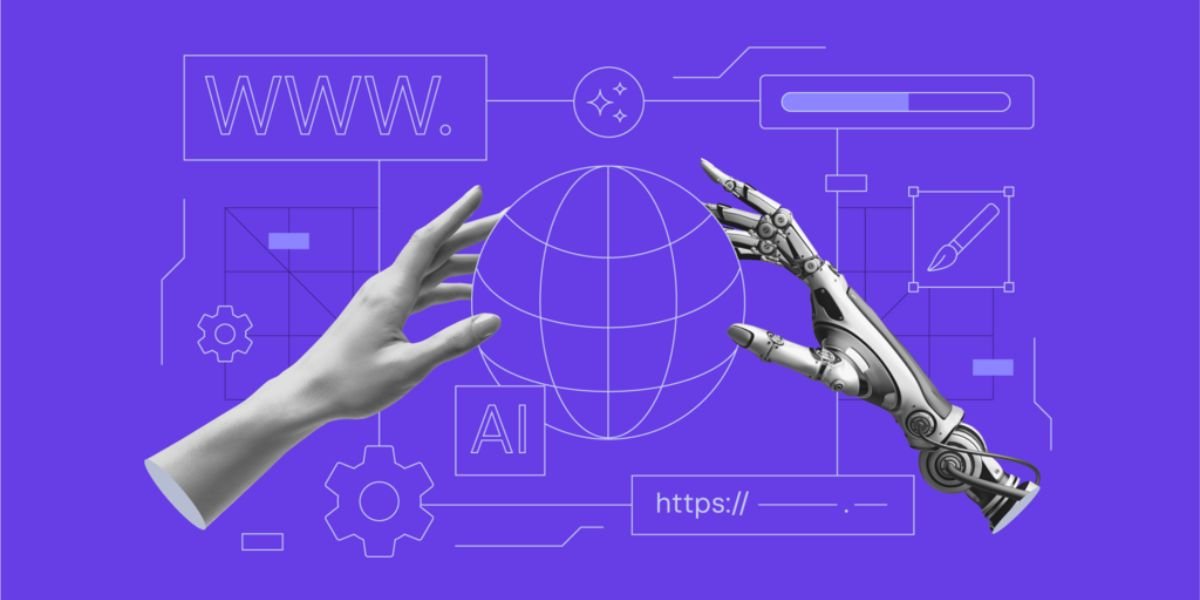
- Build websites using powerful AI
- No coding experience ever required
- Create professional designs instantly
- Optimized for speed and SEO
Creating a website has never been easier. Thanks to artificial intelligence, anyone can build a professional website without learning programming languages or hiring an experienced web developer. Whether you want to launch a business website, start a personal blog, showcase your portfolio, or sell products online, AI website builders make the process simple, fast, and affordable.
If you are wondering how to create a AI website, the process is much easier than traditional website development. AI website builders automatically generate layouts, write content, suggest images, optimise pages for mobile devices, and even include built-in SEO features. Instead of spending weeks designing every page manually, you can create a fully functional website in just a few minutes.
Modern AI tools help beginners and professionals alike by reducing technical complexity while delivering high-quality results. Most platforms guide users through a few simple questions before generating a customised website based on their goals and industry.
This comprehensive guide explains everything you need to know about creating an AI website, from choosing the right platform to publishing an SEO-friendly website that attracts visitors and supports your online growth.
What Is an AI Website?
An AI website is a website created with the help of artificial intelligence. Instead of manually designing pages and writing code, AI automates many parts of the website creation process.
AI website builders analyse your requirements and generate:
- Website layouts
- Colour schemes
- Navigation menus
- Text content
- Images
- Contact forms
- Blog pages
- Product pages
- SEO settings
After the website is generated, you can edit and customise every section to match your brand.
AI websites combine automation with user-friendly editing tools, making website creation accessible to everyone.
Why Create an AI Website?
Businesses and individuals increasingly choose AI website builders because they simplify website development while reducing costs and saving time.
Instead of learning complex programming languages, users simply answer a few questions, and the AI creates a professional website.
Some common reasons for creating an AI website include:
- Launching a small business
- Starting a blog
- Selling products online
- Creating a portfolio
- Promoting services
- Building a personal brand
- Creating event websites
- Developing educational websites
AI allows users to focus on growing their business rather than dealing with technical challenges.
Benefits of Creating an AI Website
Choosing an AI website builder offers many advantages over traditional web development.
Quick Website Creation
The biggest advantage is speed.
Traditional websites often require several weeks to design and develop.
AI website builders can create a professional website within minutes.
This allows businesses to launch products and services much faster.
No Coding Knowledge Required
One of the main reasons people choose AI website builders is that no programming knowledge is needed.
Users do not need experience with:
- HTML
- CSS
- JavaScript
- PHP
- Databases
Everything can be managed using simple visual editors.
Lower Development Costs
Hiring professional designers and developers can be expensive.
AI website builders provide an affordable alternative by combining website creation, hosting, security, and design tools into one platform.
Many providers also offer free plans for beginners.
Professional Designs
AI analyses modern design trends to generate attractive and user-friendly websites.
The layouts are optimised for:
- Readability
- Navigation
- Mobile devices
- User experience
- Conversion rates
This helps businesses create a professional online presence without design expertise.
Built-In SEO Features
Search engine optimisation is essential for attracting visitors.
Many AI website builders include tools such as:
- SEO-friendly URLs
- Meta title editing
- Meta descriptions
- XML sitemaps
- Mobile optimisation
- Fast loading
- Image optimisation
These features improve your website's visibility in search engines.
Easy Website Maintenance
Updating an AI website is straightforward.
Users can quickly edit:
- Text
- Images
- Services
- Products
- Blog posts
- Contact information
No coding is required for routine updates.
Who Should Use an AI Website Builder?
AI website builders are suitable for a wide range of users.
Small Business Owners
Businesses can create professional websites that include:
- Company information
- Services
- Contact forms
- Customer testimonials
- Pricing pages
- Appointment booking
This helps establish credibility and attract new customers.
Bloggers
Bloggers benefit from AI tools that simplify content publishing.
Useful blogging features include:
- Categories
- Tags
- Search functionality
- Newsletter integration
- SEO optimisation
- Comment management
AI writing assistants also help generate article ideas and drafts.
Online Store Owners
Ecommerce businesses can build online stores with features such as:
- Product catalogues
- Shopping carts
- Secure payments
- Inventory management
- Order tracking
- Customer accounts
AI reduces the time required to launch an online shop.
Freelancers
Freelancers can create portfolio websites to showcase their work.
Examples include:
- Writers
- Graphic designers
- Photographers
- Developers
- Consultants
- Architects
Portfolio websites help attract new clients and demonstrate expertise.
Educational Organisations
Schools, tutors, and training providers can build educational websites featuring:
- Online courses
- Student registration
- Event calendars
- Learning resources
- Contact pages
AI simplifies educational website management.
Essential Features to Look for in an AI Website Builder

Not every AI website builder offers the same features.
Choose a platform that provides the following capabilities.
AI Website Generation
The platform should automatically generate a complete website after analysing your answers.
This saves significant time compared to building every page manually.
Drag-and-Drop Editor
A visual editor allows users to customise websites without coding.
You should be able to:
- Move sections
- Edit text
- Change colours
- Replace images
- Rearrange layouts
Simple editing tools improve productivity.
Mobile Responsiveness
Your website should automatically adapt to:
- Smartphones
- Tablets
- Laptops
- Desktop computers
Responsive websites provide a better user experience and improve SEO.
AI Content Generator
Many platforms include AI writing tools capable of creating:
- Homepages
- About pages
- Product descriptions
- Service pages
- Blog articles
- FAQs
Although AI saves time, you should personalise the content before publishing.
Ecommerce Support
If you plan to sell products online, look for features such as:
- Shopping cart
- Secure checkout
- Payment gateways
- Inventory management
- Discount codes
- Order management
These tools help create a complete online store.
Built-In SEO Tools
SEO features should include:
- Meta titles
- Meta descriptions
- Image optimisation
- XML sitemaps
- Clean URLs
- Internal linking support
These tools improve search engine visibility.
Secure Hosting
Reliable hosting is essential.
Look for:
- SSL certificates
- Automatic backups
- Malware protection
- Fast servers
- Regular updates
Secure websites build customer trust.
Step-by-Step Guide: How to Create an AI Website
Creating an AI website involves several simple steps.
Step 1: Define Your Website Goals
Before using an AI website builder, decide what you want your website to achieve.
Ask yourself:
- Will you sell products?
- Will you publish blog articles?
- Will you generate leads?
- Will you promote services?
- Will you showcase your portfolio?
Clear objectives help the AI recommend the most suitable website structure.
Step 2: Choose the Right AI Website Builder
Different AI website builders specialise in different website types.
When comparing platforms, consider:
- Ease of use
- AI capabilities
- SEO tools
- Ecommerce support
- Hosting
- Pricing
- Customer support
Selecting the right platform is one of the most important decisions.
Step 3: Create Your Account
Register for an account using your email address.
Most platforms also support sign-in through:
- Microsoft
- Apple
After registration, you can begin creating your website immediately.
Step 4: Answer the AI Questions
The AI assistant usually asks several questions to understand your project.
Examples include:
- What is your business name?
- Which industry are you in?
- What products or services do you offer?
- What design style do you prefer?
- What pages do you need?
The more detailed your answers, the better the AI-generated website will match your requirements.
The platform then analyses your responses and prepares a customised website layout, ready for further editing and personalisation.
Step 5: Let the AI Generate Your Website
After you answer the setup questions, the AI begins creating your website automatically. Within a few minutes, it generates a complete website structure based on your business type and preferences.
The AI typically creates:
- Homepage
- About Us page
- Services page
- Contact page
- Blog section
- Navigation menu
- Footer
- Call-to-action buttons
Some AI website builders also generate sample content and images that you can replace with your own.
This automated process saves hours of manual work while providing a professional starting point.
Step 6: Customise Your Website
Although AI generates the initial website, you should customise it to match your brand.
You can personalise:
- Business logo
- Brand colours
- Typography
- Images
- Videos
- Buttons
- Backgrounds
- Page layouts
You should also replace generic AI-generated content with unique information about your business, products, or services.
A customised website builds trust and helps your brand stand out.
Step 7: Add High-Quality Content
Content is one of the most important parts of any successful website.
When learning how to create an AI website, focus on creating useful and original content that answers your visitors' questions.
Important pages include:
Homepage
Your homepage should clearly explain:
- Who you are
- What you offer
- Why visitors should choose you
- How they can contact you
Keep the introduction simple and engaging.
About Us Page
Tell visitors about your:
- Company history
- Mission
- Experience
- Team
- Values
Authentic information helps build credibility.
Services or Products
Describe each service or product clearly.
Include:
- Features
- Benefits
- Pricing (if appropriate)
- Frequently asked questions
- Strong calls to action
Avoid copying descriptions from competitors.
Blog
A blog helps attract organic traffic.
Write articles about:
- Industry trends
- Tutorials
- Buying guides
- Product comparisons
- Customer questions
- Helpful tips
Publishing valuable content regularly supports long-term SEO.
Step 8: Optimise Your AI Website for SEO

Creating a website is only the beginning. Search engine optimisation helps people find your website through Google and other search engines.
Use Your Focus Keyword Naturally
Include your primary keyword throughout your content in a natural way.
Use it in:
- Page title
- Meta description
- Introduction
- Headings
- Body content
- Image alt text
- URL
Avoid keyword stuffing, as it can negatively affect rankings.
Create SEO-Friendly URLs
Your URLs should be short, descriptive, and easy to read.
Example:
yourdomain.com/how-to-create-an-ai-website
Avoid unnecessary numbers or random characters.
Write Effective Meta Titles
Every page should have a unique title.
A good title:
- Includes the primary keyword
- Clearly describes the page
- Encourages users to click
Keep titles within approximately 60 characters.
Write Compelling Meta Descriptions
Your meta description should summarise the page while encouraging clicks.
A good description:
- Includes the keyword naturally
- Explains the page
- Stays within about 160 characters
Optimise Images
Images should:
- Use descriptive file names
- Include alt text
- Be compressed
- Load quickly
Optimised images improve both accessibility and page speed.
Build Internal Links
Internal links connect related pages across your website.
For example:
- Blog posts linking to services
- Product pages linking to buying guides
- Homepage linking to important landing pages
Internal linking improves navigation and distributes SEO value.
Step 9: Test Your Website Before Publishing
Before making your website live, review every page carefully.
Check:
- Spelling and grammar
- Broken links
- Contact forms
- Mobile responsiveness
- Loading speed
- Navigation menus
- Images
- Call-to-action buttons
Testing ensures visitors have a smooth experience from the moment your site launches.
Step 10: Publish and Promote Your Website
Once everything is ready, publish your website.
After launching, promote it through multiple channels.
Examples include:
- Social media
- Email newsletters
- Online communities
- Search engine optimisation
- Guest blogging
- Business directories
Promotion helps attract visitors and grow your online presence.
Best AI Website Builders in 2026
Many AI website builders are available today. Each platform offers different strengths depending on your needs.
Wix AI Website Builder
Wix is one of the most popular AI website builders for beginners.
Its AI assistant automatically creates websites based on your answers and allows extensive customisation.
Key features include:
- AI-generated websites
- AI content writing
- SEO tools
- Ecommerce support
- Blogging platform
- App marketplace
- Mobile optimisation
Wix is suitable for businesses, bloggers, freelancers, and online stores.
Hostinger AI Website Builder
Hostinger combines affordable web hosting with AI-powered website creation.
Its AI features include:
- Website generation
- AI copywriting
- Logo creation
- AI image generation
- Heatmap analysis
- SEO assistance
Hostinger is an excellent option for startups and small businesses.
Shopify Magic
Shopify focuses on ecommerce.
Its AI assistant helps create:
- Product descriptions
- Marketing emails
- Customer responses
- Blog posts
- Product recommendations
Combined with Shopify's ecommerce platform, it simplifies online selling.
Squarespace AI
Squarespace is known for elegant templates and modern designs.
Popular among:
- Designers
- Artists
- Consultants
- Agencies
- Photographers
Its AI features improve content creation while maintaining a premium appearance.
WordPress with AI Plugins
WordPress remains one of the world's most flexible website platforms.
AI plugins can automate:
- Content generation
- SEO optimisation
- Grammar checking
- Internal linking
- Image creation
- Translation
This combination provides extensive flexibility and scalability.
AI Websites for Different Industries
AI website builders support almost every type of website.
Business Websites
Businesses can quickly create websites that include:
- Company profile
- Services
- Testimonials
- Contact forms
- Pricing
- Appointment booking
These websites help build credibility and generate leads.
Blog Websites
Content creators benefit from AI-powered blogging tools.
Features include:
- Categories
- Tags
- Search functionality
- Newsletter integration
- SEO optimisation
- Scheduled publishing
Publishing high-quality content consistently helps increase organic traffic.
Ecommerce Websites
Online stores require specialised features.
AI website builders support:
- Product catalogues
- Inventory management
- Shopping carts
- Payment gateways
- Customer accounts
- Order tracking
- Shipping settings
These tools simplify ecommerce management.
Portfolio Websites
Creative professionals can showcase their work through visually attractive portfolio websites.
Suitable for:
- Writers
- Designers
- Developers
- Architects
- Photographers
- Artists
AI-generated galleries highlight projects professionally.
Educational Websites
Educational institutions and trainers can create websites featuring:
- Courses
- Student registration
- Event calendars
- Learning resources
- Contact pages
AI reduces the complexity of educational website management.
SEO Best Practices for AI Websites
Building a website with AI does not automatically guarantee high rankings. Following SEO best practices helps improve visibility.
Publish Helpful Content
Focus on creating content that solves real problems for your audience.
Helpful content builds authority and encourages visitors to stay longer on your website.
Keep Content Updated
Review your website regularly.
Update:
- Blog articles
- Services
- Product information
- Contact details
- Images
Fresh content signals quality to search engines.
Improve Website Speed
Fast websites improve user experience.
Optimise:
- Images
- Videos
- Plugins
- Scripts
Many AI website builders already include performance optimisation.
Optimise for Mobile Devices
Ensure your website works well on:
- Smartphones
- Tablets
- Desktop computers
Responsive websites generally perform better in search results.
Use Clear Calls to Action
Every page should encourage visitors to take action.
Examples include:
- Contact Us
- Request a Quote
- Shop Now
- Book a Demo
- Subscribe Today
Clear calls to action increase conversions.
Common Mistakes to Avoid

Even with AI, some mistakes can reduce your website's effectiveness.
Publishing Without Editing
Always review AI-generated content before publishing.
Correct:
- Facts
- Grammar
- Tone
- Brand messaging
Unique content performs better than generic text.
Ignoring User Experience
Visitors should find information quickly.
Avoid:
- Confusing navigation
- Cluttered layouts
- Tiny fonts
- Slow-loading pages
Simple websites usually achieve better results.
Forgetting Security
Protect your website using:
- SSL certificates
- Strong passwords
- Regular backups
- Software updates
Security builds customer confidence and protects sensitive information.
Not Tracking Website Performance
Use analytics tools to monitor:
- Visitors
- Traffic sources
- Bounce rate
- Popular pages
- Conversion rates
These insights help you improve your website over time.
Advanced Tips for Creating a Successful AI Website
Once your website is live, your work is not finished. The most successful websites continue to improve over time. These advanced tips will help you get better results and maximise the value of your AI-generated website.
Build a Strong Brand Identity
Your website should reflect your brand consistently.
Use the same:
- Logo
- Colour palette
- Typography
- Writing style
- Images
- Messaging
Consistent branding makes your website more memorable and helps build trust with visitors.
Create High-Quality Content Regularly
Search engines prefer websites that publish fresh, valuable content.
Create articles about:
- Industry news
- Tutorials
- Product guides
- Frequently asked questions
- Customer success stories
- Expert tips
Regular publishing also encourages visitors to return.
Add Social Proof
People trust businesses that have positive customer experiences.
Include:
- Customer reviews
- Testimonials
- Case studies
- Awards
- Certifications
- Client logos
Social proof increases credibility and improves conversion rates.
Use Professional Images
Replace generic stock images whenever possible.
Use:
- Team photos
- Office pictures
- Product images
- Project galleries
- Customer success stories
Authentic visuals create stronger connections with visitors.
Improve Website Accessibility
Accessible websites provide a better experience for everyone.
Consider:
- Readable font sizes
- Good colour contrast
- Alternative text for images
- Keyboard navigation
- Clear headings
Accessibility also supports better SEO and usability.
Monitor Website Analytics
Track how visitors interact with your website.
Important metrics include:
- Page views
- Visitor locations
- Traffic sources
- Bounce rate
- Average session duration
- Conversion rate
These insights help identify opportunities for improvement.
Keep Your Website Secure
Website security protects both your business and your visitors.
Regularly:
- Update software
- Backup your website
- Use strong passwords
- Enable two-factor authentication
- Monitor for suspicious activity
Strong security improves user confidence.
The Future of AI Website Creation
Artificial intelligence continues to evolve rapidly. Future AI website builders will become even more powerful and user-friendly.
Voice-Based Website Creation
Instead of completing forms, users may simply describe the website they want.
For example:
“Create a modern fitness website with online booking, a blog, pricing pages, and customer reviews.”
The AI could generate a complete website within minutes.
Smarter Design Recommendations
Future AI systems will analyse visitor behaviour and automatically recommend improvements.
Examples include:
- Better page layouts
- Improved navigation
- More effective buttons
- Higher-converting landing pages
- Faster page designs
These recommendations can increase user engagement and conversions.
Personalised Visitor Experiences
AI will make websites more personalised.
Returning visitors may see:
- Personalised offers
- Relevant blog articles
- Recommended products
- Localised content
- Custom landing pages
Personalisation improves customer satisfaction and retention.
Advanced AI Content Generation
Future AI writing tools will create:
- Detailed blog posts
- Product descriptions
- Email campaigns
- Marketing copy
- Video scripts
- Social media content
This will help businesses produce content faster while maintaining quality.
Smarter Ecommerce Features
AI will continue improving online shopping through:
- Product recommendations
- Inventory forecasting
- Automated customer support
- Dynamic pricing
- Sales predictions
- Personalised shopping experiences
These innovations will help online stores increase revenue and improve customer service.
Must Read:
- Build a Website with AI in Minutes, No Coding Required
- Free AI Website Creator for Businesses, Blogs & Stores
- Lovable Review: Can It Replace Traditional Coding?
Conclusion:
Learning how to create an AI website is one of the easiest ways to establish a professional online presence. Artificial intelligence has transformed website development by making it accessible to everyone, regardless of technical experience.
AI website builders can generate layouts, create content, optimise pages for mobile devices, and include built-in SEO features within minutes. Whether you are launching a business website, starting a blog, building an online store, or creating a personal portfolio, AI helps reduce development time and costs while delivering professional results.
Although AI automates much of the process, your involvement remains important. Customising your website, publishing valuable content, improving SEO, and maintaining your site regularly will help you achieve better rankings, attract more visitors, and build long-term credibility.
As AI technology continues to advance, website creation will become even more intelligent, personalised, and efficient. By adopting AI tools today, businesses, bloggers, and entrepreneurs can stay competitive and build websites that support long-term growth.