



- Fast lightweight PDF editing software
- Affordable alternative to Adobe Acrobat
- Powerful editing and security features
- Easy to use professional interface
PDF files are a core part of business communication today. From contracts and reports to invoices and presentations, companies rely on PDF tools every day. Choosing the right software can make a big difference in productivity, cost, and ease of use. Two popular names in this space are Foxit Software and Adobe Inc..
Foxit has gained strong attention as a lightweight and cost-effective alternative to Adobe Acrobat. It promises powerful editing tools, fast performance, and lower pricing. On the other hand, Adobe Acrobat has long been the industry standard with a strong reputation and advanced capabilities.
This detailed Foxit Review will break everything down clearly. You will learn about features, pricing, usability, pros and cons, and how it compares to Adobe Acrobat. If you are deciding between these two tools, this guide will help you make the right choice.
What is Foxit and How It Works?
Foxit is a PDF software platform designed for individuals and businesses that need to create, edit, and manage PDF documents efficiently.
How Foxit Works
- Install the software on your device or use cloud access
- Open PDF files for viewing and editing
- Modify text, images, and layouts
- Save and share documents securely
Core Functions
- PDF editing and annotation
- File conversion to and from PDF
- Document security and protection
- Digital signatures
Foxit is known for its fast performance and lightweight design, making it suitable for users who want powerful features without heavy system requirements.
Key Features of Foxit

Foxit offers a wide range of features that cover both basic and advanced PDF tasks.
PDF Editing Tools
- Edit text directly in PDF files
- Modify images and layouts
- Add annotations and comments
- Highlight and mark important sections
File Conversion
- Convert PDF to Word, Excel, and PowerPoint
- Create PDFs from multiple formats
- Batch conversion for efficiency
eSign and Collaboration
- Add digital signatures
- Share documents for review
- Track document changes
Security Features
- Password protection
- Permission control
- Redaction tools for sensitive data
Cloud Integration
- Sync files across devices
- Access documents remotely
- Integrate with cloud storage platforms
These features make Foxit a complete PDF solution for both individuals and businesses.
Foxit Pricing Plans
Foxit offers flexible pricing options suitable for different users.
Pricing Table
| Plan Type | Best For | Features Included | Pricing Level |
|---|---|---|---|
| Free Reader | Basic Users | Viewing and limited tools | Free |
| PDF Editor | Professionals | Full editing and conversion | Medium |
| PDF Editor Plus | Businesses | Advanced features and integrations | Higher |
Pricing Highlights
- More affordable than Adobe Acrobat
- One-time purchase options available
- Subscription plans for ongoing updates
Foxit pricing makes it an attractive choice for users looking to reduce software costs.
Foxit User Interface and Experience
User experience plays an important role in productivity. Foxit focuses on simplicity while offering powerful tools.
Interface Overview
- Clean and modern layout
- Toolbar similar to Microsoft Office
- Easy navigation between features
Ease of Use
- Beginner-friendly design
- Quick access to editing tools
- Minimal learning curve
Performance
- Fast loading speed
- Lightweight software
- Smooth operation even on low-end devices
Foxit provides a balanced experience that suits both beginners and advanced users.
Adobe Acrobat Overview
To compare fairly with Foxit Software, it is important to take a closer look at Adobe Inc. and its flagship PDF solution, Adobe Acrobat. It has been a long-standing leader in the PDF space and is widely trusted by professionals and enterprises around the world.
Key Strengths
Adobe Acrobat is often seen as the industry benchmark for PDF software. It offers a wide range of advanced tools that go beyond basic editing, making it suitable for complex document workflows.
Some of its main strengths include:
- Industry-standard PDF software trusted globally
- Advanced editing tools for text, images, and layouts
- High-quality document formatting and precision
- Strong integration with Adobe products like Photoshop and Illustrator
- Reliable cloud storage and document sharing options
These features make Adobe Acrobat a preferred choice for large organisations and professionals who require detailed document control and design-level editing.
Limitations
While Adobe Acrobat is powerful, it does come with certain drawbacks that may not suit every user.
Common limitations include:
- Higher pricing compared to many alternatives
- Requires more system resources, which can slow down older devices
- The interface can feel complex for beginners or casual users
- Some features may be more than what average users actually need
For individuals or small businesses, these factors can make Adobe Acrobat less practical, especially if they are looking for a simple and cost-effective solution.
Overall Perspective
Adobe Acrobat remains a highly capable and feature-rich PDF tool. It is ideal for users who need advanced functionality and deep integration within the Adobe ecosystem. However, for those focused on affordability, speed, and ease of use, it may feel heavier and more expensive than necessary.
Choosing between Adobe Acrobat and alternatives like Foxit ultimately depends on your specific needs, budget, and level of expertise.
Foxit vs Adobe Acrobat Comparison
| Feature | Foxit | Adobe Acrobat |
|---|---|---|
| Pricing | Affordable | Expensive |
| Performance | Fast | Moderate |
| Ease of Use | Easy | Moderate |
| Features | Strong | Advanced |
| Cloud Integration | Good | Excellent |
| Business Use | Excellent | Excellent |
Key Differences
- Foxit is more budget-friendly
- Adobe offers slightly more advanced tools
- Foxit performs better on low-end systems
- Adobe integrates deeply with creative tools
This comparison shows that both tools have their strengths depending on user needs.
Benefits of Using Foxit Software

Foxit provides a range of advantages that make it a strong choice for anyone working with PDF documents regularly. Whether you are an individual user or a business professional, it offers a balance of performance, affordability, and practical features that improve everyday workflow.
Cost-Effective Solution
One of the most appealing benefits of Foxit is its affordability. Compared to many premium PDF tools, it offers similar core features at a much lower cost. Businesses can save significantly on software expenses without sacrificing essential functionality.
Foxit also provides flexible pricing options, including one-time purchases and subscriptions. This allows users to choose a plan that fits their budget. For small businesses and freelancers, this cost advantage can make a noticeable difference in overall operational expenses.
Fast and Lightweight Performance
Foxit is designed to be fast and efficient, even on systems with lower specifications. It loads quickly and handles large PDF files smoothly, which helps users complete tasks without delays.
Unlike heavier software, Foxit does not consume excessive system resources. This makes it a reliable choice for users who need consistent performance without slowing down their devices. Faster processing also improves productivity, especially when working with multiple documents.
Easy to Use Interface
Foxit offers a clean and simple interface that makes it easy to get started. The layout is intuitive, with tools organised in a way that feels familiar to most users.
Even beginners can quickly learn how to open, edit, and manage PDF files without technical knowledge. Features like drag-and-drop functionality and clear menus reduce the learning curve. This ease of use allows users to focus on their work instead of figuring out the software.
Strong Editing and Security Features
Foxit provides powerful editing tools that allow users to modify text, images, and layouts directly within PDF files. It also includes annotation features such as highlighting, commenting, and markup, which are useful for collaboration.
On the security side, Foxit offers password protection, permission controls, and redaction tools. These features help protect sensitive information and ensure that documents are shared safely. For businesses handling confidential data, this level of security is essential.
Suitable for Both Individuals and Businesses
Foxit is versatile enough to meet the needs of different types of users. Individuals can use it for basic tasks like reading and editing PDFs, while businesses can take advantage of advanced features such as collaboration, document signing, and workflow management.
Its flexibility makes it a practical solution for a wide range of use cases. Whether you are a student, freelancer, or part of a large organisation, Foxit adapts to your requirements and supports efficient document handling.
Business Impact
- Reduces software expenses
- Improves workflow efficiency
- Enables quick document processing
Foxit is especially useful for users who want performance and affordability combined.
Limitations of Foxit
While Foxit is powerful, it has some limitations.
Common Drawbacks
- Fewer advanced features than Adobe
- Limited brand recognition
- Some features require paid plans
Who Might Face Issues
- Users needing highly advanced editing
- Businesses deeply integrated with Adobe tools
Despite these limitations, Foxit remains a strong competitor.
Who Should Use Foxit
Foxit is designed for a wide range of users.
Ideal Users
- Small and medium businesses
- Freelancers and professionals
- Students and educators
- Users looking for affordable PDF tools
Not Ideal For
- Large enterprises needing advanced Adobe features
- Designers using full Adobe ecosystem
Choosing the right tool depends on your workflow and budget.
Real Use Cases of Foxit
Foxit is used in many practical scenarios.
Common Use Cases
- Editing contracts and legal documents
- Creating reports and presentations
- Signing agreements digitally
- Sharing documents securely
Example Scenarios
- A business edits invoices quickly
- A freelancer signs contracts digitally
- A team collaborates on project documents
These examples show how Foxit fits into daily work tasks.
Tips to Get the Most Out of Foxit Software
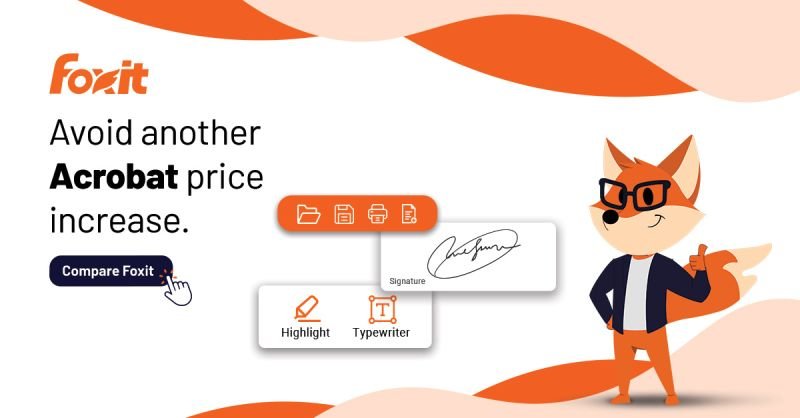
Using Foxit effectively can significantly improve your productivity when working with PDF documents. It is not just about basic editing, but about using the available tools in a smart way to save time and streamline your workflow.
Learn Keyboard Shortcuts
Keyboard shortcuts can make a big difference in how quickly you complete tasks. Instead of navigating through menus, you can perform actions instantly with simple key combinations.
For example, shortcuts for copy, paste, save, and search help speed up daily work. Over time, these small improvements add up and reduce the time spent on repetitive actions. Learning a few essential shortcuts can make your workflow smoother and more efficient.
Use Templates for Repeated Tasks
If you often work with similar documents such as invoices, reports, or contracts, using templates can save a lot of time. Foxit allows you to create and reuse document formats so you do not have to start from scratch each time.
Templates help maintain consistency across documents and reduce errors. They are especially useful for businesses that need standard formats for official paperwork. Once set up, templates make document creation faster and more reliable.
Organise Files Properly
Keeping your files organised is essential for maintaining efficiency. A clear folder structure helps you find documents quickly and avoids confusion.
You can organise files based on projects, clients, or departments. Using clear naming conventions also makes it easier to locate documents when needed. Proper organisation ensures that your workflow stays clean and manageable, especially when dealing with large volumes of files.
Use Cloud Integration
Foxit supports integration with cloud storage platforms, which allows you to access your documents from anywhere. This is especially useful for remote work or when collaborating with team members.
Cloud integration helps you:
- Sync files across devices
- Share documents easily
- Avoid data loss
By storing files in the cloud, you can work more flexibly and ensure that your documents are always available when you need them.
Best Practices
- Secure sensitive documents
- Regularly update the software
- Explore advanced features
These tips help maximise efficiency and performance.
Pros and Cons Summary
Pros
- Affordable pricing
- Fast and lightweight
- Easy to use
- Strong core features
Cons
- Fewer advanced tools than Adobe
- Limited free features
- Less integration with creative tools
Final Verdict:
Foxit is a powerful PDF solution that offers excellent value for money. It provides most of the features users need at a lower cost and with better performance on many systems.
Adobe Acrobat remains the industry leader with advanced capabilities and deeper integrations. However, not every user needs those extra features.
For businesses and individuals looking for a reliable, affordable, and fast PDF editor, Foxit is a strong choice. It delivers solid performance without the high price tag.
Must Read:
- Omnisend Review: Is It Worth It for Online Stores?
- Box Review: Best Cloud Storage for Business?
- Castmagic Review: Best AI Content Repurposing Tool?
FAQs:
1. Is Foxit better than Adobe Acrobat?
Foxit is better for users who want affordability and speed, while Adobe is better for advanced features.
2. Is Foxit free?
Foxit offers a free reader, but advanced features require paid plans.
3. Can Foxit edit PDF files?
Yes, Foxit allows editing text, images, and layouts in PDF files.
4. Is Foxit safe to use?
Yes, it includes security features like encryption and password protection.
5. Does Foxit support digital signatures?
Yes, it supports eSign features for secure document signing.
6. Who should use Foxit?
It is ideal for businesses, freelancers, and students needing efficient PDF tools.
- Fast lightweight PDF editing software
- Affordable alternative to Adobe Acrobat
- Powerful editing and security features
- Easy to use professional interface