

- Secure cloud storage for businesses
- Easy team collaboration and file sharing
- Advanced security and compliance features
- Scalable solution for growing teams
Businesses today rely heavily on secure, flexible, and scalable cloud storage solutions. Files are no longer stored on local drives or shared through outdated methods. Teams need instant access, smooth collaboration, and strong protection for sensitive data. That is where platforms like Box Inc. come into the picture.
Box has grown from a simple file storage platform into a powerful business content management system. It is widely used by enterprises, startups, and remote teams that need reliable file sharing, automation, and compliance features. Its focus is not just storage but full content lifecycle management.
This detailed Box Review 2026 breaks everything down clearly. You will learn what Box offers, how it works, its pricing, strengths, weaknesses, and whether it fits your business needs. If you are planning to choose a cloud storage platform, this guide will help you make a confident decision.
What is Box and How It Works?
Box is a cloud-based content management and file storage platform designed mainly for businesses. It allows users to store files securely online, share them with others, and collaborate in real time.
Key Working Concept
- Files are uploaded to the cloud instead of local storage
- Users can access files from any device with internet
- Permissions control who can view, edit, or download files
- Teams collaborate through shared folders and comments
- Automated workflows help manage approvals and processes
Core Purpose
- Centralised file storage
- Secure collaboration across teams
- Business workflow automation
- Compliance and governance
Box works through a web interface, mobile apps, and desktop integrations. Once files are uploaded, they become accessible anywhere, making remote work seamless.
Key Features of Box in 2026
Box offers a wide range of features tailored for business users. These features go beyond basic storage and focus on productivity and security.
Cloud Storage and File Management
- Store large files including videos and documents
- Organise files into folders and categories
- Version history to track changes
- Easy file recovery
Collaboration Tools
- Real-time file sharing
- Comments and annotations
- Task assignments within files
- Team collaboration without downloading files
Security and Compliance
- Advanced encryption for data protection
- Two-factor authentication
- Compliance with industry standards
- Role-based access control
Workflow Automation
- Automate approvals and document flows
- Custom workflows for business processes
- Integration with third-party tools
Integration Ecosystem
- Works with Microsoft 365
- Compatible with Google Workspace
- Integration with Slack and CRM tools
These features make Box more than just storage. It becomes a central hub for managing digital content.
Box User Interface and Experience
The user interface plays a big role in how quickly teams adapt to a platform. Box focuses on simplicity while offering powerful tools.
Dashboard Overview
- Clean and minimal layout
- Quick access to recent files
- Easy navigation between folders
Ease of Use
- Drag-and-drop file uploads
- Simple sharing options
- Clear permission settings
Mobile Experience
- Access files on smartphones and tablets
- Upload files directly from mobile devices
- Real-time notifications
Learning Curve
- Beginners can start quickly
- Advanced features require some training
Overall, the interface balances simplicity and functionality, making it suitable for both small teams and large enterprises.
Box Pricing Plans in 2026
Box offers different pricing tiers depending on business size and needs.
Pricing Table
| Plan Type | Best For | Storage | Key Features | Price Range |
|---|---|---|---|---|
| Free Plan | Individuals | Limited | Basic storage and sharing | Free |
| Starter Plan | Small Teams | 100 GB | Collaboration tools | Low |
| Business Plan | Growing Businesses | Unlimited | Advanced features | Medium |
| Business Plus | Large Teams | Unlimited | Automation and integrations | High |
| Enterprise Plan | Corporations | Unlimited | Security and compliance | Custom |
Key Pricing Highlights
- Unlimited storage in higher plans
- Advanced security features included
- Custom pricing for enterprises
Box pricing may seem higher compared to personal cloud services, but it delivers strong business value.
Box Security Features Explained
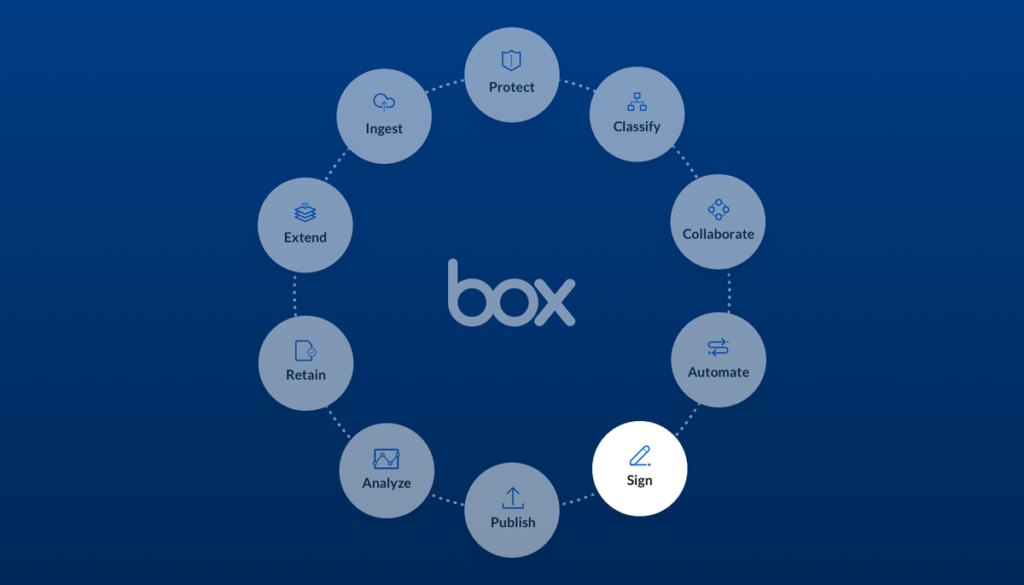
Security is one of the strongest aspects of Box. Businesses trust it because of its enterprise-grade protection.
Data Protection
- End-to-end encryption
- Secure data transfer
- Regular security updates
Access Control
- Custom permissions for users
- Restricted access to sensitive files
- Activity tracking
Compliance Standards
- HIPAA compliance
- GDPR compliance
- Industry-specific regulations
Threat Detection
- Suspicious activity alerts
- Automated risk detection
For businesses handling confidential data, Box provides a strong level of protection.
Benefits of Using Box for Business
Businesses today need more than basic storage. They need a system that keeps files organised, secure, and easy to access for teams working across different locations. Box Inc. offers a complete business-focused platform that improves how companies manage content, collaborate, and scale operations.
Centralised Content Management
One of the most valuable benefits of Box is its ability to bring all business content into one place. Instead of dealing with scattered files across emails, desktops, and external drives, everything is stored in a single, organised system. This makes it easier for teams to find what they need without wasting time.
With centralised management, businesses can:
- Maintain a clear folder structure
- Avoid duplicate files
- Track document versions easily
- Ensure everyone uses updated files
This approach improves workflow efficiency and reduces confusion, especially in larger teams where file mismanagement can slow down operations.
Strong Security and Compliance
Security is a top priority for any business handling sensitive data. Box provides enterprise-level protection that helps companies keep their information safe. Features like encryption, secure file sharing, and permission controls ensure that only authorised users can access specific files.
Box also supports compliance with industry standards, which is essential for sectors such as healthcare, finance, and legal services. Businesses can monitor file activity, restrict downloads, and set access levels for different users.
This level of control builds trust with clients and protects the company from potential data breaches or legal issues.
Seamless Collaboration
Collaboration becomes much easier when teams have access to the same platform. Box allows users to share files instantly, leave comments, and work together in real time. There is no need to send multiple email attachments or worry about version confusion.
Teams can:
- Collaborate on documents simultaneously
- Add feedback directly within files
- Share folders with internal and external users
- Keep communication organised in one place
This improves productivity and ensures that projects move forward without unnecessary delays.
Scalable for Growing Businesses
As businesses grow, their storage and collaboration needs also increase. Box is designed to scale alongside your company. Whether you are a small team or a large enterprise, the platform can handle increasing amounts of data and users without compromising performance.
Companies can upgrade plans, add users, and expand storage as needed. This flexibility makes Box a long-term solution rather than a temporary fix.
Automation Improves Efficiency
Box goes beyond storage by offering automation tools that simplify routine tasks. Businesses can create workflows for approvals, document reviews, and file management processes. This reduces manual work and saves time.
For example:
- Automatically route documents for approval
- Set rules for file organisation
- Trigger notifications for updates
Automation helps teams focus on important tasks instead of repetitive processes, leading to better efficiency and faster results.
Overall Business Impact
When all these benefits come together, Box creates a strong foundation for modern business operations. It improves organisation, enhances security, and supports collaboration at every level. Companies that use Box often experience smoother workflows, better communication, and increased productivity.
For businesses aiming to stay competitive and organised in a digital environment, Box offers a reliable and practical solution.
Business Impact
- Saves time in file management
- Reduces risk of data loss
- Improves team productivity
- Supports remote work
These benefits make Box a valuable tool for organisations looking to streamline operations.
Limitations of Box You Should Know
No platform is perfect. Box also has some drawbacks that users should consider.
Common Limitations
- Higher pricing compared to competitors
- Limited features in free plan
- Requires internet connection
- Advanced tools need training
Who Might Face Issues
- Individual users looking for free storage
- Small teams with tight budgets
Despite these limitations, the value Box provides often outweighs the drawbacks for business users.
Box vs Competitors Comparison
Box competes with several popular cloud storage platforms.
Comparison Table
| Feature | Box | Google Drive | Dropbox | OneDrive |
|---|---|---|---|---|
| Storage | Unlimited | Limited | Limited | Limited |
| Security | High | Medium | Medium | High |
| Collaboration | Strong | Strong | Good | Strong |
| Business Focus | Excellent | Moderate | Moderate | Strong |
| Pricing | Higher | Affordable | Medium | Medium |
Key Takeaway
- Box is best for businesses needing security and control
- Google Drive is better for personal use
- Dropbox offers simplicity
- OneDrive integrates well with Microsoft
Who Should Use Box
Box is not for everyone. It is designed for specific users.
Ideal Users
- Businesses handling sensitive data
- Remote teams needing collaboration tools
- Enterprises requiring compliance
- Companies managing large content
Not Ideal For
- Casual personal users
- Users looking for free unlimited storage
Choosing the right platform depends on your needs and budget.
Real Use Cases of Box
Box is used across industries for different purposes.
Common Use Cases
- Document management for legal firms
- File sharing in marketing teams
- Healthcare data storage
- Project collaboration in IT companies
Example Scenarios
- A marketing team shares campaign files with clients
- A healthcare provider stores patient documents securely
- A company automates approval workflows
These real-world uses show how flexible Box can be.
Tips to Get the Most Out of Box

Using Box Inc. effectively is not just about uploading files. The real value comes from how well you organise, manage, and optimise your workflow within the platform. With the right approach, businesses can improve productivity, reduce confusion, and make collaboration smoother across teams.
Organise Files into Structured Folders
A clear folder structure is the foundation of efficient file management. Without proper organisation, even the best cloud storage system can become messy and difficult to use.
Start by creating a logical hierarchy based on departments, projects, or clients. Use clear and consistent naming conventions so everyone understands where files belong. For example, separate folders for marketing, finance, and operations can make navigation much easier.
A structured system helps teams:
- Find files quickly without wasting time
- Avoid duplicate uploads
- Maintain clean and organised data
- Improve overall workflow clarity
When folders are well organised, employees spend less time searching and more time working.
Set Clear Permission Levels
Not every team member needs access to every file. Setting proper permission levels ensures that sensitive data stays protected while still allowing collaboration where needed.
Box allows you to control who can view, edit, download, or share files. This is especially useful for businesses handling confidential information such as contracts or financial records.
Best practices include:
- Giving full access only to key team members
- Restricting editing rights where necessary
- Using view-only access for external users
- Regularly reviewing permissions
Clear access control reduces the risk of accidental changes or data leaks while maintaining a secure environment.
Use Automation for Repetitive Tasks
Automation is one of the most powerful features of Box. It helps eliminate repetitive manual work and ensures processes run smoothly without constant supervision.
Businesses can automate workflows such as document approvals, file routing, and notifications. For example, when a contract is uploaded, it can automatically be sent to the relevant manager for approval.
Benefits of automation include:
- Saving time on routine tasks
- Reducing human errors
- Speeding up approval processes
- Keeping workflows consistent
Using automation allows teams to focus on higher-value work instead of repetitive tasks.
Integrate with Existing Tools
Box becomes even more powerful when integrated with other tools your business already uses. It works well with platforms like Microsoft 365, Google Workspace, and communication tools.
Integration allows teams to:
- Edit documents without leaving the platform
- Sync files across different tools
- Improve collaboration across departments
- Maintain a connected workflow
Instead of switching between multiple apps, everything works together in a streamlined system, saving time and effort.
Train Team Members Regularly
Even the best tools are only effective when people know how to use them properly. Regular training ensures that your team understands all the features and uses them efficiently.
Training can include:
- Basic navigation and file management
- Advanced features like automation
- Security and permission settings
- Best practices for collaboration
When employees are confident using Box, they work faster, make fewer mistakes, and get more value from the platform.
Best Practices
- Regularly review access permissions
- Backup important files
- Monitor activity logs
These tips help you maximise the value of Box.
Pros and Cons Summary
Pros
- Strong security features
- Excellent for business collaboration
- Scalable storage options
- Advanced workflow automation
Cons
- Expensive for small users
- Limited free plan
- Learning curve for advanced features
Final Verdict:
Box stands out as a powerful cloud storage and content management platform built for businesses. It is not just about storing files. It focuses on security, collaboration, and workflow efficiency.
If your business needs secure file handling, team collaboration, and automation, Box is a strong investment. It works especially well for companies dealing with sensitive data or complex workflows.
For individuals or small users, there are cheaper alternatives. But for organisations that prioritise security and scalability, Box delivers real value.
Must Read:
- Skywork AI Review: Features, Pricing, Pros & Cons Explained!
- Castmagic Review: Best AI Content Repurposing Tool?
- Vista Social Review: Can It Really Grow Your Social Media?
FAQs:
1. Is Box better than Google Drive for business?
Box offers stronger security and compliance features, making it better for businesses handling sensitive data.
2. Does Box provide unlimited storage?
Yes, most business plans offer unlimited storage.
3. Is Box secure for confidential files?
Yes, it includes encryption, access control, and compliance standards.
4. Can small businesses use Box?
Yes, but pricing may be higher compared to other options.
5. Does Box work offline?
Limited offline access is available, but most features require internet.
6. Is Box easy to use for beginners?
Yes, basic features are simple, but advanced tools may take time to learn.
- Secure cloud storage for businesses
- Easy team collaboration and file sharing
- Advanced security and compliance features
- Scalable solution for growing teams