

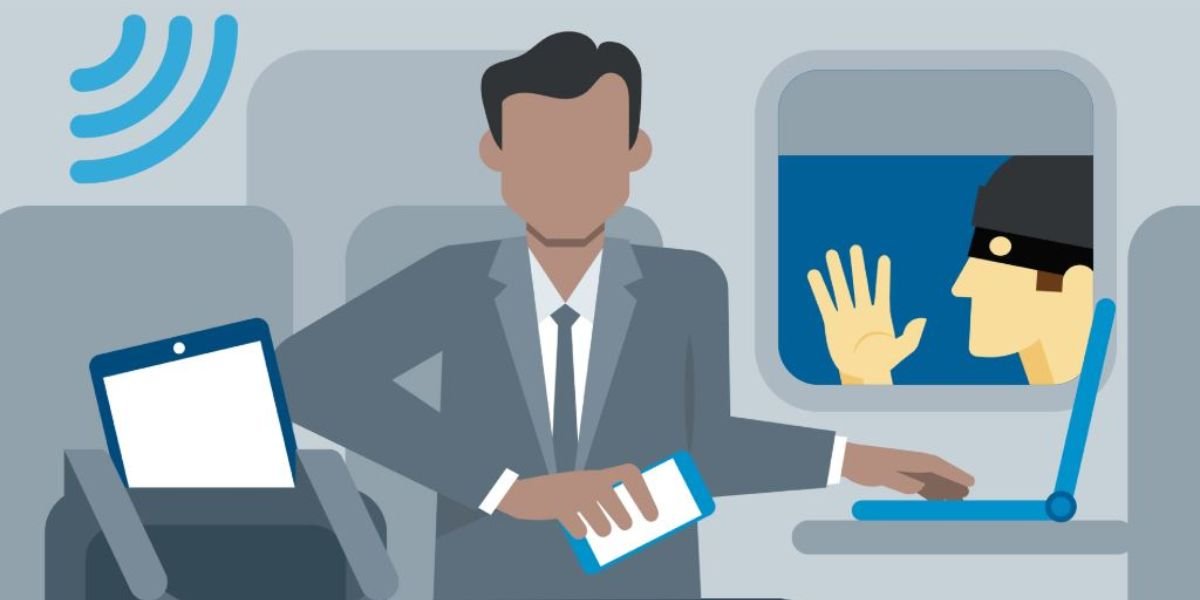
Cyber Security Tips for Business Travelers, Business travel is part of modern work life. Meetings, conferences, and remote work often require professionals to stay connected from different locations. While this flexibility improves productivity, it also increases cyber security risks.
Business travelers often rely on public WiFi, shared networks, and multiple devices. This makes them an easy target for hackers who look for weak security points. A single mistake can expose sensitive business data, emails, and financial information.
That is why cyber security tips for business travelers are essential. With simple precautions, you can protect your data and continue working safely from anywhere.
What Is Cyber Security for Business Travelers?
Cyber security for business travelers means protecting your devices, data, and online activity while travelling.
It includes:
- Securing laptops and smartphones
- Protecting business emails and files
- Avoiding unsafe networks
- Preventing data theft
When you travel, your work environment changes. Offices have secure networks, but hotels, airports, and cafes do not offer the same level of protection.
Common Cyber Threats While Travelling
When you travel, your devices connect to unfamiliar networks and environments. This increases the risk of cyber threats like data theft, phishing, and malware attacks. Being aware of these common risks helps you stay secure while working or browsing on the go.
Public WiFi Attacks
Hackers often target public WiFi networks. They can intercept data and steal information.
Phishing Attacks
Emails or messages that look real but aim to steal login details.
Device Theft
Lost or stolen devices can expose sensitive business data.
Malware Attacks
Downloading files from unknown sources can infect your device.
Fake Charging Stations
Public charging ports can be used to access your data.
Why Business Travelers Are Easy Targets
Business travelers are often busy and under time pressure. This leads to quick decisions without proper checks.
Common reasons include:
- Using open WiFi networks
- Carrying valuable business data
- Working in public places
- Connecting to unknown devices
Hackers know these habits and use them to their advantage.
Essential Cyber Security Tips for Business Travelers
Business travelers often use public networks and multiple devices, which increases security risks. Following simple cyber security tips can help protect sensitive data and keep your work safe while travelling.
Use Strong Passwords
Always use complex and unique passwords for your accounts.
Enable Two-Factor Authentication
This adds an extra layer of security to your accounts.
Avoid Public WiFi
If possible, avoid using public networks for sensitive work.
Use a VPN
A VPN encrypts your internet connection and keeps your data safe.
Keep Software Updated
Updates fix security vulnerabilities.
Safe Device Usage While Travelling
- Lock your devices when not in use
- Avoid leaving devices unattended
- Use screen locks and encryption
- Disable Bluetooth when not needed
These small steps reduce the risk of unauthorized access.
Secure Internet and WiFi Practices
Using the internet on public or unknown networks can expose your data to serious risks. Following secure WiFi practices helps protect your personal and business information from hackers.
Verify Network Names
Always confirm the correct WiFi network before connecting.
Avoid Sensitive Transactions
Do not access banking or confidential data on public WiFi.
Turn Off Auto-Connect
Disable automatic connection to unknown networks.
Protecting Business Data on the Go
- Use cloud storage with security features
- Backup important files regularly
- Avoid storing sensitive data locally
- Use secure file-sharing tools
Data protection is critical for business travelers.
What To Do If Security Is Compromised
If you suspect a breach:
- Disconnect from the network immediately
- Change your passwords
- Inform your company IT team
- Scan your device for malware
Quick action can limit damage.
Must Read:
Threats vs Protection Tips
| Threat Type | Risk Description | Protection Tip |
|---|---|---|
| Public WiFi | Data interception | Use VPN or avoid network |
| Phishing | Fake emails | Verify sender before clicking |
| Device Theft | Loss of sensitive data | Use encryption and lock devices |
| Malware | Infected downloads | Avoid unknown files |
| Fake Charging | Data theft via USB | Use personal charger |
Quick Safety Checklist
Before and during travel:
- Use strong passwords
- Enable two-factor authentication
- Avoid public WiFi for sensitive work
- Keep devices locked
- Backup your data
- Use a VPN
Final Thoughts:
Cyber security tips for business travelers are not complicated. Simple habits can protect valuable data and prevent major risks.
When travelling, always stay alert and avoid shortcuts in security. Your data is as important as your work, and protecting it should be a priority.
Safe travel is not just about physical safety. It is also about keeping your digital world secure.