

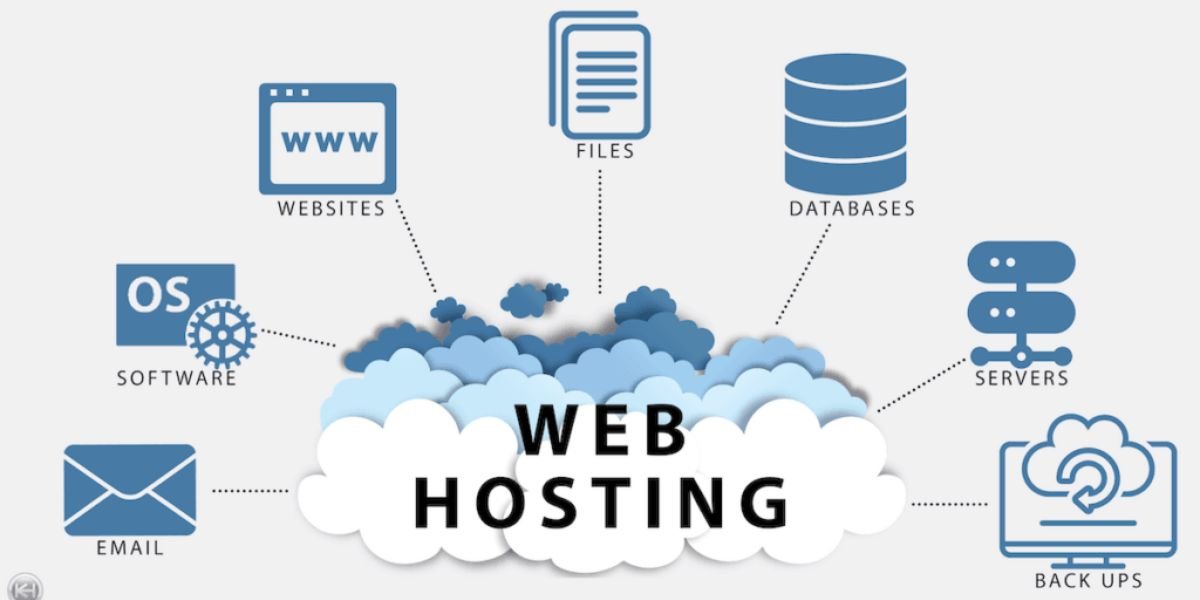
Choosing the right web hosting service is one of the most important decisions when launching a website. Your hosting provider affects website speed, uptime, security, scalability, storage, technical support, and overall user experience.
Whether you are starting a personal blog, business website, online store, portfolio, or WordPress site, there are hundreds of hosting providers available. The challenge is finding one that provides reliable performance without making you pay for features you do not need.
The best web hosting services offer a combination of fast servers, reliable uptime, strong security, easy website management, backups, SSL certificates, useful customer support, and competitive pricing.
In this guide, we compare popular web hosting services, explain different types of hosting, discuss pricing and performance, and show you what to look for before purchasing a hosting plan.
What Is Web Hosting?
Web hosting is a service that stores your website's files and makes them accessible on the internet. When someone enters your domain name into a browser, the hosting server delivers the website files so the visitor can view your pages.
A typical website needs three basic components:
- A domain name
- Web hosting
- Website files or a content management system such as WordPress
Hosting companies provide the server infrastructure required to keep your website online.
The type of hosting you choose can affect website performance, security, storage capacity, traffic handling, and monthly costs.
Types of Web Hosting
Web hosting is available in several forms. Each type is designed for different website sizes, traffic levels, and technical requirements.
Shared Hosting
Shared hosting is the most affordable and beginner-friendly type of web hosting.
Multiple websites share resources on the same server. Because server resources are shared, hosting companies can offer lower prices.
Shared hosting is suitable for:
- Personal blogs
- Small business websites
- Portfolio websites
- New WordPress websites
- Small informational websites
The main limitation is that your website has fewer dedicated resources than it would have with VPS or dedicated hosting.
VPS Hosting
VPS stands for Virtual Private Server. VPS hosting provides a more isolated environment with dedicated portions of server resources.
It offers more control and scalability than shared hosting and is useful for websites that have outgrown basic shared hosting.
VPS hosting is often suitable for:
- Growing websites
- Web applications
- Online stores
- High-traffic blogs
- Developers
- Agencies
Cloud Hosting
Cloud hosting distributes website resources across a cloud infrastructure rather than relying on a single traditional server.
This can improve scalability and reliability.
Cloud hosting is useful for websites that experience changing traffic levels or require more resources than conventional shared hosting can provide.
Dedicated Hosting
Dedicated hosting gives a customer an entire physical server.
This provides maximum control and dedicated resources but is generally more expensive than shared or VPS hosting.
Dedicated servers are usually designed for businesses, applications, and websites with high resource requirements.
Managed WordPress Hosting
Managed WordPress hosting is specifically designed for WordPress websites.
The hosting provider typically handles some technical tasks such as updates, backups, security, performance optimization, and WordPress configuration.
It can be a good choice for businesses and website owners who want to focus on content rather than server administration.
Key Features of the Best Web Hosting Services
The best hosting providers offer more than server space. Several features can make a significant difference in website performance and management.
Website Performance
Website speed is one of the most important hosting considerations.
A fast hosting environment can improve user experience and help your website handle traffic more effectively.
Server hardware, storage technology, caching, software configuration, CDN availability, and data center location can all influence performance.
Uptime
Uptime refers to how consistently your website remains accessible.
Hosting companies commonly advertise uptime targets such as 99.9%. However, an uptime percentage is not the only factor to consider. The quality of infrastructure, monitoring, redundancy, and support also matters.
SSL Certificate
SSL certificates encrypt the connection between a website and its visitors.
HTTPS is now standard for modern websites, and many hosting companies include free SSL certificates with their plans.
Free SSL is an important feature because it helps protect data transmitted between visitors and your website.
Website Backups
Backups provide a way to restore your website if something goes wrong.
A good hosting plan should provide regular backups or make it easy to create backups.
Backup frequency varies between providers and plans. Some services offer daily backups, while entry-level plans may provide weekly backups or require a paid backup add-on.
Free Website Migration
Website migration can be complicated, particularly for beginners.
Many hosting providers offer free migration services or tools that help transfer an existing website from another host.
This can save time and reduce the risk of errors during the move.
Control Panel
A control panel allows you to manage your hosting account.
Common tasks include:
- Managing domains
- Creating email accounts
- Installing WordPress
- Managing files
- Checking backups
- Creating databases
- Monitoring resources
Some hosting companies use cPanel, while others provide custom dashboards.
Customer Support
Reliable customer support can be extremely valuable when your website experiences a technical problem.
Look for providers that offer live chat, email or ticket support, documentation, tutorials, and other resources.
CDN
A content delivery network, or CDN, stores cached website content on servers in different locations.
When a visitor accesses your website, content can be delivered from a location closer to them.
Many modern hosting providers include CDN services with selected plans.
Email Hosting
Some hosting packages include professional email accounts using your domain.
For example, a business can create an address such as contact@yourdomain.com.
However, email availability varies by provider and plan, so check the hosting package before purchasing.
Best Web Hosting Services
There is no single hosting company that is perfect for every website. Some providers focus on affordability, while others prioritize WordPress, performance, customer support, scalability, or developer tools.
Here are several popular options worth considering.
Hostinger

Hostinger has become one of the most competitive hosting providers for beginners, bloggers, freelancers, and small businesses.
Recent 2026 hosting comparisons rank Hostinger highly for overall value, affordability, ease of use, and performance.
Key Features
- Shared hosting
- Cloud hosting
- VPS hosting
- WordPress hosting
- Free SSL
- Free domain on eligible plans
- Website migration
- CDN
- AI website tools
- Custom hPanel dashboard
- Automated backups on selected plans
Pricing
Hostinger pricing varies by country, plan, billing term, and promotion. Recent India pricing comparisons show entry-level plans starting at low promotional rates, with renewal prices significantly higher than introductory prices.
Review
Hostinger is a strong choice for users who want affordable hosting with a beginner-friendly interface and modern performance features. It is particularly attractive for new blogs, small business websites, portfolios, and WordPress projects.
Bluehost
Bluehost is one of the most recognized names in WordPress hosting and is particularly popular with beginners.
It provides tools designed to simplify website creation and WordPress management.
Key Features
- WordPress hosting
- Shared hosting
- VPS hosting
- Free SSL
- Domain registration
- Website migration
- Website builder
- WordPress tools
- Email options
- Customer support
Pricing
Bluehost frequently offers promotional introductory pricing. Recent comparisons list plans beginning around $2.95 per month in promotional periods, although pricing varies by plan and billing term.
Review
Bluehost is a practical option for beginners who want a straightforward way to launch a WordPress website. Its biggest consideration is renewal pricing, so buyers should review the regular price before committing.
SiteGround
SiteGround is known for managed WordPress hosting, performance, customer support, and business-focused hosting features.
Recent 2026 testing and comparisons highlight SiteGround as a strong option for small businesses and WordPress websites.
Key Features
- WordPress hosting
- Managed hosting
- Free SSL
- Website migration
- Daily backups
- CDN
- Caching
- Collaboration tools
- Security features
Pricing
SiteGround frequently promotes introductory rates that increase at renewal. Recent comparisons list introductory pricing around $2.99 per month, although actual pricing depends on the selected plan and billing period.
Review
SiteGround is a good choice for website owners who prioritize managed WordPress features, performance, and support. It may cost more than some budget providers after the introductory period.
DreamHost
DreamHost is another established hosting provider offering shared, WordPress, VPS, cloud, and dedicated hosting.
It is known for its beginner-friendly management interface and broad range of hosting products.
Key Features
- WordPress hosting
- Shared hosting
- VPS hosting
- Cloud hosting
- Dedicated servers
- Free SSL
- Website migration
- Automated backups
- Domain registration
Pricing
DreamHost offers promotional pricing on several hosting plans. Recent 2026 comparisons list introductory plans around the $2.59 to $2.89 per month range depending on the plan and market.
Review
DreamHost is worth considering for users who want a flexible hosting provider with WordPress support and a broad selection of hosting options.
Namecheap
Namecheap is widely known for domain registration, but it also provides shared hosting and other web services.
Key Features
- Shared hosting
- WordPress hosting
- VPS hosting
- Free SSL
- Domain management
- Website migration
- Email services
- cPanel on applicable plans
Pricing
Namecheap is often positioned as a budget-friendly hosting provider. Recent comparisons show introductory hosting prices around $2.28 per month, depending on the plan and billing period.
Review
Namecheap can be a suitable choice for users who already manage domains with the company and want affordable hosting in the same ecosystem.
HostGator
HostGator is an established hosting provider offering shared, WordPress, VPS, and dedicated hosting.
Key Features
- Shared hosting
- WordPress hosting
- VPS hosting
- Dedicated hosting
- Free SSL
- Website migration
- Website builder
- cPanel on applicable plans
Pricing
HostGator frequently uses introductory promotions. Recent comparisons list entry-level promotional pricing around $2.75 to $3.75 per month depending on market and plan.
Review
HostGator is a reasonable option for beginners and small websites, particularly for users looking for traditional shared hosting with a familiar control panel.
InMotion Hosting
InMotion Hosting focuses on performance-oriented hosting and provides shared, WordPress, VPS, and dedicated hosting.
Key Features
- NVMe storage on selected plans
- WordPress hosting
- VPS hosting
- Dedicated servers
- Free SSL
- Backups
- Website migration
- Website builder
Pricing
Recent 2026 comparisons list entry-level pricing around $4.99 per month, depending on the plan and promotional period.
Review
InMotion Hosting is a good option for businesses and users who want more resources and performance-oriented hosting packages.
Cloudways

Cloudways is focused on managed cloud hosting rather than traditional low-cost shared hosting.
It can be useful for websites that need more control, scalability, and cloud infrastructure.
Key Features
- Managed cloud hosting
- Scalable resources
- WordPress hosting
- Cloud infrastructure
- Automated backups
- Security features
- Developer tools
- Multiple cloud providers
Pricing
Cloudways uses a different pricing structure from traditional shared hosting. Recent 2026 comparisons show configurations starting around $11 per month for certain cloud setups.
Review
Cloudways is better suited to growing websites, agencies, developers, and businesses that have outgrown entry-level shared hosting.
Web Hosting Comparison
The following table provides a general comparison of popular hosting providers.
| Hosting Provider | Best For | Main Strength | Hosting Types |
|---|---|---|---|
| Hostinger | Beginners and small businesses | Value and ease of use | Shared, VPS, Cloud |
| Bluehost | WordPress beginners | WordPress-focused tools | Shared, VPS, Dedicated |
| SiteGround | Small businesses | Managed WordPress | Shared, WordPress, Cloud |
| DreamHost | WordPress users | Flexible hosting | Shared, VPS, Cloud, Dedicated |
| Namecheap | Budget users | Affordable hosting and domains | Shared, VPS |
| HostGator | Beginners | Traditional hosting | Shared, VPS, Dedicated |
| InMotion Hosting | Businesses | Performance and resources | Shared, VPS, Dedicated |
| Cloudways | Growing websites | Managed cloud hosting | Cloud |
The best provider depends on your website requirements rather than simply its position on a ranking list.
How Much Does Web Hosting Cost?
Web hosting can cost anywhere from free to hundreds of dollars per month.
For a basic website, shared hosting is usually the cheapest option. VPS, cloud, managed WordPress, and dedicated hosting cost more because they provide additional resources or services.
Typical hosting categories include:
| Hosting Type | Typical Cost | Best For |
|---|---|---|
| Free Hosting | $0 | Testing and small projects |
| Shared Hosting | $2–$10/month | Beginners and small websites |
| Managed WordPress | $3–$30+/month | WordPress businesses |
| VPS Hosting | $10–$80+/month | Growing websites |
| Cloud Hosting | $10–$100+/month | Scalable websites |
| Dedicated Hosting | $50–$300+/month | High-resource websites |
These are general ranges rather than fixed market prices. Promotional offers, billing terms, currencies, resources, and renewal rates can significantly change the final cost.
Introductory Pricing vs Renewal Pricing
One of the biggest mistakes beginners make is looking only at the promotional hosting price.
Hosting companies frequently advertise discounted rates for new customers. The regular renewal price may be substantially higher.
For example, current comparisons show that some popular hosting providers can have significantly higher renewal rates after the initial promotional period.
Before buying hosting, check:
- Introductory price
- Renewal price
- Billing period
- Domain renewal cost
- Backup pricing
- Email pricing
- Migration fees
- SSL costs
- Additional security features
The three-year or five-year total cost can be more useful than the advertised monthly introductory rate.
What Makes a Web Host Fast?
Website performance depends on several factors.
Server Technology
Modern server technologies such as LiteSpeed and NVMe storage can improve response times and website performance.
Data Center Location
A server located closer to your target visitors can reduce network latency.
If most of your visitors are in India, for example, choosing infrastructure that serves Indian visitors efficiently can be beneficial.
Caching
Caching stores frequently requested website content so it can be delivered more quickly.
WordPress caching can significantly improve performance for dynamic websites.
CDN
A CDN distributes cached content across multiple geographic locations, helping users access website resources faster.
Website Optimization
Hosting is only one part of website speed.
Large images, excessive plugins, poorly coded themes, third-party scripts, and unoptimized databases can also slow down a website.
Web Hosting for WordPress
WordPress is one of the most popular website platforms, and many hosting providers offer WordPress-specific plans.
Good WordPress hosting should provide:
- Easy WordPress installation
- SSL
- Automatic updates
- Backups
- Caching
- Security features
- Migration tools
- Staging on suitable plans
- WordPress support
Beginners may prefer managed WordPress hosting because the provider handles more technical tasks.
Web Hosting for Small Businesses
Small businesses typically need hosting that is affordable, reliable, secure, and easy to manage.
A basic business website usually does not require a dedicated server.
Shared hosting or managed WordPress hosting can be enough for:
- Local business websites
- Service companies
- Consultants
- Agencies
- Professional portfolios
- Small online stores
As traffic and resource requirements grow, businesses can move to VPS or cloud hosting.
Web Hosting for Ecommerce Websites
Ecommerce websites have different hosting requirements because they handle products, customer accounts, orders, payments, and databases.
Important features include:
- Strong security
- SSL
- Reliable backups
- Fast storage
- Scalable resources
- CDN
- Database performance
- Malware protection
- Payment security
- Customer support
WooCommerce stores and other ecommerce platforms may require more resources than simple informational websites.
Free vs Paid Web Hosting
Free hosting can be useful for experimentation, learning, and temporary projects.
However, free hosting commonly comes with limitations such as restricted storage, limited resources, advertisements, limited support, or fewer customization options.
Recent 2026 hosting comparisons generally position free hosting as better suited to small experimental projects than professional business websites.
For a serious business website, paid hosting is usually a better long-term choice.
How to Choose the Best Web Hosting Service
Choosing a hosting provider becomes easier when you focus on the features that matter to your website.
Consider Your Website Type
A simple blog does not need the same resources as an ecommerce store.
Identify your website type before comparing plans.
Estimate Your Traffic
Think about how many visitors you expect now and how much traffic you may receive in the future.
If your website is likely to grow quickly, choose a host that allows easy upgrades.
Check Storage
Images, videos, databases, backups, and website files require storage.
Make sure the plan provides enough storage for your current and future needs.
Compare Performance
Look for modern server infrastructure, caching, CDN support, and suitable data center locations.
Review Security
At minimum, look for SSL, malware protection, backups, account security, and regular server updates.
Check Customer Support
Technical problems can affect your business, so reliable support is important.
Compare Renewal Prices
Never make a purchasing decision based only on the first-year promotional price.
Check Migration Options
If you already have a website, free migration can save time and money.
Look at Scalability
Your hosting provider should make it easy to upgrade when your website needs additional resources.
Common Web Hosting Mistakes
Choosing the cheapest plan is not always the best decision.
Buying Based Only on Price
A cheap hosting plan may have limited resources or expensive renewal pricing.
Ignoring Renewal Costs
Always check what you will pay after the introductory period.
Choosing Too Little Storage
Websites can grow quickly, especially when they add images, products, videos, and backups.
Ignoring Backups
A website backup can be essential when a site is hacked, damaged, or incorrectly updated.
Choosing the Wrong Server Location
Your target audience should influence your hosting infrastructure choices.
Buying Features You Do Not Need
Some hosting plans include features that may be unnecessary for a basic website.
Choose features based on actual requirements.
Must Read:
- Best Cybersecurity Software: Features, Pricing, Protection, and Comparison
- Best Business Management Software: Features, Costs, and Top Options
- Best Payroll Software: Pricing, Features, Benefits, and Comparison Guide
FAQs:
What is the best web hosting service?
The best web hosting service depends on your needs. Hostinger is a strong value-focused choice, Bluehost is popular with WordPress beginners, SiteGround is known for managed WordPress hosting, and Cloudways is better suited to growing websites that need managed cloud infrastructure. Recent 2026 testing also ranks Hostinger highly overall.
How much does web hosting cost?
Basic shared hosting commonly starts at a few dollars per month during promotional periods. More advanced VPS, cloud, and dedicated hosting plans can cost significantly more.
Is cheap web hosting good?
Cheap web hosting can be suitable for small websites, but you should compare performance, storage, support, security, and renewal prices before purchasing.
Is WordPress hosting different from web hosting?
WordPress hosting is optimized specifically for WordPress websites. It may include WordPress installation, updates, caching, backups, security, and specialized support.
Can I change my web hosting provider later?
Yes. Websites can usually be migrated from one hosting provider to another. Many hosting companies offer migration services to simplify the process.
Does web hosting affect SEO?
Hosting can indirectly affect SEO through website speed, uptime, security, and overall user experience. However, hosting is only one part of a broader SEO strategy.
Do I need VPS hosting?
Most new websites do not need VPS hosting. Shared hosting is often sufficient when a website is small. VPS hosting becomes more useful when traffic, resource requirements, or customization needs increase.
Final Thoughts:
The best web hosting service depends on your website type, budget, traffic, technical requirements, and growth plans.
Hostinger is a strong option for users looking for affordable and beginner-friendly hosting. Bluehost remains popular among WordPress beginners, while SiteGround is attractive for users who prioritize managed WordPress features and support. DreamHost and Namecheap offer additional options for budget-conscious website owners, while InMotion Hosting and Cloudways are worth considering for websites that need more resources and scalability.
When comparing web hosting services, do not focus only on the advertised monthly price. Look at performance, uptime, storage, SSL, backups, CDN support, customer service, migration options, scalability, and renewal pricing.
The right hosting provider should give your website a stable foundation today while allowing it to grow tomorrow. Taking time to compare the total cost and features before purchasing can help you avoid unnecessary expenses and make a better long-term hosting decision.