
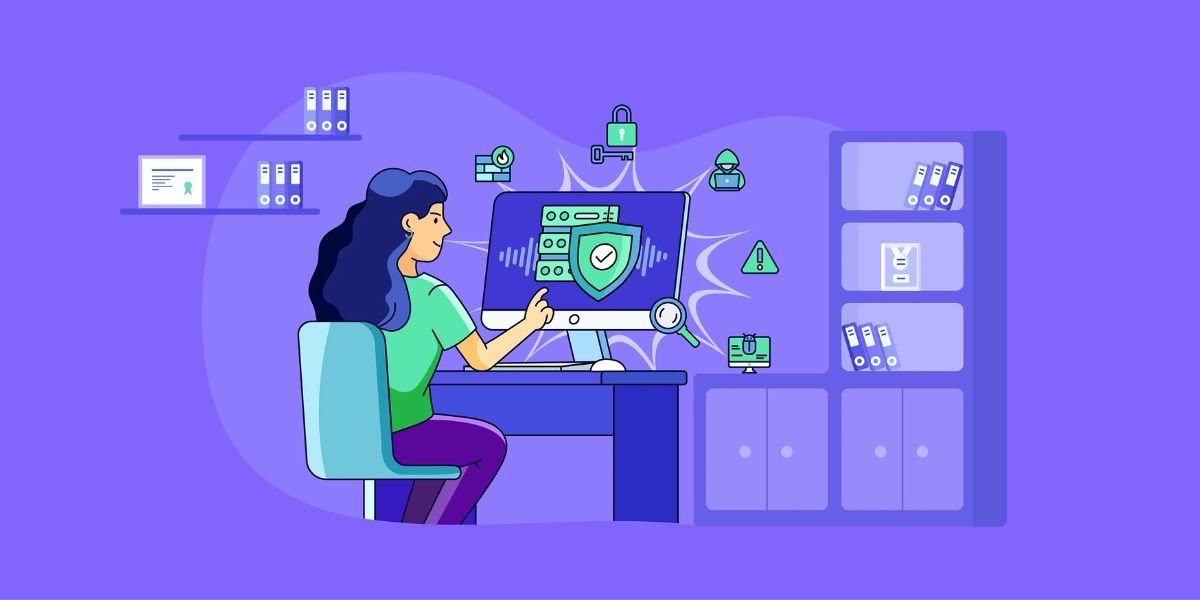
Cybersecurity has become a core requirement for businesses, organizations, and individual users. Malware, ransomware, phishing, data theft, credential attacks, and other online threats can cause financial losses, operational disruption, and reputational damage. As businesses increasingly rely on cloud applications, remote work, mobile devices, and connected systems, protecting digital assets has become more important than ever.
The best cybersecurity software helps protect computers, networks, applications, accounts, and sensitive data from cyber threats. Depending on the product, cybersecurity software can include antivirus protection, endpoint security, firewalls, ransomware protection, vulnerability scanning, password management, threat detection, encryption, and security monitoring.
There is no single cybersecurity solution that is ideal for every organization. A home user may only need reliable antivirus and web protection, while a growing business may need endpoint detection and response, centralized management, identity protection, and security monitoring.
This guide explains what cybersecurity software is, the most important features to look for, typical pricing, protection capabilities, leading options, and how to choose the right solution.
What Is Cybersecurity Software?
Cybersecurity software is a category of applications and platforms designed to protect computers, networks, devices, applications, and data from cyber threats.
Modern cybersecurity software can protect against threats such as malware, ransomware, spyware, phishing, malicious websites, unauthorized access, and suspicious applications. Business-focused platforms can also provide centralized security management, threat detection, incident investigation, and automated response.
Cybersecurity is broader than traditional antivirus software. Antivirus tools primarily focus on detecting and blocking malicious files, while modern security platforms may combine several security technologies.
Common cybersecurity solutions include:
- Antivirus software
- Endpoint security
- Endpoint detection and response
- Firewall software
- Network security
- Password managers
- Vulnerability scanners
- Email security
- Identity protection
- Data encryption
- Security information and event management
- Cloud security
- Mobile security
The right combination depends on the size of the organization, number of devices, type of data handled, industry requirements, and security risks.
Key Features of Cybersecurity Software
Cybersecurity platforms can vary significantly in their features. Understanding the most important capabilities makes it easier to compare different products.
Real-Time Threat Protection
Real-time protection continuously monitors devices and activities for suspicious behavior.
When software detects potentially harmful files, applications, websites, or processes, it can block or quarantine them before they cause damage.
Real-time monitoring is an important feature for protecting computers against malware and other common threats.
Malware and Antivirus Protection
Antivirus protection identifies and blocks malicious software such as viruses, trojans, spyware, worms, and other malware.
Modern antivirus products use a combination of malware signatures, behavioral analysis, cloud intelligence, machine learning, and other detection methods.
For businesses, endpoint security platforms can extend this protection across multiple company devices through centralized management.
Ransomware Protection
Ransomware can encrypt files or disrupt systems and then demand payment from victims.
Ransomware protection monitors suspicious file activity and attempts to prevent unauthorized encryption or modification of important data.
Some security products also provide rollback, behavioral detection, or additional controls designed specifically to reduce ransomware risk.
Phishing and Web Protection
Phishing attacks attempt to trick users into revealing passwords, financial information, or other sensitive data.
Web protection can block malicious websites, suspicious links, fraudulent pages, and dangerous downloads.
This is particularly useful because even technically skilled users can sometimes be fooled by convincing phishing messages.
Firewall Protection
A firewall controls network traffic between devices and external networks.
It can help prevent unauthorized connections and reduce the risk of certain network-based attacks.
Some cybersecurity suites include software firewalls, while organizations may use dedicated hardware or cloud-based network security systems.
Endpoint Security
Endpoint security protects devices such as desktops, laptops, servers, and mobile devices.
Business endpoint security provides administrators with centralized visibility and management. More advanced platforms can detect threats, investigate suspicious activity, and respond to incidents across many devices.
Endpoint protection is especially important for businesses with remote employees and distributed devices.
Endpoint Detection and Response
Endpoint Detection and Response, commonly called EDR, goes beyond basic antivirus protection.
EDR systems continuously collect security information from endpoints and analyze activity for signs of attacks.
Security teams can use EDR to investigate suspicious behavior, identify affected devices, isolate systems, and respond to incidents.
Password Management
Weak or reused passwords can expose accounts to attackers.
Some cybersecurity suites include password managers that help users create, store, and manage stronger credentials.
Password management can be particularly useful for businesses that need better control over employee credentials.
Identity Protection
Identity protection tools can monitor for certain signs of credential exposure, suspicious account activity, or stolen personal information.
Some consumer security suites combine antivirus, VPN, password management, identity monitoring, and other privacy tools in one subscription.
Security Monitoring and Alerts
Business security platforms can monitor systems and generate alerts when suspicious activity is detected.
Centralized dashboards help administrators understand which devices are protected, which threats have been detected, and which security issues require attention.
Vulnerability Scanning
Vulnerability scanning identifies weaknesses in devices, applications, networks, and configurations.
Regular scanning can help organizations identify outdated software, exposed services, weak configurations, and other security risks before attackers exploit them.
Encryption
Encryption converts readable information into protected data that cannot easily be understood without the appropriate key.
Security platforms may provide encryption for files, devices, communications, or other sensitive information.
Best Cybersecurity Software Options
The best cybersecurity software depends on the type of protection required. Consumer antivirus products are different from enterprise endpoint security platforms, so businesses should compare solutions based on their security requirements.
Bitdefender
Bitdefender is a well-known cybersecurity provider offering antivirus and endpoint security products.
Its consumer security software focuses on malware protection, web security, ransomware protection, privacy, and other security features. Bitdefender also offers business-oriented endpoint security through its GravityZone platform.
Key Features
- Malware protection
- Ransomware protection
- Web protection
- Phishing protection
- Privacy tools
- Endpoint security
- Centralized management for businesses
Pricing
Pricing varies by product, number of devices, and subscription term. Recent 2026 comparisons list Bitdefender consumer plans starting around $39.99 for selected first-year plans, while business endpoint pricing depends on the number of devices and selected features.
Review
Bitdefender is a strong option for users and businesses looking for broad security protection with a focus on malware detection and endpoint protection.
Norton
Norton provides consumer cybersecurity products covering antivirus, malware, ransomware, online protection, VPN services, password management, and identity-related features.
Its product range is primarily aimed at consumers and small businesses rather than large enterprise security teams.
Key Features
- Antivirus protection
- Malware protection
- Ransomware protection
- Scam protection
- VPN
- Password manager
- Cloud backup on selected plans
- Dark web monitoring on selected plans
Pricing
Norton pricing depends on the plan and number of devices. Its India website currently lists Norton AntiVirus Plus from ₹799 for the first year and Norton 360 Standard from ₹899 for the first year, with subscription pricing subject to change.
Review
Norton is suitable for users who want multiple security and privacy features bundled into a single product.
McAfee
McAfee offers security products for individuals, families, and businesses.
Its consumer products can include antivirus protection, web protection, VPN services, identity monitoring, password management, and other security features.
Key Features
- Antivirus
- Malware protection
- Web protection
- VPN
- Password manager
- Identity monitoring
- Multi-device protection
Pricing
McAfee pricing depends on the number of devices and selected subscription. Current comparisons show promotional first-year pricing can differ significantly from renewal pricing, making it important to check both before purchasing.
Review
McAfee can be a good choice for households and users who want broad security coverage across multiple devices.
ESET
ESET is known for lightweight security products and business endpoint protection.
Its business solutions provide centralized management and protection against malware, ransomware, and other threats. ESET Endpoint Security is designed to protect organizations across multiple operating systems and devices.
Key Features
- Endpoint protection
- Malware detection
- Ransomware protection
- Centralized administration
- Cloud management
- Cross-platform protection
- Threat detection
Pricing
Business pricing varies according to the number of endpoints, features, and subscription period. Many business plans use quote-based pricing.
Review
ESET is worth considering for organizations that want centralized endpoint protection with broad platform support and relatively low system impact.
CrowdStrike
CrowdStrike is primarily focused on enterprise and business cybersecurity rather than basic consumer antivirus.
Its Falcon platform provides endpoint protection, threat detection, investigation, and response capabilities.
Key Features
- Endpoint protection
- EDR
- Threat intelligence
- Behavioral detection
- Incident response
- Centralized security management
- Threat hunting
Pricing
CrowdStrike business pricing depends on the selected Falcon package, number of endpoints, and contract. A 2026 endpoint comparison lists Falcon Go from about $59.99 per device per year.
Review
CrowdStrike is better suited to organizations that need advanced endpoint security and security operations capabilities rather than basic antivirus protection.
Microsoft Defender for Endpoint
Microsoft Defender for Endpoint is designed for business and enterprise environments.
It provides endpoint protection, threat detection, investigation, and response capabilities and can integrate closely with the Microsoft security ecosystem.
Key Features
- Endpoint protection
- Threat detection
- EDR
- Security management
- Automated investigation
- Microsoft ecosystem integration
Pricing
Pricing varies according to licensing and Microsoft plan selection. Recent 2026 endpoint comparisons list Defender for Endpoint Plan 1 from approximately $3 per user per month.
Review
Microsoft Defender for Endpoint can be especially attractive for organizations already using Microsoft 365 and related security services.
SentinelOne
SentinelOne provides endpoint security designed to detect and respond to threats using automated security capabilities.
Its platform is focused on preventing attacks, detecting suspicious behavior, and responding to endpoint incidents.
Key Features
- Endpoint protection
- EDR
- Automated response
- Behavioral analysis
- Threat detection
- Centralized management
Pricing
Business pricing depends on the product edition, endpoint count, and contract. Recent 2026 comparisons list SentinelOne Singularity Endpoint Core from approximately $69.99 per endpoint per year.
Review
SentinelOne is worth considering for organizations that want advanced endpoint protection with automated response capabilities.
Cybersecurity Software Comparison
Different products serve different types of users. A simple comparison can help narrow down your options.
| Software | Best For | Main Strength |
|---|---|---|
| Bitdefender | Consumers and businesses | Malware and endpoint protection |
| Norton | Consumers and small businesses | Broad security suite |
| McAfee | Families and multi-device users | Multi-device protection |
| ESET | Businesses | Lightweight endpoint security |
| CrowdStrike | Enterprises | Advanced endpoint protection |
| Microsoft Defender for Endpoint | Microsoft-focused businesses | Security ecosystem integration |
| SentinelOne | Businesses and enterprises | Automated endpoint response |
The comparison should not be viewed as a universal ranking. Cybersecurity requirements vary significantly between organizations.
How Much Does Cybersecurity Software Cost?
Cybersecurity software pricing ranges from free antivirus products to enterprise security platforms costing thousands of dollars per year.
For consumers, pricing is often based on the number of devices and subscription duration.
For businesses, pricing may be based on:
- Number of endpoints
- Number of users
- Security features
- Product tier
- Contract length
- Support level
- Managed security services
- Storage and data volume
Business endpoint protection can range from relatively inexpensive per-device subscriptions to custom enterprise contracts.
For example, recent 2026 endpoint comparisons list products ranging from about $22.75 per device per year for certain Bitdefender GravityZone plans to $69.99 per endpoint per year for selected SentinelOne plans, while other products use quote-based pricing.
Always compare renewal pricing, not only promotional first-year pricing.
Free vs Paid Cybersecurity Software
Free cybersecurity software can provide useful basic protection, especially for individual users.
However, free products may have limitations involving advanced ransomware protection, VPN usage, identity monitoring, centralized management, technical support, or business features.
Paid security software can provide broader protection and additional security tools.
Businesses should generally evaluate security software based on their risk profile rather than choosing an option simply because it is free.
Benefits of Cybersecurity Software
Cybersecurity software provides several important benefits for businesses and individual users.
Protects Against Malware
Security software can identify and block malicious files and applications before they compromise a device.
Reduces Ransomware Risk
Behavioral monitoring and ransomware-specific protection can help prevent suspicious encryption and other malicious activity.
Protects Sensitive Data
Cybersecurity tools can reduce the risk of unauthorized access to business information, customer records, financial data, and personal files.
Improves Employee Security
Business security platforms provide centralized controls that help organizations apply consistent security policies across employee devices.
Supports Remote Work
Remote employees often access business systems from different networks and locations. Endpoint security helps maintain protection outside the traditional office environment.
Provides Security Visibility
Centralized dashboards and alerts can help administrators identify threats and understand the security status of company devices.
Helps With Compliance
Certain industries have security and data protection requirements. Cybersecurity software can support security controls and monitoring, although software alone does not guarantee regulatory compliance.
Cybersecurity Software for Small Businesses
Small businesses are increasingly targeted by cybercriminals because they may have valuable data but limited security resources.
A small business should consider endpoint protection, email security, strong authentication, secure backups, password management, and employee security awareness as part of its broader security strategy.
For smaller teams, ease of management is particularly important. A security platform that requires extensive technical expertise may create additional costs.
Business antivirus and endpoint security products can provide centralized protection without requiring a large internal security team.
Cybersecurity Software for Enterprises
Large organizations usually require more advanced security capabilities.
Enterprise cybersecurity may include:
- EDR
- Extended detection and response
- SIEM
- Threat intelligence
- Identity security
- Network security
- Cloud security
- Vulnerability management
- Security orchestration
- Incident response
- Managed security services
Enterprises should also consider integration with existing IT infrastructure and security operations.
A centralized security platform can help security teams investigate alerts and respond to threats across thousands of devices.
Cybersecurity Software for Remote Teams
Remote and hybrid work has changed how organizations approach endpoint security.
Employees may connect from home networks, public Wi-Fi, personal devices, and different geographic locations.
Businesses should consider cybersecurity products that provide cloud-based management, remote device monitoring, endpoint protection, identity controls, and secure access.
The ability to manage devices without physically accessing them is particularly important for distributed teams.
How to Choose the Best Cybersecurity Software
Choosing the right cybersecurity software requires evaluating your actual risks and security requirements.
Identify What You Need to Protect
Start by identifying computers, mobile devices, servers, cloud applications, accounts, customer information, financial data, and other important assets.
Consider Your Business Size
A five-person business does not necessarily need the same security platform as a multinational organization.
Choose a solution that matches your number of users, devices, and security requirements.
Compare Detection Capabilities
Look for products that use multiple protection technologies rather than relying only on traditional signature-based antivirus.
Behavioral analysis, cloud threat intelligence, machine learning, and EDR capabilities can provide additional protection.
Check Device Compatibility
Make sure the security software supports Windows, macOS, Linux, Android, iOS, or other operating systems used by your organization.
Evaluate Centralized Management
For businesses, centralized administration can make it easier to monitor devices, configure policies, investigate threats, and manage security alerts.
Review Pricing
Compare the complete cost, including subscription fees, additional modules, support, implementation, and renewal pricing.
Check Integrations
Security software should work with your existing IT and business systems when possible.
Integration with identity providers, cloud services, SIEM platforms, email systems, and other security tools can improve visibility.
Evaluate Customer Support
Security problems can happen at any time. Check whether the provider offers documentation, email support, live chat, phone support, or 24/7 assistance.
Test Before Buying
A free trial or product demonstration can help you determine whether the security platform fits your environment.
Test installation, performance, management controls, alerts, reporting, and ease of use before committing.
Common Cybersecurity Software Mistakes
Choosing cybersecurity software is only one part of protecting an organization.
Relying Only on Antivirus
Antivirus is important, but it cannot address every cybersecurity risk.
Organizations should also consider authentication, backups, employee training, access controls, patch management, and monitoring.
Ignoring Software Updates
Outdated operating systems and applications can contain vulnerabilities.
Regular patching should be part of the organization's security process.
Using Weak Passwords
Reused passwords can expose multiple accounts if one credential is compromised.
Password managers and multi-factor authentication can help improve account security.
Ignoring Employee Training
Employees are often targeted through phishing, social engineering, and fraudulent messages.
Regular security awareness training can reduce the risk of successful attacks.
Failing to Back Up Data
Cybersecurity software may prevent many threats, but no security solution can guarantee that an organization will never experience a breach or ransomware incident.
Reliable, tested backups are an important part of business continuity.
Questions to Ask Before Buying Cybersecurity Software
Before selecting a security platform, ask:
What Devices Does It Protect?
Check whether the product supports all operating systems and devices used by your organization.
Does It Provide Real-Time Protection?
Real-time monitoring is important for detecting and blocking threats as they occur.
Does It Include Ransomware Protection?
If ransomware is a significant concern, check the product's specific ransomware prevention and recovery capabilities.
Does It Provide Centralized Management?
Businesses with multiple devices should consider centralized administration.
Does It Support EDR?
Organizations with dedicated security teams may benefit from endpoint detection and response capabilities.
What Does the Subscription Include?
Check which security features are included in the selected plan and which require additional licenses.
What Is the Renewal Price?
Promotional pricing can make a product look inexpensive during the first year. Always check the regular renewal cost.
What Support Is Available?
Understand the level of technical support included with your subscription.
Must Read:
- Best Business Management Software: Features, Costs, and Top Options
- Best Payroll Software: Pricing, Features, Benefits, and Comparison Guide
- Best Accounting Software for Small Businesses: Features, Pricing, and Reviews
FAQs:
What is the best cybersecurity software?
The best cybersecurity software depends on your needs. Bitdefender, Norton, McAfee, ESET, CrowdStrike, Microsoft Defender for Endpoint, and SentinelOne serve different customer segments and security requirements.
Is antivirus the same as cybersecurity software?
No. Antivirus is one part of cybersecurity. Modern cybersecurity platforms can also include endpoint protection, firewalls, identity security, vulnerability management, encryption, threat detection, and incident response.
How much does cybersecurity software cost?
Pricing ranges from free consumer products to enterprise solutions with custom pricing. Business endpoint products may charge per user or endpoint.
Is free cybersecurity software enough?
Free antivirus can provide useful basic protection, but businesses with sensitive data or multiple devices may need advanced endpoint security, centralized management, and additional security controls.
What is endpoint security?
Endpoint security protects devices such as computers, laptops, servers, and mobile devices against cyber threats.
What is EDR?
EDR stands for Endpoint Detection and Response. It continuously monitors endpoint activity to detect, investigate, and respond to suspicious behavior.
Do small businesses need cybersecurity software?
Yes. Small businesses can face malware, ransomware, phishing, account compromise, and data theft. A suitable security solution can reduce these risks and improve visibility across business devices.
Final Thoughts:
The best cybersecurity software provides more than basic antivirus protection. Modern security platforms can protect endpoints, block malware and ransomware, identify suspicious behavior, secure online activity, manage security policies, and help organizations respond to cyber incidents.
For individual users, products such as Bitdefender, Norton, and McAfee can provide broad security features. Businesses may need more specialized endpoint security from providers such as ESET, CrowdStrike, Microsoft, or SentinelOne.
The right choice depends on your number of users and devices, security risks, operating systems, budget, compliance requirements, and technical resources.
When comparing cybersecurity software, focus on protection quality, management features, scalability, integrations, support, and total cost. Most importantly, remember that cybersecurity software works best as part of a broader security strategy that includes strong passwords, multi-factor authentication, regular updates, employee training, access controls, and reliable backups.
A good cybersecurity solution should not only detect threats. It should help your organization prevent attacks, respond quickly when something goes wrong, and protect the data and systems that your business depends on.