


- AI-powered video creation made effortless
- Accurate transcription and subtitle generation
- Fast multilingual video translation tools
- Cloud-based editing with AI automation
Artificial intelligence has transformed the way people create, edit, and share videos. Tasks that once required advanced editing skills and expensive software can now be completed within minutes using AI-powered tools. From automatic transcription and subtitle generation to realistic AI voiceovers and video translation, modern AI platforms help creators produce professional-quality content with less effort.
One platform that has gained attention in this space is RecCloud. Designed for content creators, educators, businesses, marketers, and students, RecCloud offers a collection of AI-powered tools that simplify video and audio production. Whether you need to transcribe interviews, generate multilingual subtitles, create AI voiceovers, or summarise lengthy videos, the platform aims to provide everything in one cloud-based workspace.
This RecCloud Review explores its features, usability, performance, pricing, advantages, disadvantages, and overall value. By the end of this review, you'll know whether RecCloud is the right AI video tool for your workflow.
What Is RecCloud?
RecCloud is an AI-powered online platform that helps users create, edit, manage, and enhance video and audio content. Unlike traditional video editing software that focuses mainly on manual editing, RecCloud integrates artificial intelligence into nearly every stage of content creation.
The platform allows users to:
- Convert speech into text
- Generate subtitles automatically
- Translate videos into multiple languages
- Create realistic AI voiceovers
- Summarise long videos
- Generate videos using AI
- Edit videos directly in the browser
Since everything works in the cloud, there is no need for high-end computer hardware or complicated software installation. Users can simply upload their content, select the desired AI tool, and let the platform handle the processing.
RecCloud is particularly useful for professionals who produce content regularly and want to automate repetitive editing tasks.
Why Is RecCloud Becoming Popular?
The popularity of AI-powered video creation tools continues to grow because they reduce editing time while improving productivity. RecCloud combines multiple AI tools within a single platform, allowing users to complete several tasks without switching between different applications.
Some reasons behind its growing popularity include:
Fast AI Processing
Instead of spending hours editing videos manually, RecCloud automates many repetitive tasks. AI can quickly transcribe speech, create subtitles, translate content, and generate voiceovers within minutes.
User-Friendly Interface
The platform has a clean and intuitive interface that makes it accessible to beginners. Users can upload files, choose AI features, and download results without needing professional editing experience.
Cloud-Based Convenience
Since RecCloud operates online, projects can be accessed from different devices. There is no need to install large software packages or worry about hardware limitations.
Multiple AI Tools in One Platform
Rather than subscribing to several separate applications for transcription, translation, subtitles, and voiceovers, users can access these features through a single dashboard.
Key Features of RecCloud
One of the biggest strengths highlighted in this RecCloud Review is its impressive collection of AI-powered tools.
AI Speech-to-Text
Speech-to-text technology has become essential for creators, educators, journalists, and businesses.
RecCloud automatically converts spoken audio into accurate text using advanced AI recognition technology.
This feature works well for:
- Interviews
- Podcasts
- Meetings
- Webinars
- Lectures
- Online courses
- YouTube videos
Instead of manually typing every spoken word, users receive a complete transcript that can be edited and exported in multiple formats.
Benefits
- High transcription accuracy
- Fast processing
- Time-saving automation
- Easy editing
- Multiple language support
AI Subtitle Generator
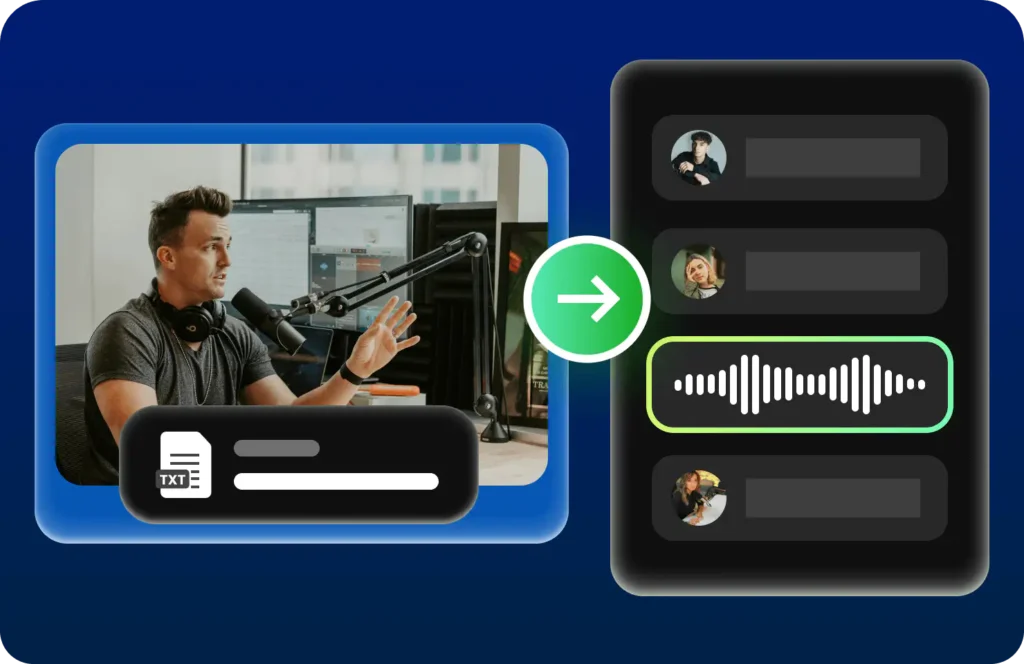
Creating subtitles manually can take several hours for even short videos.
RecCloud's AI Subtitle Generator automatically detects speech and creates synchronised subtitles within minutes.
Users can edit subtitle timing, modify text, and export subtitle files in common formats.
This feature helps improve:
- Accessibility
- Audience engagement
- SEO performance
- Viewer retention
- International reach
Subtitles also make videos easier to understand in noisy environments or when viewers prefer watching without sound.
AI Video Translation
Global audiences expect content in their native language.
RecCloud simplifies localisation by automatically translating spoken content into multiple languages.
Instead of creating separate videos for different regions, creators can produce multilingual versions using AI-powered translation.
This feature is valuable for:
- Online educators
- YouTube creators
- International businesses
- Marketing agencies
- Corporate training teams
By removing language barriers, RecCloud helps businesses reach a much wider audience.
AI Text-to-Speech
Voiceovers often require expensive recording equipment and professional voice artists.
RecCloud solves this challenge with its AI Text-to-Speech feature.
Users simply enter text, choose a preferred voice, and generate realistic speech within seconds.
The AI voices sound natural and support various languages and accents.
This feature is ideal for:
- Explainer videos
- Marketing videos
- Product demonstrations
- Audiobooks
- Presentations
- Educational content
- Social media videos
Because voice generation is automated, creators can quickly produce professional narration without recording audio themselves.
AI Video Generator
Video production usually involves scripting, recording, editing, and adding effects.
RecCloud speeds up this process with its AI Video Generator.
Users can transform written content into engaging videos using artificial intelligence.
This feature is particularly useful for businesses creating promotional content, educators preparing online lessons, and marketers publishing regular social media posts.
The AI-generated videos can significantly reduce production time while maintaining professional quality.
AI Video Summariser
Long videos often contain valuable information, but viewers may only need the key points.
RecCloud's AI Video Summariser analyses lengthy videos and extracts the most important information into concise summaries.
This tool is especially useful for:
- Business meetings
- Online lectures
- Conferences
- Interviews
- Training sessions
- Educational recordings
Instead of watching an hour-long presentation, users can quickly understand the main topics through AI-generated summaries.
Video Editing Tools
Besides AI-powered automation, RecCloud also provides practical video editing features.
Users can perform basic editing tasks without switching to another application.
These editing capabilities include:
- Video trimming
- Cutting unwanted sections
- Merging clips
- Simple enhancements
- Exporting finished videos
Although it may not replace advanced professional editing software for complex productions, it offers more than enough functionality for everyday content creation.
User Interface and Ease of Use
One of the first things users notice is RecCloud's straightforward design.
The dashboard is organised logically, making it easy to locate different AI tools. Uploading media files is simple, and most AI features only require a few clicks to begin processing.
The clean layout reduces the learning curve, allowing beginners to start creating videos almost immediately.
Professionals also benefit from the efficient workflow because they spend less time navigating menus and more time producing content.
The cloud-based interface ensures that projects remain accessible from multiple devices without requiring local software installation.
Performance and Speed
Performance is one of the most important factors when evaluating any AI video platform.
During typical workflows, RecCloud processes transcription, subtitle generation, voice synthesis, and video translation relatively quickly compared to manual methods.
Processing time depends on the length of the uploaded content, internet speed, and server workload, but most tasks are completed within minutes rather than hours.
The AI delivers impressive accuracy for clear recordings with minimal background noise. High-quality audio produces better transcription and subtitle results, reducing the need for manual corrections.
For creators who regularly produce videos, these speed improvements can significantly increase productivity and shorten project turnaround times.
In the next part of this RecCloud Review, we'll cover pricing, pros and cons, customer reviews, comparisons with competitors, who should use RecCloud, tips for getting the best results, the final verdict, and frequently asked questions.
Pricing Plans
One of the highlights of this RecCloud Review is its flexible pricing structure. RecCloud offers both free and paid options, making it suitable for beginners as well as professionals. The free version allows users to explore the platform and test its core AI features before upgrading.
Paid plans unlock advanced capabilities such as higher usage limits, faster processing, additional AI credits, premium voice options, and access to more powerful editing tools. Pricing may vary depending on the subscription plan and promotional offers available at the time of purchase.
For users who create videos regularly, a paid plan offers better value by saving time and providing access to advanced AI features that improve productivity.
Pros and Cons
Every AI platform has strengths and limitations. Understanding both helps users decide whether the software matches their needs.
Pros
- Easy-to-use interface suitable for beginners
- AI-powered speech-to-text with impressive accuracy
- Fast subtitle generation for videos
- Supports multilingual video translation
- Natural-sounding AI voice generation
- Cloud-based platform with no software installation
- Multiple AI tools in one dashboard
- Saves significant editing time
- Supports various content creation workflows
- Regular feature updates and improvements
Cons
- Free plan has limited usage
- Advanced features require a paid subscription
- Processing speed depends on internet connection
- AI-generated transcripts may need minor edits for complex audio
- Basic editing tools may not replace professional editing software
Who Should Use RecCloud?
RecCloud is designed for a wide range of users. Its AI-powered features simplify content creation across multiple industries.
Content Creators
YouTubers, vloggers, influencers, and video creators can use RecCloud to generate subtitles, create AI voiceovers, summarise videos, and translate content for international audiences.
Educators
Teachers and online course creators can automatically generate lecture transcripts, subtitles, multilingual lessons, and AI narration for educational videos.
Businesses
Companies can create training materials, marketing videos, product demonstrations, and internal communications more efficiently with AI-powered automation.
Marketing Teams
Marketing professionals can quickly produce promotional videos, multilingual advertisements, and social media content without hiring multiple specialists.
Students and Researchers
Students can transcribe lectures, summarise recorded classes, and convert educational materials into searchable text, making studying more organised and efficient.
RecCloud vs Competitors
The AI video editing market has become highly competitive, with many platforms offering AI-powered content creation tools. However, RecCloud stands out by combining transcription, subtitle generation, AI voiceovers, video translation, summarisation, and basic video editing in one cloud-based platform. This reduces the need to use multiple applications for different tasks.
| Feature | RecCloud | Traditional Video Editors | Standalone AI Transcription Tools | AI Subtitle Tools |
|---|---|---|---|---|
| AI Speech-to-Text | ✅ Yes | ❌ Usually No | ✅ Yes | ❌ No |
| AI Subtitle Generator | ✅ Yes | ⚠️ Limited or Manual | ❌ No | ✅ Yes |
| AI Video Translation | ✅ Yes | ❌ No | ❌ No | ⚠️ Limited |
| AI Text-to-Speech | ✅ Yes | ❌ No | ❌ No | ❌ No |
| AI Video Summariser | ✅ Yes | ❌ No | ⚠️ Limited | ❌ No |
| AI Video Generator | ✅ Yes | ❌ No | ❌ No | ❌ No |
| Basic Video Editing | ✅ Yes | ✅ Advanced | ❌ No | ❌ No |
| Cloud-Based Access | ✅ Yes | ⚠️ Depends on Software | ✅ Yes | ✅ Yes |
| Beginner-Friendly | ✅ Excellent | ⚠️ Moderate | ✅ Easy | ✅ Easy |
| All-in-One Platform | ✅ Yes | ❌ No | ❌ No | ❌ No |
Customer Reviews
User feedback for RecCloud is generally positive, particularly regarding its AI-powered productivity features.
Many content creators appreciate the accuracy of the speech-to-text engine, which significantly reduces manual transcription work. Educators frequently mention how subtitle generation and multilingual translation improve accessibility for students worldwide.
Businesses value the platform for producing professional training materials, while marketers enjoy creating multilingual campaigns without hiring separate translation teams.
Some users note that AI-generated transcripts occasionally require minor corrections when recordings contain heavy accents or background noise. However, most agree that the platform saves a considerable amount of time compared to manual editing.
Overall, customer satisfaction remains high due to the combination of ease of use, AI automation, and cloud accessibility.
Performance and Accuracy
Performance plays a major role when choosing an AI-powered content creation platform.
RecCloud performs particularly well when processing high-quality audio recordings. Its AI engine accurately recognises speech, generates synchronised subtitles, and produces realistic voiceovers with minimal delay.
The platform handles long videos efficiently, making it suitable for webinars, lectures, podcasts, and business presentations.
Translation quality is also impressive for many common languages, allowing creators to reach broader audiences with less manual effort.
Although no AI system is perfect, RecCloud delivers reliable results that often require only minor adjustments before publishing.
Tips for Getting the Best Results with RecCloud
To maximise the benefits of RecCloud, it's important to follow a few best practices. These tips will help you improve accuracy, save time, and create professional-quality content with ease.
Upload High-Quality Audio and Video
Always use clear audio and high-resolution video recordings. Minimise background noise, echoes, and interruptions, as clean recordings significantly improve AI transcription accuracy, subtitle generation, and voice recognition.
Review AI-Generated Transcripts
Although RecCloud delivers highly accurate transcriptions, it's a good idea to proofread the generated text before publishing. Checking names, technical terms, and punctuation ensures your content is polished and error-free.
Choose the Right AI Voice
When using the AI Text-to-Speech feature, select a voice that matches your audience and content style. The right voice can make educational videos, marketing campaigns, presentations, and tutorials more engaging and natural.
Use Multilingual Translation
Expand your reach by translating your videos into multiple languages. This feature helps you connect with international audiences, improve accessibility, and increase engagement without creating separate videos from scratch.
Organise Your Projects
Keep your files well organised in the cloud by using clear file names and folders. An organised workspace makes it easier to manage projects, collaborate with team members, and access content from different devices.
Optimise Videos Before Uploading
Trim unnecessary sections and ensure your audio is synchronised before uploading. Well-prepared videos produce more accurate AI results and reduce the need for additional editing after processing.
Experiment with Different AI Features
RecCloud offers several AI-powered tools beyond transcription and subtitles. Explore features such as AI Video Generator, Video Summariser, Text-to-Speech, and Video Translation to streamline your workflow and discover new ways to create engaging content.
Stay Updated with New Features
RecCloud regularly introduces new AI capabilities and platform improvements. Keeping up with the latest updates ensures you can take advantage of new tools, enhanced accuracy, and improved performance for your content creation projects.
Is RecCloud Worth It?

For most users, the answer is yes.
RecCloud combines several powerful AI features into one easy-to-use platform. Instead of relying on separate software for transcription, subtitles, voice generation, translation, and summarisation, users can manage their entire workflow in one place.
The cloud-based environment eliminates the need for expensive hardware or complicated installations, making it accessible to beginners and professionals alike.
If your goal is to create high-quality videos faster while reducing manual editing work, RecCloud offers excellent value.
Final Verdict:
After thoroughly evaluating its features, usability, AI capabilities, and overall performance, this RecCloud Review concludes that the platform is one of the most practical AI-powered video creation tools available today.
Its strengths lie in automation, accessibility, and ease of use. Features such as AI Speech-to-Text, Subtitle Generator, Video Translation, Text-to-Speech, Video Summariser, and AI Video Generator help creators produce professional-quality content with minimal effort.
While the free version has some limitations and advanced features require a paid subscription, the overall value provided by the platform is impressive.
Whether you're a content creator, educator, business owner, marketer, or student, RecCloud can streamline your workflow, save valuable time, and improve content quality.
If you're searching for an all-in-one AI video solution, RecCloud is certainly worth considering.
Must Read:
- iMobie Review: The Best Device Management Software?
- Pacdora Review: Best 3D Packaging Design Tool?
- Lovable Review: Can It Replace Traditional Coding?
FAQs:
Is RecCloud free to use?
Yes, RecCloud offers a free version with limited features. Users can explore its AI tools before upgrading to a paid subscription for additional functionality and higher usage limits.
Does RecCloud support multiple languages?
Yes. RecCloud supports multiple languages for transcription, subtitles, AI voiceovers, and video translation, making it suitable for global content creation.
Can RecCloud generate AI voiceovers?
Absolutely. Its AI Text-to-Speech feature converts written text into realistic, natural-sounding voiceovers in various languages and voice styles.
Is RecCloud suitable for beginners?
Yes. The platform is designed with a simple and intuitive interface, allowing beginners to use AI-powered tools without prior video editing experience.
Can businesses use RecCloud?
Yes. Businesses use RecCloud for creating training videos, product demonstrations, marketing content, multilingual presentations, and internal communications.
Is RecCloud worth buying?
If you regularly create videos, online courses, marketing content, or multilingual media, RecCloud offers excellent value through its AI automation, cloud-based workflow, and productivity-enhancing features.