
- Easy screen recording and video editing
- Beginner-friendly tools with simple interface
- High-quality output for professional content
- One-time purchase with long-term value
Creating high-quality video content is no longer optional for modern creators, businesses, and educators. Whether you are producing tutorials, product walkthroughs, or training materials, the tools you choose directly impact your results. That is where TechSmith comes into the picture, offering software designed to simplify screen recording and video editing.
Many users across the world rely on tools like Camtasia and Snagit for content creation. These tools promise ease of use, professional output, and time-saving features. But with so many alternatives available, both free and paid, it becomes important to ask a simple question: is TechSmith really worth it?
This detailed TechSmith Reviews is written in a clear, practical tone to help you decide. It covers features, pricing, real-world usability, pros and cons, and who should actually invest in TechSmith. Whether you are a beginner or an experienced creator, this guide will give you a solid answer.
What is TechSmith?
TechSmith is a global software company that specialises in screen recording and visual communication tools. Its products are designed to help users explain ideas clearly through videos, screenshots, and annotations.
The company has built a strong reputation for creating tools that balance simplicity and performance. Instead of overwhelming users with complicated features, TechSmith focuses on making content creation accessible for everyone.
Key Highlights
- Established brand with decades of experience
- Focus on video tutorials and screen capture
- Tools designed for non-technical users
- Used by businesses, educators, and creators worldwide
TechSmith is not just about recording screens. It is about helping users communicate ideas visually in a way that is easy to understand.
Core Products by TechSmith
Camtasia is the flagship product developed by TechSmith, and it stands out as one of the most complete tools for screen recording and video editing in a single platform. For creators, educators, marketers, and businesses, Camtasia offers a practical solution that removes the need to use multiple tools for recording, editing, and publishing content.
At its core, Camtasia is built for simplicity. Instead of overwhelming users with complicated timelines or advanced technical controls, it focuses on a clean interface that allows anyone to create professional-quality videos with minimal effort. This makes it especially valuable for beginners who want results without a steep learning curve.
One of the main reasons Camtasia is so widely used is its all-in-one approach. You can record your screen, capture webcam footage, add voice narration, and edit everything in the same workspace. This saves time and ensures a smoother workflow, particularly for users who regularly produce tutorials or instructional videos.
Camtasia is also known for its reliability. It performs well across different types of projects, whether you are recording software demonstrations, creating online courses, or producing content for YouTube. The software is designed to handle both short clips and longer, more detailed videos without compromising quality.
Another important aspect is flexibility. Camtasia supports various video formats and export options, making it easy to share content across platforms like YouTube, websites, or internal business systems. This makes it suitable for a global audience with diverse needs.
Key Features of Camtasia
Camtasia includes a wide range of features that make video creation simple yet effective. Each feature is designed to improve productivity and enhance the quality of your content.
Screen Recording with Audio and Webcam
Camtasia allows you to record your entire screen, a selected area, or a specific application. You can also record audio through a microphone and capture webcam footage at the same time. This is particularly useful for tutorials, presentations, and training videos where both visual and personal engagement matter.
Drag-and-Drop Video Editor
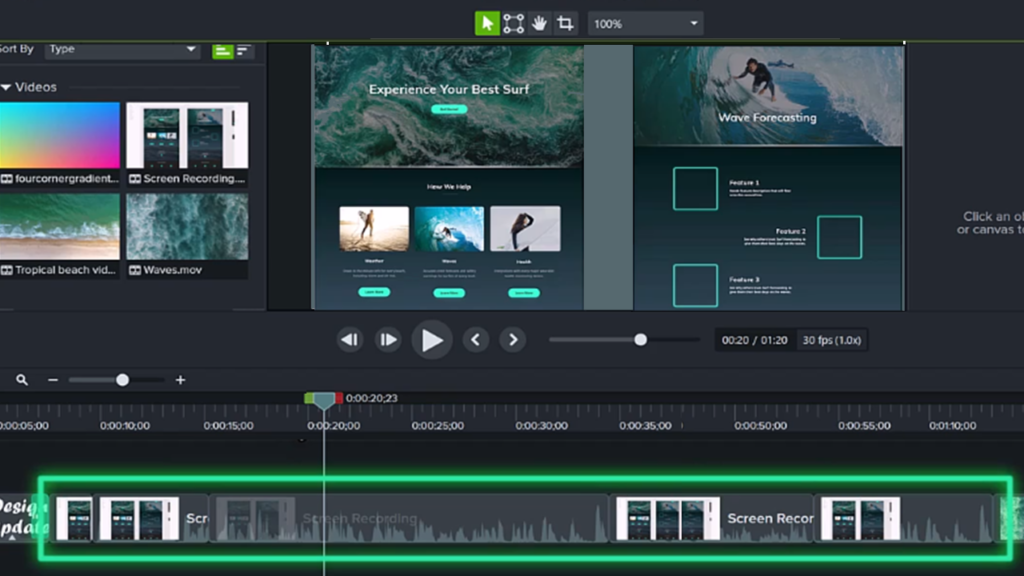
The editing interface is one of Camtasia’s strongest features. It uses a drag-and-drop timeline, which means you can easily arrange clips, cut sections, and add effects without technical knowledge. This makes editing fast and accessible, even for first-time users.
Built-In Templates and Transitions
Camtasia includes ready-made templates that help you create polished videos quickly. You can also apply transitions between clips to make your content smoother and more engaging. These features are especially helpful for maintaining a professional look without spending hours on editing.
Cursor Effects and Animations
For screen recordings, cursor visibility is crucial. Camtasia allows you to add effects such as highlights, clicks, and movement animations to your cursor. This helps viewers follow along more easily, especially in tutorial-style videos.
Voice Narration and Audio Editing
You can record voiceovers directly within the software or import external audio files. Camtasia also provides tools for trimming, adjusting volume, and removing background noise. Clear audio is essential for any video, and these tools help maintain high quality.
Export Options for Multiple Platforms
Once your video is ready, Camtasia makes it easy to export in different formats. Whether you want to upload directly to YouTube, save it for a website, or share it with clients, the software provides flexible options that suit various needs.
Why Camtasia Stands Out
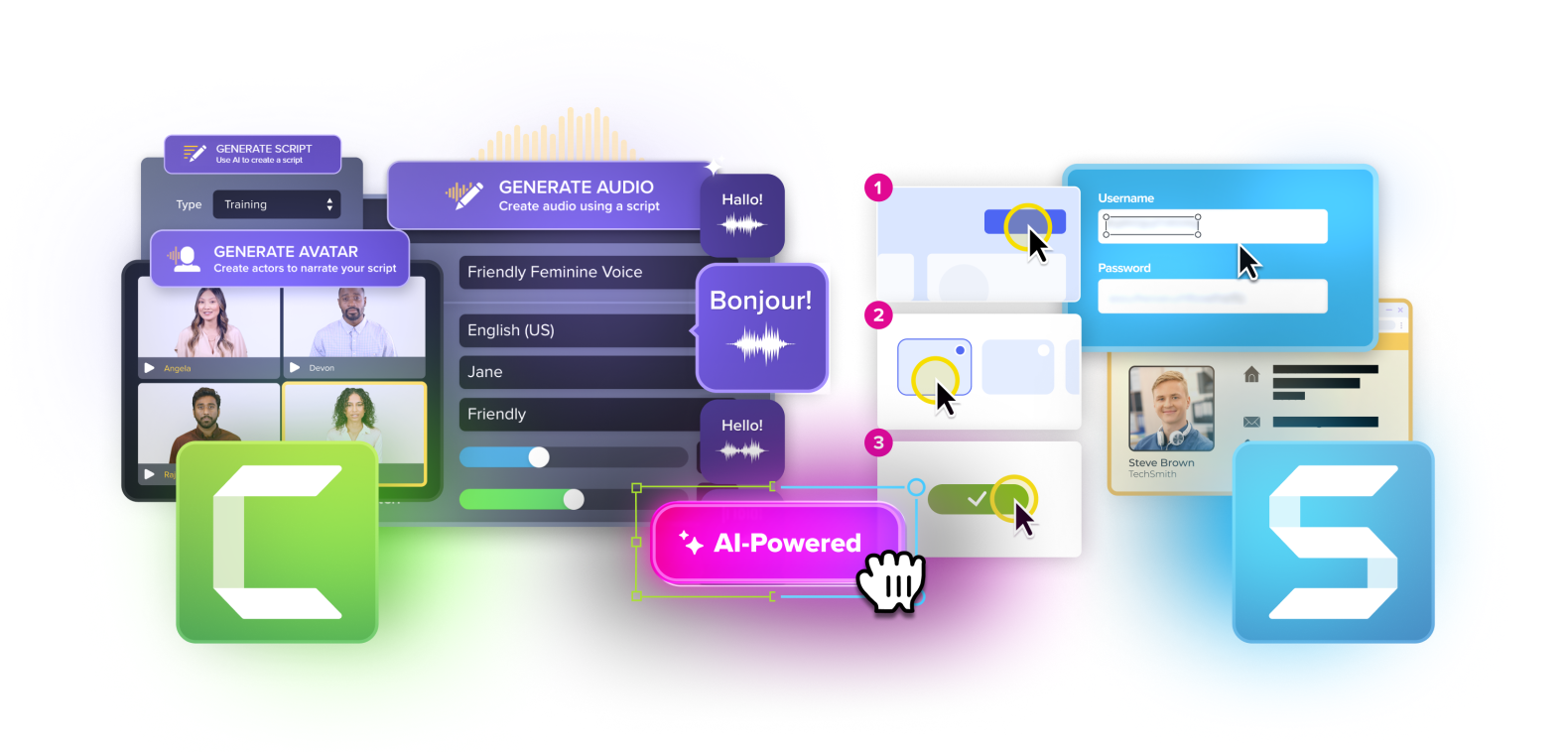
Camtasia is designed for users who want everything in one place. Instead of switching between separate tools for recording and editing, you can handle the entire process within a single platform. This not only saves time but also reduces complexity.
Another advantage is consistency. Since all features are integrated, the workflow feels smooth and logical. You record, edit, and export without interruptions. This makes Camtasia especially valuable for people who create content regularly.
It is also worth noting that Camtasia is suitable for both individuals and teams. While beginners appreciate its simplicity, professionals value its efficiency and reliability for producing consistent content.
Snagit Overview
Snagit is another popular product from TechSmith, but it serves a different purpose compared to Camtasia. While Camtasia focuses on full video creation, Snagit is designed for quick screen captures and simple visual communication.
Snagit is lightweight, fast, and highly practical. It is ideal for users who need to capture screenshots, annotate them, and share them instantly. Whether you are creating guides, reporting issues, or explaining something visually, Snagit simplifies the process.
One of the key strengths of Snagit is its precision. It allows you to capture exactly what you need, whether it is a small section of your screen, an entire window, or even a scrolling webpage. This level of control makes it a favourite among professionals who require accuracy.
Snagit is also widely used in business environments. Teams rely on it to create documentation, tutorials, and internal communication materials. Its simplicity ensures that anyone in the team can use it without training.
Key Features of Snagit
Snagit includes several features that make it a powerful tool for visual communication.
Screenshot Capture with Precision
Snagit allows you to capture images with great accuracy. You can select specific areas, windows, or full screens. This is useful when you need to highlight particular details without unnecessary distractions.
Scrolling Capture for Long Pages
One of Snagit’s standout features is its ability to capture long, scrolling pages. This is especially helpful for capturing websites, documents, or chat conversations that extend beyond a single screen.
Annotation Tools
After capturing an image, you can add annotations such as arrows, text, highlights, and shapes. These tools help you explain ideas clearly and make your visuals more informative.
Quick Video Recording
Snagit also supports short video recordings. While it is not as advanced as Camtasia, it is perfect for quick demonstrations or explanations that do not require detailed editing.
Easy Sharing Options
Once your content is ready, Snagit allows you to share it instantly. You can save files, copy them to the clipboard, or upload them to different platforms. This makes it highly efficient for day-to-day use.
Why Snagit is Useful
Snagit is ideal for users who need fast, clear visual communication without full video editing. It focuses on speed and simplicity, allowing you to capture and share information in seconds.
It is particularly useful for:
- Customer support teams explaining solutions
- Bloggers creating step-by-step guides
- Professionals documenting processes
- Educators sharing quick instructions
The combination of precision, annotation tools, and ease of use makes Snagit a valuable addition to any workflow.
Camtasia vs Snagit: Key Differences
| Feature | Camtasia | Snagit |
|---|---|---|
| Purpose | Full video creation | Quick capture and annotation |
| Editing | Advanced | Basic |
| Recording | Full screen and webcam | Short clips |
| Use Case | Tutorials, courses, YouTube | Guides, documentation |
| Complexity | Moderate | Very simple |
Both tools serve different purposes, and many users choose to use them together for a complete content creation setup.
Key Features That Make TechSmith Stand Out
TechSmith products are known for combining ease of use with practical features.
Main Features
- Simple user interface
- High-quality screen recording
- Built-in editing tools
- Pre-designed templates
- Annotation and callout features
- Fast export and sharing
These features reduce the time needed to create professional content.
Ease of Use and User Experience
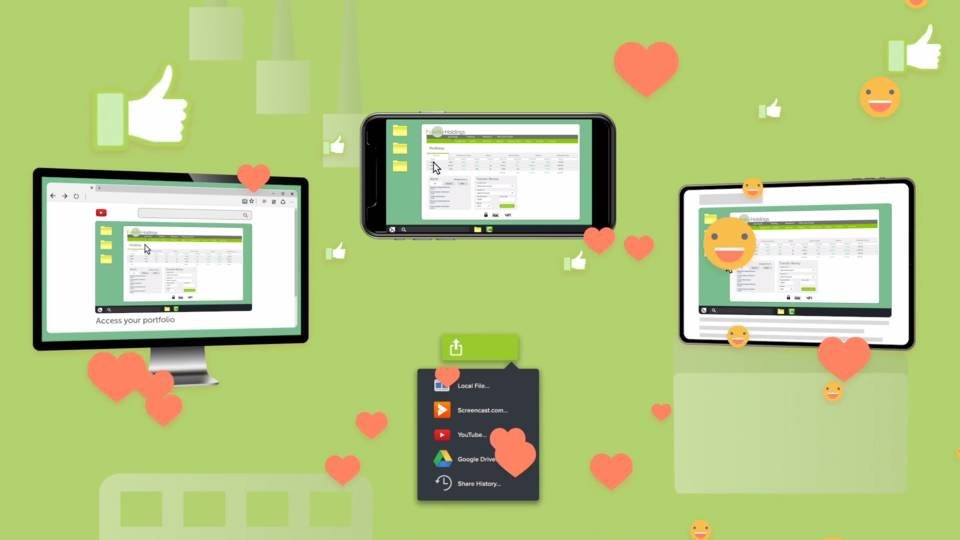
One of the biggest strengths of TechSmith tools is how simple and approachable they feel from the moment you open them. Many video editing and screen recording platforms can feel overwhelming, especially for beginners. Too many buttons, complicated timelines, and technical settings often slow people down before they even start. TechSmith takes a different approach by focusing on clarity, speed, and a smooth user journey.
Both Camtasia and Snagit are designed with real users in mind. The goal is simple: help you create content without confusion. Everything is placed logically, and most features are easy to find without digging through menus.
The interface feels clean and structured. Instead of cluttered panels, you get a layout that highlights only what you need at each stage. This makes a big difference, especially when you are working on a deadline or trying to learn quickly.
Why Beginners Prefer It
TechSmith tools are widely recommended for beginners because they remove the common barriers that usually come with content creation software.
Clean Interface with Clear Options
The layout is simple and organised. Icons are easy to recognise, menus are labelled clearly, and tools are grouped logically. You do not need to spend hours figuring out where things are. Everything feels intuitive, which builds confidence quickly.
No Technical Skills Required
You do not need prior experience in video editing or design. There is no need to learn complex shortcuts or advanced settings just to create a basic video. Most actions can be completed with simple clicks and drag-and-drop functionality.
Guided Workflow for Editing
The workflow follows a natural sequence. First you record, then you edit, and finally you export. Each step is clearly defined, so you always know what to do next. This reduces confusion and helps you stay focused on your content.
Minimal Learning Curve
Many users are able to create their first video within a few hours of using the software. The learning curve is short, which makes it ideal for people who want quick results without spending weeks learning a new tool.
Even if you have never edited a video before, you can still produce a polished and professional result. This is one of the main reasons TechSmith has built a strong reputation among beginners and non-technical users.
Real User Experience
When you start using TechSmith tools, the experience feels smooth from the beginning. The software does not overwhelm you with too many choices. Instead, it gives you just enough options to complete your task efficiently.
For example, when you open Camtasia, you are guided towards recording or importing media. Once you record your screen, the video automatically appears in the editor, ready to be adjusted. You can trim clips, add text, and apply effects without switching between different tools.
Snagit follows the same principle but focuses on speed. You can capture a screenshot in seconds, add annotations, and share it immediately. There is no delay, and the process feels natural.
This smooth experience is especially important for users who create content regularly. It saves time and reduces frustration.
Setup Process
Getting started with TechSmith tools is straightforward. The process is designed to be simple so that users can begin creating content quickly.
Install the Software
After downloading, installation is quick and does not require advanced configuration. The software is ready to use within minutes.
Choose Recording Settings
Before recording, you can select what you want to capture. This includes full screen, a specific area, webcam, and audio. The settings are clearly visible and easy to adjust.
Record Your Screen
With one click, you can start recording. The controls are simple, allowing you to pause, stop, or restart without confusion. This makes the recording process smooth and stress-free.
Edit Using Drag-and-Drop Tools
Once the recording is complete, it automatically appears in the editor. You can drag clips onto the timeline, trim unwanted parts, and add effects. The editing process feels natural and does not require technical knowledge.
Export Your Final Video
When your video is ready, you can export it in different formats. The export options are simple, and you can choose settings based on your needs, whether for social media, websites, or presentations.
Why This Simplicity Matters
This simplicity is one of the biggest reasons why TechSmith tools are so widely used. It allows users to focus on their message rather than struggling with the software.
For beginners, it removes the fear of starting something new. For professionals, it saves time and increases productivity. Instead of spending hours learning complicated features, you can spend that time improving your content.
Another advantage is consistency. Once you learn the basic workflow, you can repeat it for every project. This makes content creation faster and more efficient over time.
Productivity Benefits
Ease of use directly impacts productivity. With TechSmith tools, you can:
- Create videos faster
- Edit content without delays
- Maintain consistent quality
- Reduce errors during editing
- Focus more on creativity
These benefits are valuable for anyone producing regular content, whether for business, education, or personal use.
Final Thoughts on User Experiencee of the reasons TechSmith remains popular.
Performance and Output Quality
Performance is a key factor when choosing screen recording software.
What You Can Expect
- Smooth recording with minimal lag
- High-definition video output
- Stable editing performance
- Reliable export process
Camtasia, in particular, delivers consistent quality, making it suitable for professional use.
Pricing and Value for Money
TechSmith is not the cheapest option in the market.
Pricing Overview
| Product | Pricing Type | Best For |
|---|---|---|
| Camtasia | One-time purchase | Video creators |
| Snagit | One-time purchase | Screenshot users |
Important Points
- No monthly subscription required
- Higher upfront cost compared to competitors
- Free trial available
While the initial cost is higher, many users prefer the one-time payment model.
Pros and Cons of TechSmith
Advantages
- Easy to use for beginners
- All-in-one solution with Camtasia
- High-quality output
- Saves time during editing
- Professional features without complexity
Disadvantages
- Higher upfront cost
- Limited advanced editing features compared to professional tools
- Can be heavy on older systems
- Not ideal for complex video production
Who Should Use TechSmith?
TechSmith is suitable for a wide range of users.
Best Fit For
- YouTubers creating tutorials
- Bloggers producing video content
- Online course creators
- Teachers and educators
- Businesses creating training materials
Who Should Avoid TechSmith?
It may not be the best choice for everyone.
Not Ideal For
- Professional video editors needing advanced tools
- Users looking for free software
- High-end production teams
- Users with low-spec computers
Comparison Table: TechSmith vs Alternatives
| Feature | TechSmith | Free Tools | Advanced Editors |
|---|---|---|---|
| Ease of Use | High | Medium | Low |
| Price | Medium to High | Free | High |
| Features | Balanced | Basic | Advanced |
| Learning Curve | Low | Medium | High |
| Output Quality | High | Medium | Very High |
This table gives a clear view of where TechSmith stands.
Real Use Cases
TechSmith tools are widely used in different industries.
Common Use Cases
- Creating YouTube tutorials
- Recording software demonstrations
- Making online courses
- Internal business training
- Customer support guides
These use cases highlight the versatility of the platform.
Hidden Limitations You Should Know
Even though TechSmith is strong in many areas, there are some limitations.
Key Limitations
- Limited advanced effects compared to professional editors
- Not ideal for cinematic video production
- Requires decent system performance
- Fewer collaboration features
These points are important if you are planning long-term content creation.
Is TechSmith Good for Beginners?
Yes, TechSmith is one of the best options for beginners.
Reasons
- Simple interface
- Clear workflow
- Built-in tools reduce complexity
- No need for multiple software
It allows beginners to focus on content rather than technical details.
Is TechSmith Good for Professionals?
It depends on your needs.
Suitable For
- Trainers
- Educators
- Marketing teams
- Content creators
Not Suitable For
- Film editing
- Advanced animation
- Complex video production
Final Verdict:
TechSmith offers a strong balance between simplicity and performance. It is not the cheapest option, but it delivers reliable results with minimal effort.
When It Is the Best Choice
- You want an easy-to-use tool
- You need quick content creation
- You value time-saving features
When It May Not Be the Best
- You need advanced editing features
- You want a free solution
- You are working on high-end production projects
Final Words
TechSmith stands out as a practical solution for anyone who wants to create professional-looking videos without spending weeks learning complex software. It simplifies the entire process from recording to editing, making it accessible to a global audience.
While it may not replace advanced editing tools, it does exactly what most users need. It helps you create clear, engaging content quickly and efficiently.
If your goal is to produce tutorials, training videos, or simple content with minimal hassle, TechSmith is definitely worth considering.
FAQs:
1. Is TechSmith suitable for beginners?
Yes, it is designed to be easy to use even for first-time users.
2. Does Camtasia include video editing?
Yes, it includes built-in video editing tools.
3. Is Snagit only for screenshots?
No, it also supports short screen recordings.
4. Is TechSmith worth the price?
It depends on your needs, but it offers strong value for content creators.
5. Can TechSmith handle professional work?
Yes, for tutorials and training content, but not for advanced filmmaking.
6. Is there a free version available?
TechSmith offers a free trial, but full features require a paid version.
- Easy screen recording and video editing
- Beginner-friendly tools with simple interface
- High-quality output for professional content
- One-time purchase with long-term value