
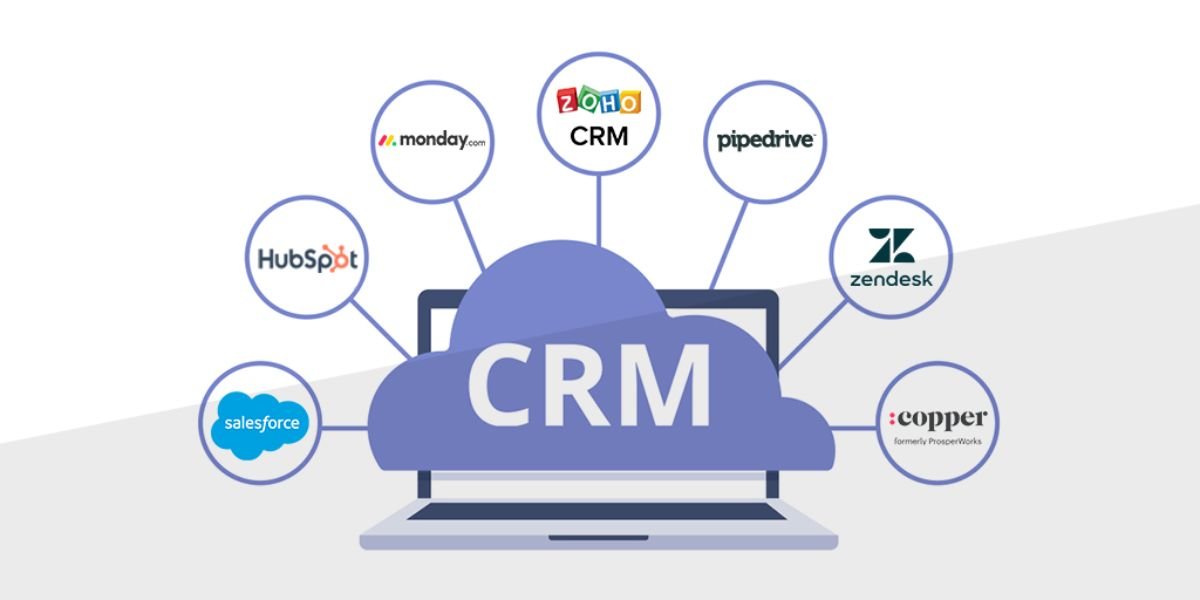
Choosing the best CRM software can make a major difference in how a business manages customers, sales, marketing, and support. A good customer relationship management platform gives teams one place to organize customer information, track leads, manage sales opportunities, automate repetitive tasks, and understand business performance.
Today, CRM software is used by businesses of almost every size. Startups use CRM tools to organize early customers and leads, while established companies use them to manage thousands or even millions of customer interactions. The challenge is that there are many CRM platforms available, each offering different features, pricing models, integrations, and levels of complexity.
The best CRM software for a small business may not be the right choice for a growing enterprise. Some companies need a simple contact management system, while others need advanced sales automation, marketing tools, customer service features, analytics, artificial intelligence, and custom workflows.
This guide explains what CRM software is, the most important features to look for, typical CRM pricing, the benefits of using a CRM platform, and how to choose the right solution for your business.
What Is CRM Software?
CRM stands for Customer Relationship Management. CRM software is a technology platform that helps businesses manage interactions and relationships with current and potential customers.
Instead of keeping customer information across spreadsheets, email inboxes, notebooks, and separate applications, a CRM system brings important information into one centralized location.
A typical CRM can store:
- Customer names and contact information
- Company details
- Email conversations
- Phone call records
- Sales opportunities
- Lead sources
- Meeting notes
- Tasks and reminders
- Purchase history
- Customer support interactions
- Marketing activity
- Sales pipeline information
The best CRM software turns this information into an organized system that employees can use throughout the customer lifecycle.
For example, a salesperson can open a customer's profile and quickly see previous conversations, current opportunities, scheduled meetings, notes, and upcoming tasks.
This gives sales and customer service teams more context when communicating with customers.
Why Businesses Need CRM Software
Customer information becomes difficult to manage as a business grows.
A company might start with a spreadsheet containing a few dozen prospects. As the customer base grows, employees may begin using different spreadsheets, email accounts, messaging platforms, and other tools.
This can create several problems.
Important customer information may become difficult to find. Sales representatives may forget follow-ups. Managers may have limited visibility into the sales pipeline. Marketing teams may struggle to segment audiences. Customer service employees may not know the history of a customer's previous interactions.
The best CRM software helps solve these problems by creating a centralized source of customer information.
A CRM can also help businesses establish repeatable processes. Instead of relying on employees to remember every follow-up, the system can automatically create tasks, send notifications, update records, and move deals through predefined stages.
Key Features of the Best CRM Software
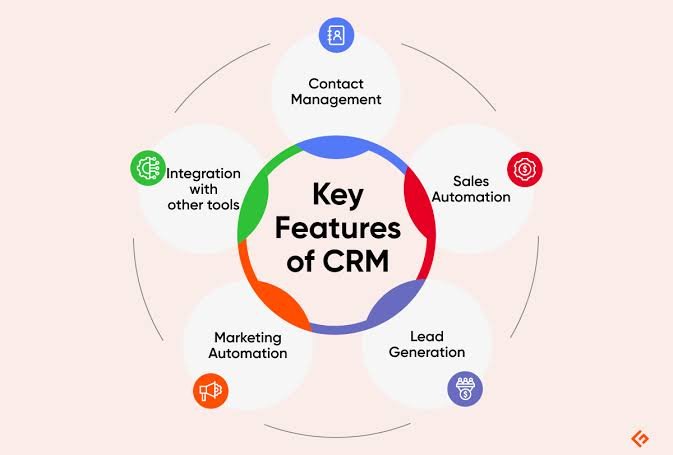
CRM platforms vary significantly, but the best CRM software generally includes several core features.
Contact Management
Contact management is one of the basic functions of CRM software.
A CRM stores customer and prospect information in organized profiles. Users can typically search contacts, update details, add notes, and view communication history.
Good contact management makes it easier for employees to understand who a customer is and where they are in the buying process.
Lead Management
Lead management helps businesses capture, organize, qualify, and follow up with potential customers.
Leads can come from:
- Website forms
- Advertising campaigns
- Social media
- Email marketing
- Phone calls
- Referrals
- Events
- Landing pages
- Online chat
The best CRM software can automatically capture leads and assign them to the appropriate sales representative.
Sales Pipeline Management
A sales pipeline provides a visual representation of sales opportunities.
Common pipeline stages include:
- New lead
- Qualified lead
- Contacted
- Proposal sent
- Negotiation
- Closed won
- Closed lost
Sales teams can move opportunities between stages as deals progress.
Pipeline management helps managers understand how many deals are active, which opportunities require attention, and how much potential revenue is in the pipeline.
Task and Activity Management
CRM software can help employees manage daily activities.
Users can create tasks for:
- Follow-up calls
- Meetings
- Emails
- Product demonstrations
- Proposals
- Customer check-ins
The best CRM software can connect these activities directly to customer records, helping employees understand why a particular task needs to be completed.
Email Integration
Email integration can save significant time for sales and support teams.
Depending on the platform, users may be able to send emails directly from the CRM, automatically log conversations, create templates, schedule messages, and track certain engagement metrics.
Having email history attached to customer profiles can make future conversations more informed.
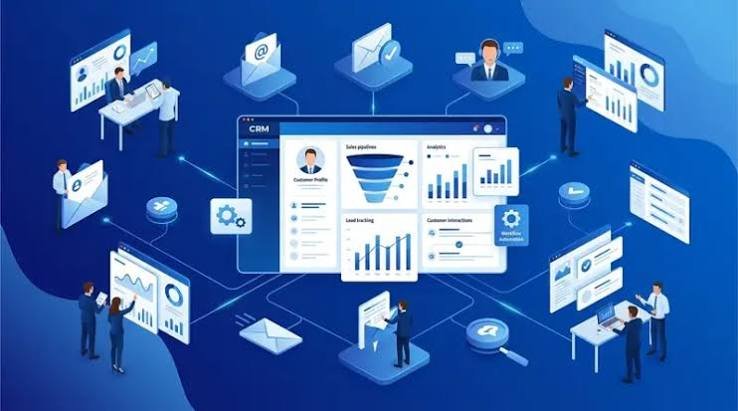
Reporting and Analytics
Reporting is another important CRM capability.
CRM dashboards can help businesses track:
- Sales revenue
- Conversion rates
- Lead volume
- Sales pipeline value
- Sales representative performance
- Customer acquisition
- Deal velocity
- Forecasted revenue
- Campaign performance
The best CRM software should provide reports that help managers make decisions rather than simply displaying large amounts of data.
Workflow Automation
Automation is particularly valuable for growing businesses.
CRM automation can handle repetitive processes such as:
- Assigning leads
- Sending follow-up emails
- Creating tasks
- Updating records
- Moving deals
- Sending notifications
- Triggering marketing campaigns
Automation reduces manual work and can help sales teams spend more time communicating with prospects and customers.
Marketing Automation
Some CRM platforms include marketing features that allow businesses to create campaigns and nurture leads.
Marketing automation can include:
- Email campaigns
- Lead segmentation
- Customer journeys
- Landing pages
- Forms
- Campaign tracking
- Lead scoring
If marketing is a major part of your customer acquisition strategy, look for CRM software with strong marketing capabilities or integrations with dedicated marketing platforms.
Customer Service Tools
Many modern CRM platforms go beyond sales.
Customer service features may include:
- Ticket management
- Support inboxes
- Customer history
- Knowledge bases
- Chat
- Service automation
- Customer feedback
When sales and support teams have access to the same customer information, customers can receive more consistent service.
Mobile CRM
Salespeople and field teams may need access to customer information while away from their desks.
A good mobile CRM allows users to review contacts, update deals, add notes, manage tasks, and communicate with customers from smartphones and tablets.
Benefits of Using the Best CRM Software
Investing in CRM software can provide several benefits.
Better Customer Organization
The most immediate benefit is improved organization.
Instead of searching through multiple systems, employees can access customer information from a centralized platform.
Improved Sales Productivity
CRM automation can reduce administrative work.
Sales representatives can spend less time updating spreadsheets and more time qualifying leads, conducting meetings, and closing deals.
Better Follow-Up
Missed follow-ups can result in lost sales.
CRM reminders and automated workflows help sales teams stay on top of important activities.
Improved Customer Experience
When employees can see a customer's history, they can provide more relevant assistance.
Customers don't have to repeat the same information every time they interact with a company.
Better Sales Forecasting
CRM reporting gives managers visibility into current opportunities.
This can make sales forecasting more structured and data-driven.
Stronger Team Collaboration
A centralized CRM allows different departments to work with shared customer information.
Sales, marketing, customer support, and management can access relevant information based on their roles.
More Effective Marketing
CRM data can help businesses segment customers and prospects.
Instead of sending the same message to everyone, companies can create campaigns based on customer characteristics, behavior, purchase history, or stage in the buying journey.
CRM Software Pricing
CRM pricing varies widely depending on the provider, features, number of users, and subscription plan.
Many CRM platforms use a per-user, per-month pricing model.
A typical pricing structure might include:
| CRM Tier | Typical Use |
|---|---|
| Free | Individuals and very small teams |
| Basic | Small businesses |
| Professional | Growing sales teams |
| Advanced | Larger organizations |
| Enterprise | Complex organizations with custom requirements |
Some platforms offer free plans with limited features. Paid plans may add automation, advanced reporting, integrations, increased storage, AI tools, and customization.
However, CRM pricing should not be evaluated only by looking at the monthly subscription.
You should also consider:
- Setup costs
- Data migration
- Training
- Implementation
- Premium integrations
- Additional users
- API usage
- Automation limits
- Storage limits
- Support fees
- Contract requirements
The best CRM software is not necessarily the cheapest platform. The goal is to find a system that delivers enough value to justify its total cost.
How to Choose the Best CRM Software
Choosing CRM software requires understanding your business requirements first.
1. Define Your Goals
Start by identifying what you want the CRM to accomplish.
For example, your primary goal might be:
- Organizing contacts
- Increasing sales
- Improving lead management
- Automating follow-ups
- Improving customer support
- Tracking marketing campaigns
- Improving reporting
- Managing multiple sales teams
Clear goals make it easier to eliminate unsuitable platforms.
2. Consider Your Business Size
A small company may not need a complicated enterprise CRM.
If you have five employees and a relatively simple sales process, a lightweight CRM may be sufficient.
A large organization with multiple departments may need advanced permissions, complex workflows, custom objects, detailed reporting, and enterprise integrations.
The best CRM software should match the size and complexity of your organization.
3. Evaluate Ease of Use
A CRM can have hundreds of features, but they don't matter if employees don't use them.
Look for an interface that is easy to understand.
During a free trial or demonstration, test common activities such as:
- Adding a contact
- Creating a deal
- Updating a pipeline
- Creating a task
- Sending an email
- Generating a report
If basic tasks feel unnecessarily complicated, adoption may become a problem.
4. Check Integrations
CRM software rarely operates alone.
You may need integrations with:
- Email platforms
- Accounting software
- Marketing tools
- Ecommerce platforms
- Payment systems
- Calendar applications
- Communication tools
- Customer support platforms
- Analytics systems
Before purchasing the best CRM software for your company, create a list of essential integrations and confirm that the platform supports them.
5. Review Automation Features
If your business has repetitive processes, automation can provide significant value.
Ask whether the CRM can automate the tasks you currently perform manually.
For example, when a website visitor submits a form, can the CRM automatically:
- Create a lead?
- Assign it to a salesperson?
- Send an acknowledgment email?
- Create a follow-up task?
- Notify the sales manager?
The more repetitive work you can automate, the more valuable your CRM may become.
6. Examine Reporting
Different businesses need different reports.
A sales organization might need pipeline and revenue forecasting.
A marketing team may need campaign attribution and lead conversion reports.
Customer service may need ticket volume and response-time metrics.
Make sure the CRM provides the reporting capabilities you actually need.
7. Consider Customization
Every business has different processes.
The best CRM software should offer enough customization to accommodate your workflow.
Customization may include:
- Custom fields
- Custom pipelines
- Custom dashboards
- Custom reports
- Custom workflows
- User permissions
- Custom objects
However, excessive customization can make CRM management more complicated, so choose a platform that balances flexibility with simplicity.
CRM Software for Small Businesses
Small businesses often need CRM software that is affordable, easy to use, and quick to implement.
Important features for small companies may include:
- Contact management
- Lead tracking
- Sales pipelines
- Email integration
- Task management
- Basic automation
- Reporting
- Mobile access
A small business shouldn't automatically choose an enterprise CRM simply because it has more features.
The best CRM software for a small business is usually the platform employees can learn quickly and use consistently.
CRM Software for Sales Teams
Sales teams should prioritize features that improve the sales process.
Important capabilities include:
- Lead management
- Deal pipelines
- Sales activity tracking
- Email integration
- Sales automation
- Lead scoring
- Forecasting
- Reporting
- Calendar integration
A sales-focused CRM should make it easy for representatives to understand what they need to do next.
CRM Software for Marketing Teams
Marketing teams need CRM data to understand prospects and customers.
Look for features such as:
- Lead segmentation
- Email marketing
- Campaign management
- Lead scoring
- Marketing automation
- Customer journeys
- Form management
- Conversion tracking
Integration between CRM and marketing tools can help businesses connect marketing activities with sales outcomes.
CRM Software for Customer Service
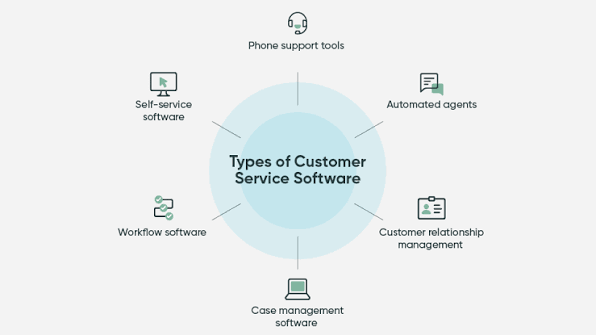
Customer service teams need fast access to customer information.
Important features may include:
- Support tickets
- Customer profiles
- Communication history
- Knowledge bases
- Live chat
- Service automation
- Customer feedback
- Reporting
A service-focused CRM should make it easy for agents to understand the customer's previous interactions and current issue.
Cloud CRM vs. On-Premise CRM
Most modern businesses choose cloud-based CRM platforms.
With a cloud CRM, the provider hosts the software and users access it through the internet.
Benefits can include:
- Easier deployment
- Automatic updates
- Remote access
- Reduced infrastructure requirements
- Flexible scaling
On-premise CRM software is installed and maintained on company-owned infrastructure.
This can provide more direct control over the environment, but it may require more IT resources.
For many small and medium-sized companies, cloud CRM software offers a simpler approach.
AI and the Future of CRM Software
Artificial intelligence is becoming increasingly important in CRM platforms.
Modern CRM systems may use AI to assist with:
- Lead scoring
- Sales forecasting
- Email writing
- Customer summaries
- Data entry
- Conversation analysis
- Sales recommendations
- Customer service responses
- Predictive analytics
AI can help employees work with large amounts of customer information more efficiently.
However, businesses should evaluate AI features based on practical value rather than choosing a CRM simply because it includes AI.
The best CRM software should use automation and AI to solve real business problems while keeping users in control of important decisions.
Common CRM Mistakes to Avoid
Buying Too Many Features
More features do not automatically mean a better CRM.
Choose the capabilities your team will actually use.
Ignoring Employee Adoption
If employees don't understand how to use the CRM, the system won't deliver its full value.
Provide training and create simple processes.
Poor Data Quality
A CRM is only as useful as the information stored inside it.
Duplicate contacts, outdated records, missing fields, and inaccurate data can reduce its value.
Failing to Define Processes
Don't simply install a CRM and expect it to solve organizational problems.
Define how leads should be captured, assigned, qualified, followed up, and converted.
Not Planning for Growth
Your business may grow significantly over the next few years.
Choose CRM software that can scale with your users, data, sales processes, and customer base.
FAQs:
What is the best CRM software?
The best CRM software depends on your business size, budget, sales process, required features, integrations, and team requirements. There is no single CRM that is ideal for every business.
How much does CRM software cost?
CRM pricing ranges from free plans to expensive enterprise solutions. Many providers charge per user per month, while some offer customized enterprise pricing.
Is CRM software worth it for a small business?
Yes. A CRM can help a small business organize contacts, track leads, manage sales opportunities, automate follow-ups, and improve customer relationships.
What features should I look for in CRM software?
Important CRM features include contact management, lead management, sales pipelines, task management, reporting, automation, integrations, mobile access, and customer service capabilities.
Can CRM software improve sales?
CRM software can support sales growth by helping teams organize leads, track opportunities, automate repetitive tasks, improve follow-up, and analyze sales performance.
Should I choose a free CRM?
A free CRM can be a good starting point for individuals and small teams. However, check its user limits, storage, automation, reporting, integrations, and upgrade costs before making a decision.
Must Read:
- Create a Website in Minutes: Build a Professional Website Faster With AI
- Build Your Website With AI: Complete Guide to AI-Powered Website Creation
- AI Website Builder for SaaS: Grow Your SaaS
Final Thoughts:
The best CRM software should make customer management easier, not more complicated. Whether you're running a small business, managing a sales team, or operating a large organization, the right CRM can centralize customer information, improve sales processes, automate repetitive work, and provide better visibility into business performance.
Before choosing a platform, identify your goals and determine which features are essential. Compare pricing, integrations, ease of use, automation, reporting, customization, security, and scalability. Don't forget to calculate the total cost of ownership, including implementation, training, additional users, and premium features.
A successful CRM strategy is about more than purchasing software. Your team needs clear processes, accurate customer data, proper training, and consistent usage.
When those pieces work together, the best CRM software becomes more than a database. It becomes a central system for managing customer relationships, improving productivity, supporting sales growth, and creating a better customer experience.