

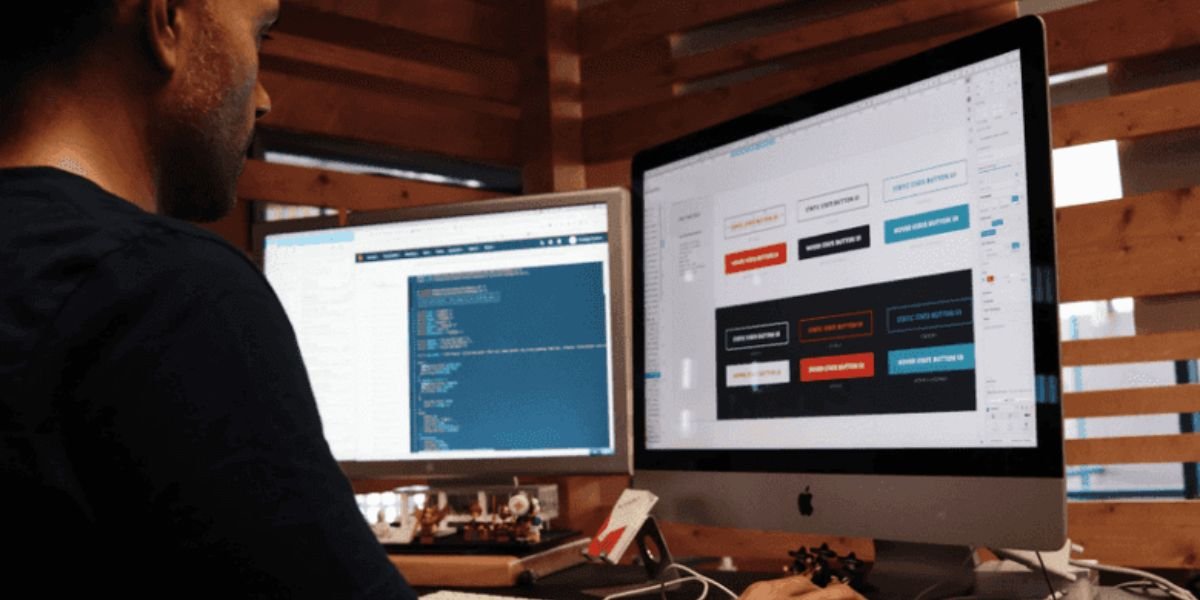
To Build a Website from Scratch can seem difficult if you have never worked with web development before. A website involves several different elements, including design, content, structure, functionality, hosting, domains, security, and search engine optimization. However, modern website development tools have made the process much easier.
Today, you can build a website using traditional coding, content management systems, no-code platforms, or AI-powered development tools. The right approach depends on your technical experience, website goals, budget, and the features you need.
Whether you want to create a business website, portfolio, blog, ecommerce store, landing page, or startup website, understanding the basic process can help you make better decisions. This guide explains how to Build a Website from Scratch, from planning and design to SEO, testing, publishing, and ongoing maintenance.

- Build Smarter Websites With AI
- Create Powerful Apps Without Coding
- Turn Ideas Into Working Products
- Launch Digital Projects More Quickly
What Does It Mean to Build a Website From Scratch?
To Build a Website from Scratch means creating a website according to your own requirements instead of simply relying on a pre-built website that already has all of its content and structure.
Building from scratch does not necessarily mean manually writing every line of code. You can start with a blank project and use development tools, visual builders, AI assistance, or frameworks to create the website.
A website built from scratch typically includes:
- Website structure
- Navigation
- Page layouts
- Text and images
- Interactive elements
- Forms
- SEO settings
- Mobile responsiveness
- Hosting configuration
- Security features
The amount of technical work depends on the development method you choose.
Why Build a Website From Scratch?
There are several reasons to Build a Website from Scratch instead of using an existing website.
One major benefit is greater control. You can decide exactly how pages should look and how users should interact with your website.
Building from scratch can also help you create a unique brand experience. Instead of using the same template as hundreds of other websites, you can create a design that matches your business.
Another advantage is flexibility. You can choose which features to include and remove unnecessary elements that could make the website slower or harder to manage.
For developers, building from scratch also provides an opportunity to understand how websites work.
Step 1: Define Your Website Goal
Before you Build a Website from Scratch, identify the purpose of your website.
Ask yourself:
- What is the website supposed to accomplish?
- Who will use it?
- What problem does it solve?
- What action should visitors take?
- What information do visitors need?
- What features are essential?
For example, a business website may focus on generating leads. An ecommerce website may focus on selling products. A portfolio website may focus on showcasing professional work.
Your website goal should influence the design, content, navigation, and functionality.
Step 2: Identify Your Target Audience
Knowing your audience is essential when you Build a Website from Scratch.
Think about the people who will visit your website. Consider their interests, problems, expectations, technical knowledge, and reasons for visiting.
A website for software developers may use technical language, while a website for general consumers should use simpler explanations.
Understanding your audience can help you create content and navigation that feel relevant.
Step 3: Plan Your Website Structure
The next step is creating a sitemap.
A sitemap shows how your pages are organized.
A simple business website might include:
- Home
- About
- Services
- Pricing
- Blog
- FAQ
- Contact
- Privacy Policy
- Terms of Service
An ecommerce website may require product categories, individual product pages, shopping cart, checkout, account pages, shipping information, and return policies.
Planning the structure before development makes it easier to Build a Website from Scratch with clear navigation.
Step 4: Choose Your Development Method
There are several ways to Build a Website from Scratch.
Traditional Coding
Developers can create websites using HTML, CSS, JavaScript, and other technologies.
This approach provides extensive control but requires technical knowledge.
Content Management Systems
A content management system can simplify website creation and content management. Users can create and manage pages without manually editing every part of the website.
No-Code Builders
No-code platforms provide visual tools that allow users to create websites without traditional programming.
AI Website Builders
AI-powered platforms can help users create websites by describing their requirements in natural language. AI can assist with design, content, code, structure, and other development tasks.
The best method depends on your skills and project requirements.
Step 5: Choose a Domain Name
A domain name is the address visitors use to access your website.
For example, a business might choose a domain based on its brand name.
When selecting a domain, keep it:
- Short
- Easy to remember
- Easy to spell
- Relevant to your brand
- Professional
Avoid confusing combinations of numbers, unnecessary symbols, or names that are difficult to communicate.
Your domain becomes part of your online identity, so choose carefully.
Step 6: Select Web Hosting

Web hosting stores your website files and makes them accessible through the internet.
When you Build a Website from Scratch, your hosting requirements depend on the type of website you are creating.
A simple website may need basic hosting, while a large application may require more powerful infrastructure.
Consider factors such as:
- Performance
- Reliability
- Storage
- Bandwidth
- Security
- Backup options
- Scalability
- Technical support
Choose hosting that fits your current needs while allowing room for growth.
Step 7: Design Your Website
Design is an important part of the process to Build a Website from Scratch.
Your design should be attractive, but usability should come first.
A good website generally has:
- Clear navigation
- Readable typography
- Consistent spacing
- Strong visual hierarchy
- Accessible buttons
- Relevant images
- Clear calls to action
- Responsive layouts
Do not add unnecessary animations or visual effects simply because they look impressive. Every design element should serve a purpose.
Step 8: Create Your Homepage
The homepage is often the first major page visitors see.
A strong homepage should quickly communicate:
- What your business does
- Who it serves
- Why visitors should care
- What visitors should do next
A typical homepage can include a hero section, benefits, services, products, testimonials, company information, FAQs, and a contact section.
When you Build a Website from Scratch, keep the homepage focused. Visitors should not need to search through several sections to understand your main offering.
Step 9: Build Important Website Pages
After creating the homepage, develop the other important pages.
About Page
Explain who you are, what your company does, and what makes your business different.
Services Page
Describe your services clearly and explain what customers can expect.
Product Pages
For ecommerce websites, provide detailed product information, images, specifications, pricing, and relevant purchasing information.
Contact Page
Make it easy for visitors to contact you.
FAQ Page
Answer common questions about your products, services, policies, or process.
When you Build a Website from Scratch, every page should have a clear purpose.
Step 10: Add Website Functionality
Different websites require different features.
A business website may need a contact form. An ecommerce store may need a shopping cart and payment system. A booking website may need calendars and appointment management.
Other common features include:
- Search
- User accounts
- Login systems
- Forms
- Notifications
- Reviews
- Maps
- Analytics
- Payment processing
- Database functionality
Only add features that support your website's goals.
Step 11: Create High-Quality Content
Content is one of the most important elements when you Build a Website from Scratch.
Your content should be clear, accurate, useful, and written for your target audience.
Avoid filling pages with unnecessary words. Visitors want answers quickly.
For service pages, explain what you offer and how it benefits customers. For product pages, provide accurate descriptions and useful specifications.
For blogs, focus on answering real questions and providing practical information.
AI tools can help create content drafts, outlines, and ideas, but every important piece of content should be reviewed for accuracy and originality.
Build a Website From Scratch With SEO
SEO should be part of website development from the beginning.
When you Build a Website from Scratch, create a structure that allows search engines to understand your pages and visitors to find useful information.
Important SEO areas include:
- Keyword research
- Page titles
- Meta descriptions
- Headings
- URLs
- Internal links
- Image alt text
- Mobile responsiveness
- Page speed
- Useful content
- Structured website architecture
SEO is not simply about inserting keywords into a page. Search visibility depends on relevance, quality, usability, technical performance, and many other factors.
Keyword Research
Keyword research helps you understand what your audience searches for online.
Start with your main topic and identify related questions and phrases.
For example, a website development business might target topics such as:
- Website development
- Build a website
- Website builder
- Business website
- AI website builder
- No-code website development
Use keywords naturally. Avoid repeating the same phrase excessively.
When you Build a Website from Scratch, organize related topics into logical pages instead of trying to rank one page for every possible keyword.
Optimize Page Titles and Meta Descriptions
Every important page should have a descriptive title.
A page about web design should have a title that clearly communicates its subject rather than using something vague like “Page One.”
Meta descriptions can provide a short summary of the page.
While metadata is useful, it should accurately represent the page and encourage relevant users to visit.
Use Proper Heading Structure
Headings help organize content.
A page typically has one main heading followed by supporting sections.
For example:
Website Design
Explain the main design principles.
Mobile Responsiveness
Explain why mobile design matters.
SEO Optimization
Explain how the page is optimized.
When you Build a Website from Scratch, use headings to make content easier to scan.
Optimize Images
Images can make a website more engaging, but large files can slow pages down.
Use appropriately sized images and modern formats where supported. Add descriptive alt text when an image requires a text alternative.
Avoid stuffing keywords into image descriptions.
Create Internal Links
Internal links connect related pages.
For example, a blog post about website SEO could link to your SEO service page.
Internal linking can help visitors discover related content and help search engines understand the structure of your website.
When you Build a Website from Scratch, plan internal links as part of your content structure.
Make Your Website Mobile-Friendly
A modern website must work well on smartphones and tablets.
Responsive design allows page layouts to adapt to different screen sizes.
Check:
- Navigation menus
- Buttons
- Images
- Forms
- Tables
- Typography
- Spacing
- Interactive elements
Do not assume a website works perfectly on mobile just because it looks good on desktop.
Improve Website Speed
Website performance affects user experience.
Large images, unnecessary scripts, excessive animations, and poorly optimized resources can increase loading times.
To improve performance, consider:
- Compressing images
- Reducing unnecessary scripts
- Using efficient hosting
- Limiting heavy animations
- Caching resources
- Optimizing page assets
When you Build a Website from Scratch, performance should be considered during development rather than fixed later.
Add Website Security
Security is important for every website, especially websites that collect user information.
Use HTTPS, strong authentication practices, secure forms, updated software, and appropriate access controls.
If your website handles payments or sensitive customer information, follow relevant security and privacy requirements.
Regular backups can also help reduce the impact of unexpected technical problems.
Test Your Website Before Launch
Testing is one of the most important steps when you Build a Website from Scratch.
Check every major part of the website.
Test:
- Navigation
- Links
- Forms
- Buttons
- Images
- Videos
- Search
- Login
- Checkout
- Mobile layouts
- Page loading
- Error messages
Test the website on different browsers and devices when possible.
Ask someone unfamiliar with the website to use it. Their feedback may reveal usability problems you did not notice.
Launch Your Website
Once everything has been tested, connect your domain and publish the website.
After launch, verify that important pages are accessible and that forms work correctly.
Check your analytics and search-related tools so you can understand how visitors interact with your website.
Launching is not the end of the website development process. It is the beginning of ongoing improvement.
Maintain Your Website
A website requires regular maintenance.
When you Build a Website from Scratch, create a maintenance routine that includes:
- Updating software
- Checking broken links
- Reviewing security
- Updating content
- Improving old articles
- Checking performance
- Reviewing analytics
- Testing forms
- Updating product information
Regular maintenance helps keep the website useful and reliable.
Build a Website From Scratch Using AI
Artificial intelligence can simplify many parts of website development.
An AI-powered development tool can help generate website structures, write content drafts, create code, explain technical problems, suggest layouts, and assist with testing.
For beginners, AI can make website development more accessible.
For developers, AI can reduce repetitive tasks and provide useful suggestions.
However, AI-generated output should be reviewed before publication. AI can make mistakes, produce inaccurate information, or generate code that does not fully match your requirements.
The strongest workflow combines AI assistance with human review.
No-Code Tools for Building Websites
If you want to Build a Website from Scratch without learning traditional programming, no-code tools can provide an alternative.
Visual builders allow users to create pages using components and drag-and-drop interfaces.
No-code platforms are useful for:
- Business websites
- Landing pages
- Portfolios
- Blogs
- Startup websites
- Basic ecommerce projects
- Marketing pages
Advanced applications may require custom development depending on their functionality.
Common Mistakes to Avoid
Several mistakes can affect the quality of a new website.
Poor Navigation
Visitors should be able to find important information easily.
Too Much Content
Do not fill every page with unnecessary information.
Weak Calls to Action
Tell visitors what they can do next when appropriate.
Ignoring Mobile Users
Always test mobile layouts.
Poor SEO Structure
Create logical pages, descriptive titles, useful content, and internal links.
Slow Performance
Optimize images and unnecessary website resources.
No Security Plan
Protect accounts, forms, data, and website infrastructure.
How Much Does It Cost to Build a Website From Scratch?
The cost to Build a Website from Scratch depends on how the website is created and what features it requires.
A simple website can have relatively low costs if you use a no-code or AI-assisted platform.
Custom websites can cost considerably more because they may require professional designers, developers, hosting infrastructure, custom integrations, testing, and ongoing maintenance.
Costs may include:
- Domain registration
- Hosting
- Design
- Development
- Content
- SEO
- Premium tools
- Plugins or integrations
- Maintenance
- Security
Before starting, create a budget based on the website's goals and expected requirements.
Who Should Build a Website From Scratch?
Building from scratch can be suitable for businesses, startups, developers, creators, agencies, and entrepreneurs who want control over their website.
It is particularly useful when you need a unique design or specific functionality that a standard template cannot provide.
If you need a simple website and want to launch quickly, an AI or no-code website builder may be a more practical option.
Future of Website Development
The process to Build a Website from Scratch is becoming increasingly accessible because of AI, no-code platforms, visual development tools, and automation.
AI can reduce repetitive coding work and help users transform ideas into initial website structures faster.
Future website development workflows are likely to combine AI assistance with human design, strategy, development, SEO, and quality control.
The goal is not simply to create websites faster. The goal is to create websites that provide real value to users.
Must Read:
Final Thoughts:
To Build a Website from Scratch, start with a clear goal and audience. Plan your pages, choose the right development method, create a useful design, write high-quality content, optimize the website for SEO, test everything, and maintain the site after launch.
You do not necessarily need to be an experienced programmer. AI-powered and no-code tools can simplify many parts of website development, while traditional coding remains an excellent option for projects requiring deeper customization.
The most successful websites are not necessarily the ones with the most features. They are the ones that make it easy for visitors to find information, understand the offering, and take the right action.
Whether you choose traditional development, no-code tools, or AI assistance, a thoughtful approach can help you Build a Website from Scratch that is professional, useful, mobile-friendly, search-friendly, and ready to grow with your business.
- Build Smarter Websites With AI
- Create Powerful Apps Without Coding
- Turn Ideas Into Working Products
- Launch Digital Projects More Quickly