
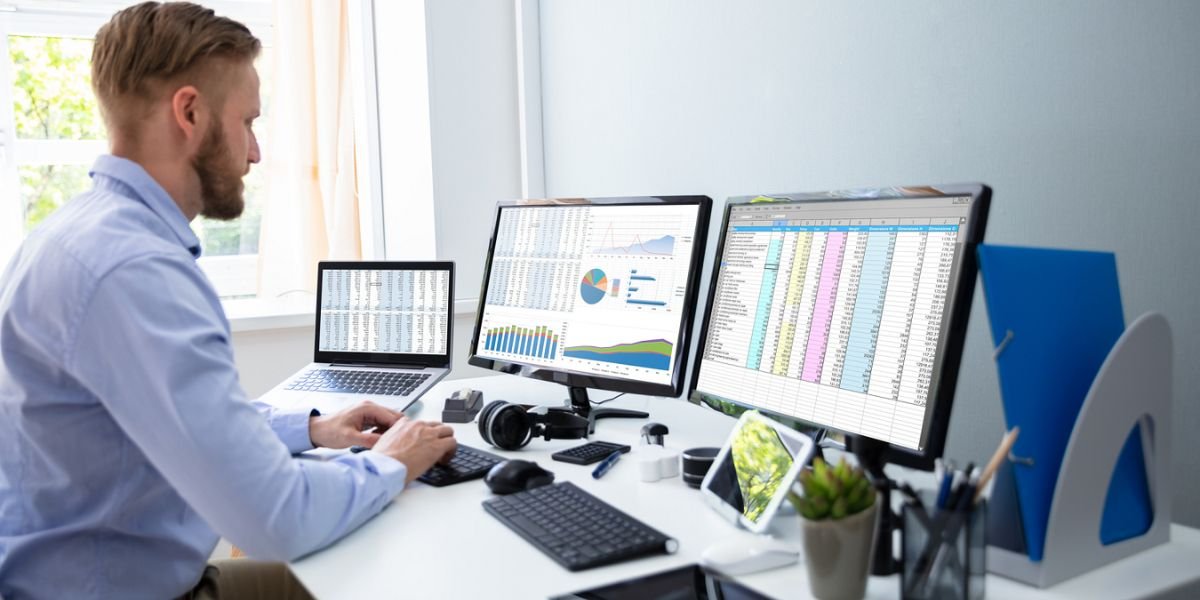
Choosing the best accounting software for small businesses can make managing your company's finances easier, faster, and more organized. Instead of relying on spreadsheets, paper receipts, and manual calculations, modern accounting software can help you manage income, expenses, invoices, payments, bank transactions, financial reports, and other important accounting tasks from one place.
For many small business owners, accounting is one of the most time-consuming parts of running a company. You need accurate financial records to understand your profits, control expenses, prepare for taxes, manage cash flow, and make better business decisions. The right accounting software can reduce repetitive work and give you a clearer view of your company's financial health.
However, finding the best accounting software for small businesses is not always straightforward. There are dozens of platforms with different features, pricing structures, integrations, user limits, and levels of complexity. A freelancer may only need invoicing and expense tracking, while an established business may require inventory management, payroll, advanced reporting, project accounting, and multiple-user access.
This guide explains what accounting software does, the features you should look for, typical pricing, leading options, their strengths and limitations, and how to choose the right accounting solution for your business.
What Is Accounting Software for Small Businesses?
Accounting software is a digital tool that helps businesses record, organize, monitor, and report financial transactions.
Instead of maintaining separate spreadsheets for sales, expenses, invoices, and payments, you can use accounting software to keep this information together.
Depending on the platform, accounting software can help you manage:
- Income and revenue
- Business expenses
- Customer invoices
- Vendor bills
- Accounts receivable
- Accounts payable
- Bank transactions
- Financial statements
- Tax-related information
- Cash flow
- Inventory
- Projects
- Payroll through integrated services
- Business reports
The best accounting software for small businesses can automate many routine bookkeeping tasks and provide information that helps owners understand how their business is performing.
For example, a business owner can create an invoice, receive payment, categorize an expense, connect a bank account, and generate a profit and loss report without manually maintaining several different spreadsheets.
Cloud-based accounting software has also made collaboration easier. Business owners, employees, bookkeepers, and accountants can often access the same financial information from different locations.
Why Small Businesses Need Accounting Software
Financial management becomes more difficult as a business grows.
A new business might initially have only a few customers and expenses. At that stage, a spreadsheet may seem sufficient. But as sales increase, the number of transactions, invoices, vendors, employees, and expenses can grow quickly.
Manual bookkeeping can create several problems.
You may forget to record an expense, lose track of unpaid invoices, enter information incorrectly, or spend too much time preparing reports.
The best accounting software for small businesses can help reduce these problems by organizing financial information and automating repetitive processes.
For example, accounting software can automatically import transactions from connected bank accounts. You can then review and categorize those transactions rather than entering everything manually.
Automated invoice reminders can also help businesses follow up with customers who have unpaid invoices.
This can save time while giving business owners better visibility into cash flow and profitability.
Best Accounting Software for Small Businesses
There is no single accounting platform that works perfectly for every business. The right option depends on your business model, budget, accounting requirements, and future growth plans.
Several well-known platforms are worth considering.
QuickBooks Online
Best for Overall Small Business Accounting
QuickBooks Online is one of the best-known accounting platforms for small businesses. It provides a broad range of accounting and business management features and is widely used by accountants and bookkeepers.
The platform can help businesses manage income, expenses, invoices, bills, bank transactions, financial reports, and other accounting activities.
QuickBooks Online can be particularly useful for businesses that want access to a large ecosystem of accounting professionals and third-party integrations.
Key Features
- Income and expense tracking
- Invoicing
- Bank connections
- Expense management
- Financial reports
- Accounts payable
- Accounts receivable
- Inventory features on qualifying plans
- Payroll integrations
- Mobile access
- Third-party integrations
- Tax-related reporting
Pricing
QuickBooks Online pricing varies depending on the plan, region, promotions, and billing arrangements. Entry-level plans in the U.S. have been listed around the high-$30-per-month range in recent comparisons, while higher plans cost more.
Always check the provider's current pricing before subscribing because promotions and plan features can change.
Review
QuickBooks Online is a strong choice for businesses that want a comprehensive accounting ecosystem.
One of its biggest advantages is familiarity. Many accountants and bookkeepers already know the platform, which can make collaboration easier.
The downside is that it may be more expensive than basic accounting tools. Businesses with very simple requirements may not need all of its features.
Xero
Best for Growing Teams and Collaboration
Xero is another major cloud accounting platform that is popular among small and growing businesses.
The platform provides tools for invoicing, bank reconciliation, expenses, bills, reporting, inventory, and other accounting activities.
One feature that makes Xero attractive to some businesses is its approach to user access. Depending on the plan and current terms, businesses can provide accounting access to multiple team members.
Key Features
- Invoicing
- Bank reconciliation
- Expense tracking
- Bill management
- Financial reporting
- Inventory management
- Multiple-user access
- Mobile applications
- Integrations
- Automated workflows
- Multi-currency capabilities on eligible plans
Pricing
Xero offers several subscription plans, with entry-level pricing often starting around the mid-$20-per-month range in the U.S. Pricing can vary depending on promotions, country, and plan selection.
Review
Xero is worth considering for businesses that expect their accounting needs to grow.
Its collaboration features can be useful for companies where multiple employees, managers, or accounting professionals need access to financial information.
Before choosing a plan, review transaction limits and make sure the features you need are included.
FreshBooks
Best for Freelancers and Service Businesses
FreshBooks is especially popular with freelancers, consultants, agencies, and other service-based businesses.
The platform places significant emphasis on invoicing, time tracking, expenses, projects, and client management.
This makes it useful for businesses that charge customers by the hour, project, or service.
Key Features
- Professional invoicing
- Recurring invoices
- Expense tracking
- Time tracking
- Project management
- Client management
- Online payments
- Financial reports
- Mobile access
- Estimates
- Automated payment reminders
Pricing
FreshBooks offers multiple subscription plans. Entry-level pricing has commonly been listed in the low-$20-per-month range, although promotions and regional pricing can change the actual amount.
Review
FreshBooks is a strong option for service businesses that want simple invoicing and time tracking combined with accounting capabilities.
A consultant, designer, developer, photographer, or agency may find its client-focused workflow particularly useful.
Businesses with complicated inventory requirements may want to consider other accounting platforms.
Wave
Best for Freelancers and Very Small Businesses
Wave is known for offering a free core accounting option, making it attractive to freelancers, solopreneurs, and very small businesses.
Its approach is particularly useful for business owners who want basic accounting and invoicing functionality without committing to a monthly accounting subscription.
Key Features
- Income tracking
- Expense tracking
- Invoicing
- Basic accounting
- Receipt management
- Customer information
- Payment services
- Financial information
Pricing
Wave provides a free core accounting option, while certain additional services can involve fees.
The exact availability and pricing of features can vary, so businesses should check the current plan details before choosing Wave.
Review
Wave can be a good starting point for a freelancer or very small business with straightforward financial activity.
However, businesses that require advanced inventory management, complex reporting, extensive automation, or sophisticated accounting workflows may eventually need a more comprehensive solution.
Zoho Books
Best for Value and Businesses Using Zoho
Zoho Books is part of the larger Zoho business software ecosystem.
It offers accounting tools for invoices, expenses, bank reconciliation, reporting, inventory, projects, and automation.
Businesses that already use Zoho CRM, Zoho Inventory, Zoho Projects, or other Zoho applications may find the integration particularly useful.
Key Features
- Invoicing
- Expense tracking
- Bank reconciliation
- Financial reporting
- Inventory management
- Project accounting
- Automation
- Tax management
- Mobile applications
- Zoho integrations
- Customer management
Pricing
Zoho Books offers different plans and, depending on location and eligibility, may provide free or low-cost options. Paid plans add more features and capabilities.
Pricing varies significantly by country, so check the current pricing for your market.
Review
Zoho Books can offer excellent value for businesses that want accounting software connected to a broader business technology ecosystem.
Its automation and integration options make it worth considering for growing businesses.
Accounting Software Comparison
The following table provides a quick overview of some popular options:
| Accounting Software | Best For | Typical Starting Price* | Main Strength |
|---|---|---|---|
| QuickBooks Online | Overall small business accounting | Around $38/month | Broad accounting ecosystem |
| Xero | Growing businesses | Around $25/month | Collaboration |
| FreshBooks | Freelancers and service businesses | Around $23/month | Invoicing and time tracking |
| Wave | Very small businesses | Free core option | Low-cost accounting |
| Zoho Books | Value-focused businesses | Free/paid plans | Automation and integrations |
*Pricing is indicative and can change based on country, promotions, plan, and billing cycle.
Important Features to Look For
When comparing the best accounting software for small businesses, focus on the features your company actually needs.
A platform with hundreds of features is not necessarily better if your team only uses five of them.
Invoicing
Invoicing is essential for most small businesses.
Good accounting software should make it easy to create, send, and track invoices.
Useful invoicing features include:
- Custom invoice templates
- Recurring invoices
- Automatic reminders
- Invoice status tracking
- Online payments
- Tax calculations
- Multiple currencies
- Customer records
- Estimates and quotes
Automated invoice reminders can help reduce the amount of time you spend chasing unpaid bills.
Expense Tracking
Expense tracking allows you to record business spending and organize expenses into appropriate categories.
You may need to track:
- Office supplies
- Advertising
- Travel
- Software subscriptions
- Equipment
- Professional services
- Rent
- Utilities
- Inventory
- Business meals
Some accounting platforms also let users upload receipts from their phones.
Bank Reconciliation
Bank reconciliation is another important feature.
Accounting software can connect to supported bank accounts and import transactions.
You can then compare those transactions against the records in your accounting system.
This can make reconciliation faster and help identify missing, duplicate, or incorrectly categorized transactions.
Financial Reporting
The best accounting software for small businesses should provide useful financial reports.
Common reports include:
- Profit and loss statement
- Balance sheet
- Cash flow statement
- Accounts receivable aging
- Accounts payable aging
- Expense reports
- Sales reports
- Tax reports
- General ledger
These reports help business owners understand whether revenue is increasing, where money is being spent, and whether the company is generating a profit.
Accounts Receivable
Accounts receivable represents money customers owe your business.
Accounting software can help you track unpaid invoices and identify overdue accounts.
Some platforms also offer automated reminders.
This can help improve cash flow management and reduce missed collections.
Accounts Payable
Accounts payable represents money your business owes to vendors and suppliers.
A good accounting system allows you to record bills, monitor due dates, and keep track of outstanding payments.
This can help prevent missed payments and improve vendor management.
Inventory Management
If you sell physical products, inventory management can be essential.
Inventory features may help you track:
- Products
- Stock levels
- Product costs
- Sales
- Purchases
- Suppliers
- Inventory valuation
Not every accounting platform or subscription plan includes advanced inventory features.
If your business sells products, confirm exactly what the software supports before purchasing.
Payroll
Payroll is an important consideration if you have employees.
Some accounting platforms provide payroll as part of their ecosystem, while others connect with dedicated payroll services.
Before choosing the best accounting software for small businesses, determine whether payroll is included in your plan or requires an additional subscription.
Mobile Accounting
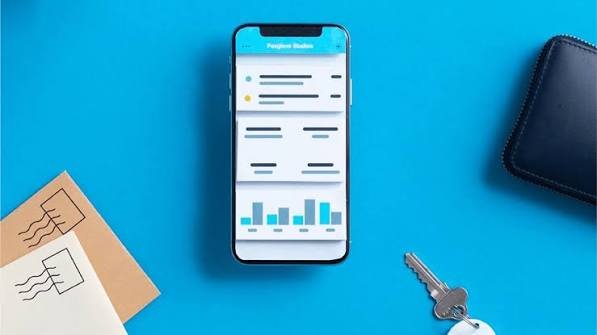
Mobile access can be valuable for business owners who frequently work away from their computers.
A mobile accounting application may allow you to:
- Create invoices
- Record expenses
- Capture receipts
- Review financial reports
- Check customer balances
- Monitor cash flow
- Approve transactions
This can make financial management more convenient.
Integrations
Modern businesses often use several software applications.
Your accounting system may need to connect with:
- Ecommerce platforms
- Payment processors
- CRM software
- Payroll systems
- Banking services
- Inventory systems
- Project management software
- Expense management tools
- Tax software
Strong integrations can reduce manual data entry and create a smoother workflow.
Accounting Software Pricing
Accounting software pricing varies significantly.
You can find free options, low-cost plans, mid-range subscriptions, and enterprise-level accounting platforms.
Pricing can depend on:
- Number of users
- Accounting features
- Invoicing
- Inventory
- Payroll
- Project management
- Reporting
- Automation
- Integrations
- Multi-currency support
- Transaction limits
Some platforms charge per user, while others offer plans with a fixed number of users.
When evaluating the best accounting software for small businesses, don't look only at the monthly subscription.
Consider the total cost of ownership.
Hidden Accounting Software Costs
A seemingly affordable accounting platform can become more expensive when you add optional services.
Potential additional costs can include:
- Payroll
- Payment processing
- Extra users
- Premium integrations
- Advanced reporting
- Inventory management
- Data migration
- Professional implementation
- Training
- Premium support
Before purchasing, calculate what you will actually pay for the features your business needs.
Free vs. Paid Accounting Software
Free accounting software can be attractive to new businesses.
If you are a freelancer with a small number of customers and straightforward expenses, a free platform may provide everything you need.
However, paid accounting software can offer more advanced features, better automation, broader integrations, more reporting options, and additional business management capabilities.
The right choice depends on your business.
Don't pay for advanced features you won't use, but don't choose a free platform if its limitations will create additional work later.
Cloud Accounting vs. Desktop Accounting
Cloud accounting software is hosted online and accessed through the internet.
Desktop accounting software is installed locally on a computer.
Benefits of Cloud Accounting
Cloud accounting can provide:
- Remote access
- Automatic updates
- Easier collaboration
- Cloud backups
- Accountant access
- Mobile applications
- Online integrations
This makes cloud accounting particularly attractive for businesses with remote employees or external accountants.
Benefits of Desktop Accounting
Desktop accounting can still be useful in certain situations.
Some businesses prefer local software because they want more direct control over their accounting environment.
However, businesses should consider maintenance, backups, updates, security, and remote access requirements before choosing desktop accounting.
How to Choose the Best Accounting Software for Small Businesses
Choosing accounting software becomes easier when you start with your business requirements.
Identify Your Business Type
A freelancer, ecommerce store, construction company, consultant, restaurant, and professional services firm can have very different accounting needs.
Think about how your business earns money and what types of transactions you handle.
Determine Your Budget
Decide how much you can reasonably spend on accounting software.
Consider both your current budget and future costs.
A platform that costs slightly more but saves several hours every month may provide better value than a cheaper platform that requires extensive manual work.
Consider Your Team Size
If several employees need access, check the user limits.
Some platforms charge additional fees for extra users.
Make sure your accountant or bookkeeper can access the information they need.
Check Your Industry Requirements
Some industries require specialized features.
For example, an ecommerce business may need inventory management, while a consulting firm may prioritize time tracking and project billing.
Choose software based on your actual workflow.
Check Integrations
Make a list of the applications you currently use.
Then determine whether your preferred accounting software integrates with them.
This is especially important if you use ecommerce, payment processing, CRM, payroll, inventory, or project management systems.
Evaluate Ease of Use
Accounting software should make financial management easier.
Before subscribing, try a free trial or demonstration if available.
Test basic tasks such as:
- Creating an invoice
- Adding an expense
- Connecting a bank account
- Generating a report
- Reconciling transactions
- Adding a customer
If these tasks are confusing, your team may struggle with adoption.
Consider Scalability
Your accounting requirements may change as your company grows.
You may eventually need:
- More users
- Payroll
- Inventory
- Advanced reporting
- Multiple currencies
- Project accounting
- Automated workflows
- Additional integrations
The best accounting software for small businesses should be capable of supporting your business as it develops.
Check Security and Data Protection
Accounting software contains sensitive financial information.
Before choosing a platform, review its security practices, user permissions, authentication options, backup processes, and data protection policies.
Use strong passwords and enable multi-factor authentication when available.
Consider Accountant Compatibility
If you work with an accountant, ask which accounting platforms they support.
Choosing software your accountant already understands can make collaboration easier.
It can also reduce the time required for training and troubleshooting.
Best Accounting Software for Different Business Types
Different businesses have different priorities.
Best for Freelancers
FreshBooks and Wave can be attractive for freelancers who primarily need invoicing, expense tracking, and basic accounting.
Best for Growing Businesses
QuickBooks Online and Xero can be suitable for businesses that expect their financial management needs to become more advanced.
Best for Service Businesses
FreshBooks can be particularly useful for consultants, agencies, designers, developers, and other businesses that bill customers for projects or time.
Best for Budget-Conscious Businesses
Wave can be worth considering for businesses that want a free core accounting solution and have relatively simple financial needs.
Best for Zoho Users
Zoho Books can make sense for companies already using other Zoho applications and looking for an integrated business software ecosystem.
Common Accounting Software Mistakes
Choosing the best accounting software for small businesses is important, but how you use the software matters just as much.
One common mistake is choosing software based entirely on price.
The cheapest option may not provide the functionality you need.
Another mistake is purchasing too many features.
A small company may not need an enterprise accounting system with dozens of advanced functions.
Poor data management is another problem.
If transactions are not categorized correctly or records are not updated consistently, reports may become inaccurate.
Businesses should also avoid ignoring employee training.
Even the best accounting software cannot deliver its full value if employees don't know how to use it properly.
Finally, don't forget about backups and account security. Financial data should be protected with strong access controls and secure login practices.
Must Read:
- Best CRM Software: Features, Pricing, Benefits, and How to Choose
- Create a Website in Minutes: Build a Professional Website
FAQs:
What is the best accounting software for small businesses?
The best accounting software for small businesses depends on your company's size, industry, budget, accounting requirements, and future growth. QuickBooks Online, Xero, FreshBooks, Wave, and Zoho Books are popular options worth comparing.
What is the easiest accounting software for a small business?
The easiest platform depends on your experience and business model. Service businesses may prefer software with simple invoicing and time tracking, while product businesses may need more advanced inventory and accounting features.
Is free accounting software good enough?
Free accounting software can work well for freelancers and very small businesses with simple accounting needs. As your business grows, you may need paid features such as advanced reporting, inventory, payroll, automation, or additional users.
How much does small business accounting software cost?
Pricing varies from free options to hundreds of dollars per month for advanced platforms. Many small business accounting plans fall within the general range of $20 to $50 per month at entry level, but actual pricing depends on the provider, country, plan, promotions, and add-ons.
Does accounting software replace an accountant?
Accounting software can automate bookkeeping and organize financial information, but it does not necessarily replace an accountant. Professional accounting or tax advice can still be valuable for tax planning, compliance, financial strategy, and complex business situations.
Should a small business use cloud accounting software?
Cloud accounting can be a good choice because it provides remote access, collaboration, automatic updates, and integrations. It can be particularly useful for businesses that work with remote employees or external accountants.
What accounting features should a small business prioritize?
Most small businesses should consider invoicing, expense tracking, bank reconciliation, financial reporting, accounts receivable, accounts payable, integrations, security, and ease of use. Businesses that sell products may also need inventory management.
Final Thoughts:
Finding the best accounting software for small businesses doesn't mean choosing the platform with the largest number of features. It means finding software that matches your company's actual accounting needs, budget, workflow, and growth plans.
QuickBooks Online is a strong all-around option for businesses that want broad accounting functionality and access to a large accounting ecosystem. Xero can be attractive for growing teams and collaborative accounting. FreshBooks is particularly useful for freelancers and service-based businesses that rely heavily on invoicing and time tracking. Wave can provide a low-cost starting point for very small businesses, while Zoho Books is worth considering for companies looking for value and integration with the wider Zoho ecosystem.
Before making a final decision, compare pricing, invoicing, expense management, bank reconciliation, reporting, inventory, payroll, integrations, user access, mobile capabilities, security, and customer support.
Most importantly, think about your business two or three years from now. The best accounting software for small businesses should not only solve today's bookkeeping problems but also provide enough flexibility to support future growth.
When the right accounting platform is combined with accurate records and consistent financial processes, it can save time, improve cash flow visibility, reduce manual work, and help you make more informed business decisions.