

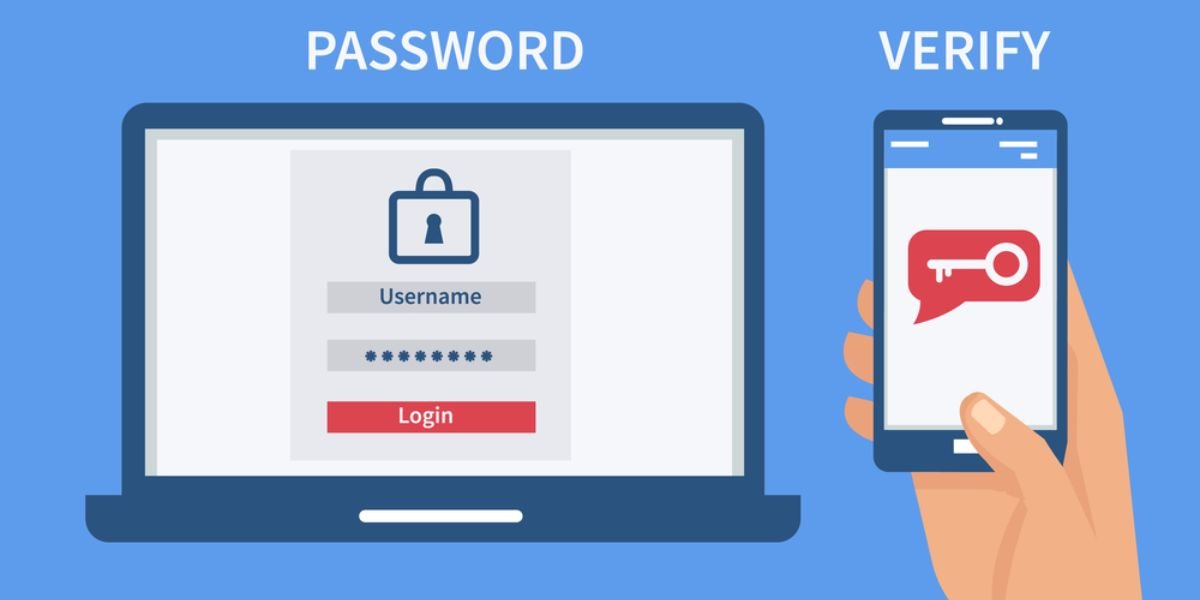
What Is the Safest Two-Factor Authentication? Passwords alone are no longer enough to protect your accounts. Hackers can guess, steal, or leak passwords easily. That is why two-factor authentication (2FA) is important.
2FA adds an extra layer of security. Even if someone knows your password, they still need a second verification step. This makes it much harder for attackers to access your account.
What Is Two-Factor Authentication (2FA)?
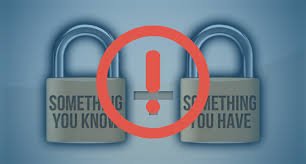
Two-factor authentication is a security method that requires two steps to log in:
- Something you know (password)
- Something you have or are (code, device, fingerprint)
This reduces the risk of unauthorized access.
Types of 2FA Methods
Two-factor authentication adds an extra layer of security, but it comes in different forms. Understanding the types of 2FA methods helps you choose the safest option for protecting your accounts. Each method works in a unique way, offering different levels of security, convenience, and risk.
1. SMS-Based Codes
SMS-based two-factor authentication is one of the most commonly used methods. When you try to log in, a one-time code is sent to your registered mobile number. You enter this code to complete the login process.
This method is easy to use and widely supported by most websites and apps. It does not require any additional setup beyond linking your phone number. However, it has some security risks. Attackers can perform SIM swap attacks, where they transfer your number to another device and receive your codes. Because of this, SMS-based 2FA is considered less secure compared to other methods, but still better than using only a password.
2. Email-Based Codes
Email-based authentication works similarly to SMS. Instead of receiving a code on your phone, you receive it in your email inbox. This method is simple and convenient, especially for users who may not want to share their phone number.
However, the security of this method depends on how secure your email account is. If someone gains access to your email, they can also access your other accounts. It is important to use strong passwords and enable 2FA on your email itself. While email-based codes add a layer of protection, they are not the strongest option available.
3. Authenticator Apps
Authenticator apps are one of the most secure and popular 2FA methods. Apps like Google Authenticator or Microsoft Authenticator generate time-based one-time passwords (TOTP) on your device. These codes change every 30 seconds and do not require an internet connection.
The main advantage of authenticator apps is that they are not tied to your phone number, which reduces the risk of SIM swap attacks. Even if someone knows your password, they cannot access your account without the code from your device. This method offers a strong balance between security and convenience, making it a preferred choice for many users.
4. Push Notifications
Push notification-based 2FA allows you to approve or deny login attempts directly on your device. When you try to log in, a notification is sent to your phone asking you to confirm the request.
This method is very convenient because it removes the need to enter codes manually. However, it relies on user awareness. If someone accidentally approves a fake request, their account can be compromised. While it is secure, users must stay alert and only approve requests they recognise.
5. Hardware Security Keys
Hardware security keys are physical devices that provide the highest level of security. You need to insert the key into your device or tap it wirelessly to verify your identity.
These keys are resistant to phishing and cannot be easily hacked. Even if someone has your password, they cannot access your account without the physical key. This makes them ideal for protecting sensitive accounts like banking, business, or email.
The only downside is that they require an additional device and can be lost if not handled carefully. Despite this, they remain the safest 2FA option available.
Which 2FA Is the Safest
Not all two-factor authentication methods offer the same level of security. Some are more resistant to hacking and phishing, making it important to choose the safest option for protecting your accounts.
🥇 Hardware Security Keys (Most Secure)
This is the safest option.
- Requires a physical device
- Resistant to phishing
- Not dependent on network
Example: USB security key
🥈 Authenticator Apps (Highly Secure)
A strong and popular option.
- Works offline
- Generates time-based codes
- More secure than SMS
🥉 Push Notifications
Convenient and fairly secure.
- Easy to use
- Risk if you approve fake requests
⚠️ SMS and Email Codes (Less Secure)
These are common but weaker.
- Can be intercepted
- Vulnerable to SIM swap attacks
Comparison of 2FA Methods
| Method | Security Level | Convenience | Risk Level |
|---|---|---|---|
| Hardware Key | Very High | Medium | Very Low |
| Authenticator App | High | High | Low |
| Push Notification | Medium | Very High | Medium |
| SMS Code | Low | High | High |
| Email Code | Low | High | High |
Best Practices for Using 2FA
- Use authenticator apps whenever possible
- Choose hardware keys for critical accounts
- Enable 2FA on all important services
- Backup recovery codes safely
- Keep your device secure
Common Mistakes to Avoid
- Using SMS as the only security method
- Ignoring 2FA prompts
- Sharing verification codes
- Not saving backup codes
- Using weak passwords with 2FA
Quick Safety Checklist
Before setting up 2FA:
- Choose the most secure method
- Save backup codes
- Secure your phone
- Avoid sharing codes
- Enable 2FA everywhere possible
Must Read:
- Why Am I Suddenly Getting a Lot of Spam Emails?
- Why Clearing Cache and Cookies Matters?
- How Do I Check If My Room Has a Spy Camera?
Final Thoughts:
The safest two-factor authentication is one that adds strong protection without making your life difficult. Hardware security keys offer the highest level of security, while authenticator apps provide a great balance of safety and convenience.
Avoid relying only on SMS or email codes for important accounts. Choosing the right 2FA method can protect your data, money, and identity.
Stay secure, stay smart, and make 2FA a habit.