

- Drag and drop visual page builder
- Easy website design without coding
- Wide range of widgets and templates
- Responsive design for all devices
Building a website used to require coding skills, design knowledge, and a lot of time. Today, tools like Elementor have changed that completely. With drag and drop functionality, anyone can create a professional website without writing a single line of code.
Elementor has become one of the most popular page builders in the WordPress ecosystem. Bloggers, affiliate marketers, business owners, and freelancers use it to design pages quickly and efficiently. Its flexibility and ease of use make it a strong choice for both beginners and advanced users.
But is Elementor really the best page builder available today? This detailed Elementor Reviews covers everything you need to know. From features and performance to pricing and real user experience, you will get a complete picture to decide if it is the right tool for your website.
Quick Overview of Elementor
Before going deeper into detailed analysis, it helps to look at a quick snapshot of what Elementor offers. This overview gives you a clear idea of its main strengths and why it has become one of the most widely used page builders for WordPress.
Drag and Drop Visual Editor
Elementor’s biggest advantage is its drag and drop visual editor. You can design your website in real time by simply moving elements around the page. There is no need to write code or switch between different screens. What you see while editing is exactly how your page will look when published. This makes the entire design process faster, easier, and more intuitive.
Wide Range of Widgets and Elements
Elementor provides a large collection of widgets and design elements that help you build fully customised pages. These include buttons, images, text blocks, forms, sliders, and more. Each widget comes with its own settings, allowing you to control layout, spacing, colours, and styling. This flexibility makes it easy to create unique designs without relying on additional plugins.
Pre-Designed Templates and Blocks
To save time, Elementor offers pre-designed templates and blocks that you can import with a single click. These templates are professionally designed and suitable for different types of websites such as blogs, business pages, and landing pages. You can use them as they are or customise them to match your brand. This feature is especially helpful for beginners who want a quick start.
Responsive Design Controls
Elementor allows you to optimise your website for different devices, including mobile phones and tablets. You can adjust layouts, font sizes, and spacing for each device separately. This ensures your website looks good and works smoothly across all screen sizes, improving user experience and engagement.
Free and Pro Versions Available
Elementor offers both a free version and a premium Pro version. The free version includes basic widgets and design tools, making it suitable for simple websites. The Pro version unlocks advanced features such as theme building, marketing tools, and premium templates. This flexibility allows users to start for free and upgrade as their needs grow.
This quick overview shows that Elementor combines ease of use, flexibility, and powerful design features, making it a strong choice for building modern and professional websites.
Elementor Overview Table
| Feature | Details | Benefit |
|---|---|---|
| Builder | Drag and drop editor | Easy design |
| Templates | Ready-made layouts | Saves time |
| Widgets | Buttons, forms, images | Flexible design |
| Responsiveness | Mobile-friendly controls | Better user experience |
| Pricing | Free and paid plans | Flexible options |
This overview shows Elementor is designed for simplicity and flexibility.
What is Elementor?
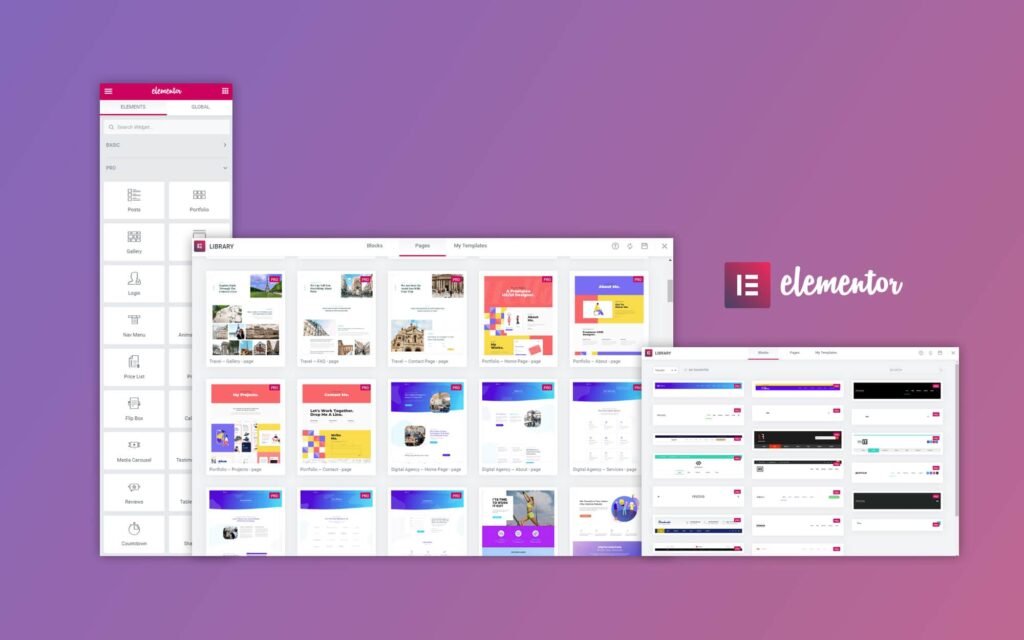
Elementor is a powerful WordPress page builder plugin that allows users to design and customise websites visually. Instead of working with complex code, you can simply drag and drop elements onto your page and see the changes instantly. This real-time editing makes the entire website creation process faster, easier, and more accessible for everyone.
It transforms the traditional way of building websites into a more practical and user-friendly experience. Whether you are creating a blog, business site, or landing page, Elementor gives you full control over design without needing technical skills. You can adjust layouts, colours, fonts, spacing, and content with just a few clicks.
Core Purpose
- Simplify website design
Makes it easy to build professional websites without technical knowledge or coding experience. - Enable visual editing
Allows you to design pages in real time, so you can see exactly how your site will look before publishing. - Improve layout flexibility
Provides complete control over page structure, helping you create unique and customised designs. - Reduce dependency on developers
Eliminates the need to hire developers for most design tasks, saving both time and cost.
Elementor acts as a complete design tool that puts you in control of your website. It is especially popular among bloggers, marketers, and small business owners who want to create visually appealing and functional websites quickly and efficiently.
Key Features of Elementor
Elementor includes a wide range of features that make website design easier and more flexible.
Drag and Drop Editor
- Visual page building
- Real-time editing
- No coding required
Widgets and Elements
- Buttons, images, forms, sliders
- Custom design options
- Easy placement
Pre-Built Templates
- Ready-to-use designs
- Suitable for different niches
- Quick setup
Responsive Design
- Mobile and tablet optimisation
- Device-specific adjustments
- Better user experience
Theme Builder (Pro)
- Custom headers and footers
- Full site design control
- Advanced features
These features make Elementor a complete page building solution.
Elementor Performance and Speed
Performance is an important factor for any website.
Performance Highlights
- Smooth editing experience
- Fast loading with optimisation
- Depends on hosting and plugins
Real Experience
- Slightly heavier than basic themes
- Can be optimised for speed
- Works well with caching tools
Elementor performs well when properly optimised.
Ease of Use and Interface
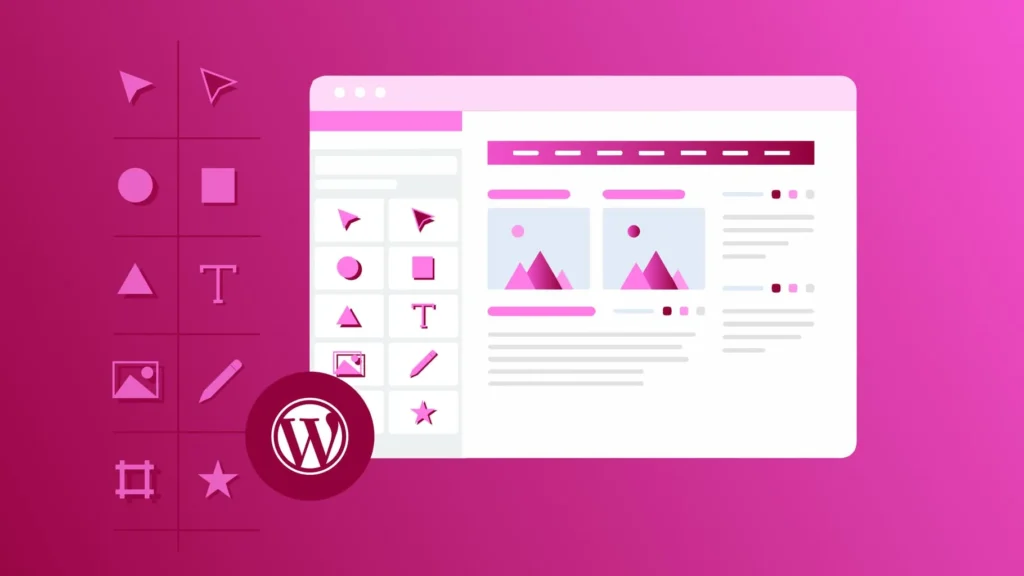
Ease of use is one of Elementor’s biggest strengths.
Interface Features
- Clean and visual editor
- Drag and drop functionality
- Real-time preview
User Experience
- Beginner-friendly
- No coding required
- Quick learning curve
Even new users can design pages easily.
Elementor Free vs Pro
Elementor offers both free and premium versions.
Free Version
- Basic widgets
- Simple design tools
- Good for beginners
Pro Version
- Advanced widgets
- Theme builder
- Marketing tools
Which One to Choose
- Free for basic websites
- Pro for advanced features
The Pro version unlocks full potential.
Pros and Cons of Elementor
Pros
- Easy to use
- No coding required
- Flexible design options
- Large template library
- Active community
Cons
- Can affect speed if not optimised
- Pro version required for advanced features
- Learning curve for advanced tools
This gives a balanced view.
Elementor vs Competitors
Comparison helps in making better decisions.
Elementor vs Gutenberg
- Elementor more flexible
- Gutenberg lighter
Elementor vs Divi
- Divi has built-in theme
- Elementor more user-friendly
Elementor vs WPBakery
- Elementor easier to use
- WPBakery more traditional
Comparison Table
| Feature | Elementor | Gutenberg | Divi | WPBakery |
|---|---|---|---|---|
| Ease of Use | Easy | Moderate | Moderate | Moderate |
| Flexibility | High | Moderate | High | Moderate |
| Speed | Moderate | Fast | Moderate | Moderate |
| Pricing | Free/Pro | Free | Paid | Paid |
Who Should Use Elementor?
Elementor is suitable for a wide range of users.
Best For
- Bloggers
- Affiliate marketers
- Small business owners
- Freelancers
Not Ideal For
- Users needing ultra-lightweight sites
- Developers preferring coding
It works best for users who want design flexibility.
Tips to Get the Best Out of Elementor
Using Elementor effectively is not just about dragging and dropping elements onto a page. To get the best performance, design quality, and user experience, you need to follow a few smart practices. These small adjustments can make a big difference in how fast and professional your website feels.
Use Lightweight Themes
Choosing the right theme is very important when working with Elementor. Pairing it with a lightweight theme like Astra Theme helps maintain fast loading speeds and smooth performance. A heavy theme can slow down your site, even if your design is simple. Lightweight themes provide a strong foundation that allows Elementor to work efficiently without unnecessary delays.
Limit Heavy Widgets
Elementor offers many widgets, but using too many on a single page can affect performance. Avoid adding unnecessary animations, sliders, or complex elements that increase loading time. Focus on essential widgets that serve a purpose. Keeping your design clean and simple not only improves speed but also enhances user experience.
Optimise Images
Large image files can slow down your website significantly. Always compress your images before uploading them to your site. Use proper formats and sizes to reduce load time without affecting quality. Optimised images help your pages load faster and improve overall performance, especially on mobile devices.
Use Caching Plugins
Caching plugins store a version of your website so it loads faster for returning visitors. This reduces the time needed to load each page from scratch. When combined with Elementor, caching can significantly improve speed and make navigation smoother. It also helps reduce server load and improves overall efficiency.
Keep Plugin Updated
Regular updates are essential for both performance and security. Elementor frequently releases updates that fix bugs, improve speed, and add new features. Using an outdated version can cause compatibility issues and slow down your website. Enabling automatic updates ensures your site always runs smoothly.
These practical tips can help you get the most out of Elementor, allowing you to create fast, responsive, and visually appealing websites that perform well and provide a better experience for your visitors.
Real User Experience and Feedback
User feedback provides valuable insights.
Positive Feedback
- Easy to use
- Flexible design
- Fast development
Negative Feedback
- Can slow down site
- Pro version needed
Most users find it highly useful.
Must Read:
- Astra Theme Reviews: Is It the Fastest WordPress Theme?
- FlyingPress Reviews: Speed Up WordPress Easily?
- PureVPN Reviews: Secure, Fast or Just Hype?
Final Verdict:
Elementor remains one of the best page builders available today. It offers a perfect balance between ease of use and powerful design features. Whether you are a beginner or an experienced user, it provides the tools needed to create professional websites quickly.
While it may require optimisation to maintain speed, its flexibility and design capabilities make it a strong choice. The free version is enough for basic needs, while the Pro version unlocks advanced features that can take your website to the next level.
If you want a simple yet powerful way to build websites without coding, Elementor is definitely worth considering.
FAQs:
1. Is Elementor free?
Yes, it offers a free version with basic features.
2. Is Elementor easy to use?
Yes, it is beginner-friendly.
3. Does Elementor slow down websites?
It can, but optimisation helps.
4. Is Elementor better than Gutenberg?
It offers more flexibility.
5. Do I need Elementor Pro?
Pro is useful for advanced features.
6. Is Elementor good for beginners?
Yes, it is designed for ease of use.
- Drag and drop visual page builder
- Easy website design without coding
- Wide range of widgets and templates
- Responsive design for all devices