


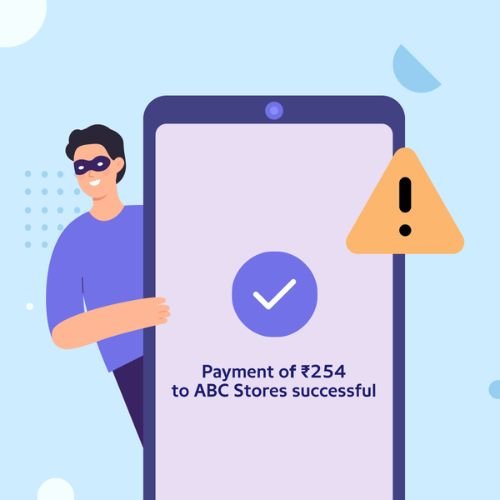
- Never rely on screenshots as payment proof
- Always check your bank or payment app directly
- Do not release services before confirmation
- Avoid trusting edited or unclear images
- Use secure and traceable payment methods
Payment screenshots are often used as proof of transaction. Whether you are selling a product, offering a service, or dealing with online payments, it is common for someone to send a screenshot as confirmation.
But here is the problem. Never trust payment screenshots can be easily faked. Scammers use edited images, fake apps, or delayed transactions to trick people into believing a payment has been made.
Many people trust these screenshots without verifying the actual payment. This mistake can lead to financial loss, especially in online selling or peer-to-peer transactions.
This guide explains why you should never trust payment screenshots and how to protect yourself from this growing scam.
What Are Payment Screenshot Scams
Payment screenshot scams involve scammers sending fake or misleading proof of payment to trick someone into believing money has been transferred.
These scams usually happen in:
- Online marketplaces
- Freelance work
- Social media sales
- Peer-to-peer transactions
The scammer’s goal is to receive goods or services without actually paying.
Why Fake Payment Proofs Are Common
There are several reasons why this scam is widespread.
- Screenshots are easy to edit
- People trust visual proof
- Transactions may take time to reflect
- Scammers exploit urgency
Because screenshots look convincing, many people accept them without checking actual balances.
How Payment Screenshot Scams Work
The process is simple and effective.
- Agreement
Buyer agrees to purchase a product or service. - Fake Payment Proof
Scammer sends a screenshot showing payment. - Pressure
They claim urgency and ask for quick delivery. - Release of Goods
Seller delivers product or service. - No Payment Received
The money never arrives.
Common Types of Screenshot Scams
Common screenshot scams include fake payment confirmations, edited bank receipts, refund proof scams, and transaction screenshots used to gain trust and trick victims into sending goods, money, or sensitive details.
1. Edited Screenshot Scam
Images are manually edited to show fake transactions.
2. Fake Payment App Screenshots
Scammers use fake apps that generate payment confirmations.
3. Pending Payment Scam
They show a screenshot of a “pending” transaction.
4. Reused Screenshot Scam
Old screenshots are reused to trick new victims.
5. Delayed Payment Scam
They claim payment is delayed due to technical issues.
Real-Life Example
A seller listed a product online. A buyer agreed to purchase and sent a payment screenshot showing the amount transferred.
The buyer insisted on urgent delivery. Trusting the screenshot, the seller handed over the product.
Later, the seller realised that no payment was received. The screenshot had been edited.
Warning Signs to Watch
Look for these red flags.
- Payment not reflected in your account
- Blurry or cropped screenshots
- Urgent requests for delivery
- Claims of technical delays
- Refusal to wait for confirmation
If any of these signs appear, verify before acting.

Payment Screenshot Scam Types and Protection Actions
| Scam Type | How It Works | Protection Action |
|---|---|---|
| Edited Screenshot | Image altered to show fake payment | Verify through bank account |
| Fake App Screenshot | Generated using fake apps | Do not trust visual proof |
| Pending Payment | Claims payment is processing | Wait for actual confirmation |
| Reused Screenshot | Old proof reused | Check transaction details carefully |
| Delayed Payment | Excuses for missing funds | Do not release goods early |
How Scammers Create Fake Screenshots
Scammers use simple tools.
- Photo editing apps
- Fake payment apps
- Screenshot generators
- Cropping and formatting tricks
These methods make fake proofs look real.
Psychological Tricks Used
Scammers rely on behaviour.
- Urgency: Immediate delivery request
- Trust: Providing visual proof
- Pressure: Repeated follow-ups
- Excuses: Payment delays
These tactics push quick decisions.
Quick Safety Checklist
Use this checklist before accepting any payment.
- Has the money been credited to your account
- Are transaction details verified
- Is the buyer rushing you
- Does the screenshot look genuine
- Can you confirm through your app
If unsure, do not proceed.
What to Do If You Receive a Screenshot
If someone sends a payment screenshot:
- Check your bank or app directly
- Wait for confirmation
- Do not rely on the image
- Communicate clearly that you need actual proof
Verification is essential.
What to Do If You Get Scammed
If you fall victim, act quickly.
- Contact your bank
- Report the incident
- Save all communication
- Block the scammer
- Warn others
Quick action may reduce further loss.
Safe Payment Practices
Follow these safe methods.
- Use verified payment platforms
- Accept only confirmed payments
- Avoid partial or unclear transactions
- Use escrow services if possible
These practices improve security.
Smart Habits for Long-Term Safety
Build habits that protect you.
- Always verify payments
- Avoid rushing transactions
- Stay informed about scams
- Use secure platforms
- Educate others
Consistency reduces risk.
Must Read:
- Google Search Scam: Fake Customer Care Numbers
- Parcel Scam Messages: Don’t Click These Links
- Delivery Scam: What to Check Before Clicking
Final Thoughts:
Payment screenshots can be misleading and easily manipulated. Trusting them without verification can lead to serious financial loss.
Always rely on actual account confirmation, not visual proof. A few extra seconds of checking can save you from scams.